


AI Phone Assistant for Faster Customer Calls
Modern teams do not lose deals, appointments, or customer trust because they lack effort. They lose them because calls come in at the wrong time, queues get too long, and follow-up falls through the cracks.
An AI phone assistant solves that gap. It answers instantly, handles common questions, qualifies callers, books meetings, routes urgent conversations, and keeps your team available without making customers wait. For sales, support, operations, and recruiting teams, that means faster customer calls, fewer missed opportunities, and much better coverage without adding headcount.
The market is moving quickly, but most articles stop at surface-level benefits. They talk about “AI answering calls” without explaining what actually matters in production: response speed, knowledge accuracy, CRM actions, multilingual performance, handoff logic, pricing transparency, and how fast a real business can go live.
This guide goes deeper. It covers what an AI phone assistant is, where it creates value, what to look for, and why more companies are replacing voicemail trees and slow call workflows with real-time voice AI.
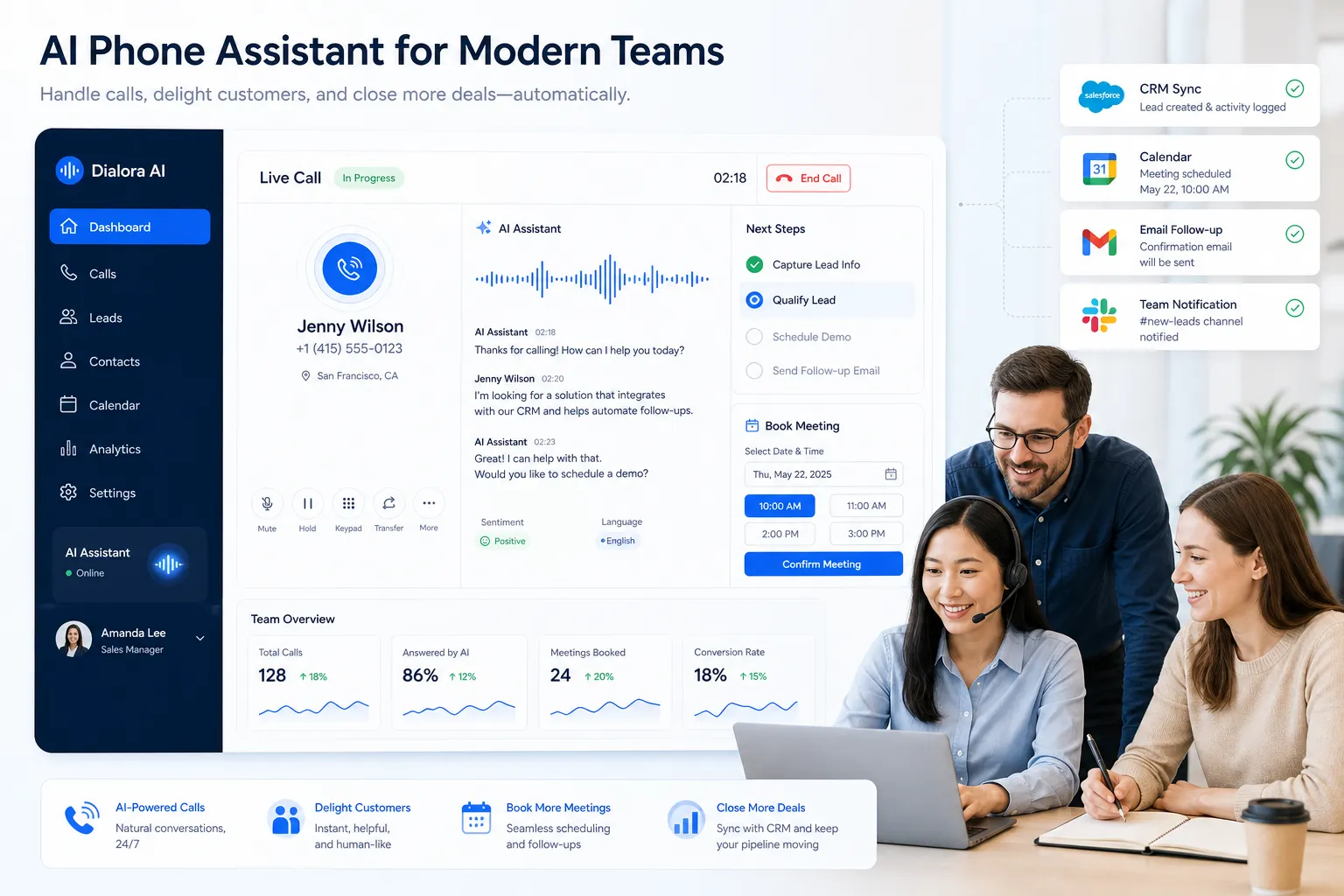
What Is an AI Phone Assistant?
An AI phone assistant is a voice-based software system that can answer or place phone calls, understand spoken language, respond naturally in real time, and complete tasks during the conversation.
Unlike traditional IVR systems that force callers through rigid “press 1, press 2” menus, a modern AI phone assistant can:
understand open-ended questions
respond using natural speech
pull answers from company knowledge sources
qualify leads or collect caller information
schedule appointments
update CRM records
transfer to a human with context
trigger follow-up actions through workflows
In practice, it acts less like a voicemail box and more like an always-available team member.
Why Businesses Are Adopting AI for Customer Calls
The shift is simple: customers expect speed, but most phone workflows still depend on human availability.
When a caller reaches voicemail, sits on hold, or gets bounced between departments, the business pays for it in lost trust and lost revenue. AI changes the economics of phone support and phone sales by making instant response scalable.
The biggest business drivers
1. Faster first response
An AI assistant answers immediately, even after hours, during peak volume, or when your team is already busy.
2. Better call coverage
It helps businesses cover inbound demand 24/7 without hiring a round-the-clock team.
3. Lower operational load
Routine calls like FAQs, appointment scheduling, confirmations, reminders, and lead qualification no longer need to consume human time.
4. More consistent customer experience
Every caller gets a professional, on-brand response instead of inconsistent manual handling.
5. Better data capture
Instead of disappearing into voicemail, conversations become structured records, call summaries, CRM updates, and follow-up tasks.
"Voice agents respond instantly - no hold music, no missed opportunities." - Synthflow
How an AI Phone Assistant Works
A strong voice AI system is more than speech-to-text plus a chatbot. It combines several layers working together in real time.
Core components
Component | What it does | Why it matters |
|---|---|---|
Speech recognition | Converts caller speech into text | Enables accurate understanding |
Language understanding | Detects intent and extracts details | Helps the assistant know what the caller wants |
Response engine | Generates the best answer or next step | Keeps conversations useful and natural |
Voice synthesis | Speaks back in a human-like voice | Shapes caller trust and experience |
Knowledge grounding | Pulls from FAQs, websites, PDFs, or docs | Reduces hallucinations and improves accuracy |
Workflow automation | Books meetings, updates CRM, sends messages | Turns calls into outcomes |
Human handoff | Transfers live with context | Prevents dead ends on complex calls |
What “good” looks like in production
A real business-ready AI phone assistant should not just speak clearly. It should also:
respond with sub-second speed
stay grounded in approved business information
support both inbound and outbound calling
transfer to a human when confidence is low or urgency is high
log every conversation cleanly
integrate with your CRM, calendar, and messaging tools
That is where many lightweight tools fall short. They can demo well, but break down when handling live business workflows.
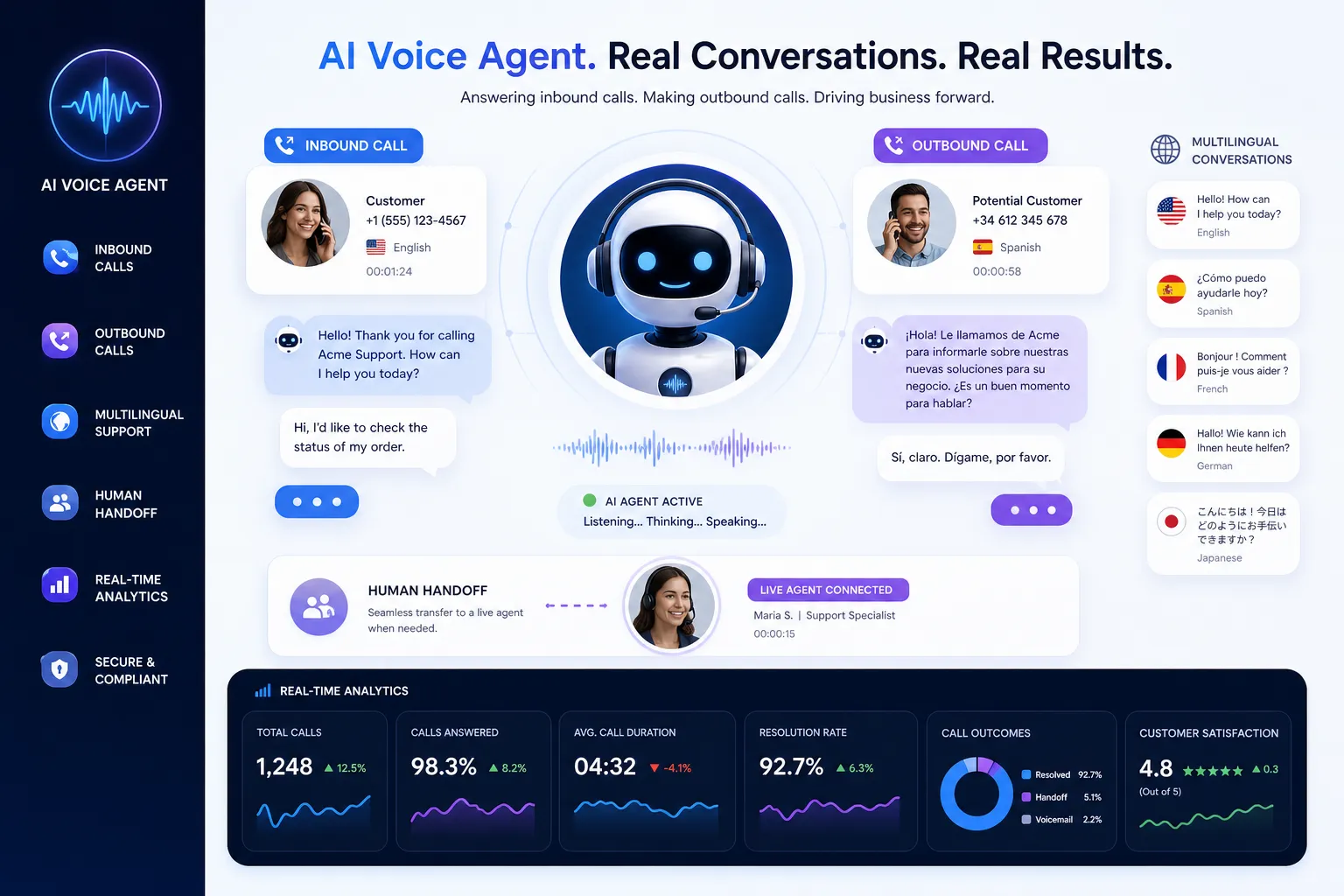
The Most Valuable Use Cases
Most competitor articles list generic uses like “answer calls” or “book appointments.” The real value comes from matching the AI to the exact job your team needs done.
Customer support and FAQ handling
For support teams, an AI phone assistant can answer common questions such as:
business hours
order or service status
policy information
location details
pricing basics
account routing
That reduces queue pressure and allows live agents to focus on exceptions and high-value conversations.
Sales qualification and lead capture
For sales teams, speed-to-lead matters. An AI assistant can:
answer new inbound sales calls immediately
ask qualification questions
identify urgency, fit, or budget
book a meeting directly
push lead details into the CRM
trigger a WhatsApp or SMS follow-up
This is especially useful when leads call outside business hours or when reps are already in conversations.
Appointment booking and reminders
For service businesses, clinics, consultancies, and recruiting teams, scheduling is one of the easiest workflows to automate. The assistant can:
offer time slots
confirm availability
reschedule appointments
send reminders
reduce no-shows
Recruiting and candidate screening
An AI assistant can handle first-touch candidate calls, ask standard screening questions, confirm availability, and route qualified candidates to the next stage.
Outbound follow-up campaigns
Modern voice AI is not limited to answering calls. It can also place calls for:
lead follow-up
appointment reminders
reactivation campaigns
candidate outreach
payment reminders
post-service check-ins
This matters because businesses often need both inbound responsiveness and outbound consistency.
AI Phone Assistant vs Traditional Phone Support
The difference is not just automation. It is how quickly and reliably your business can move a conversation toward resolution.
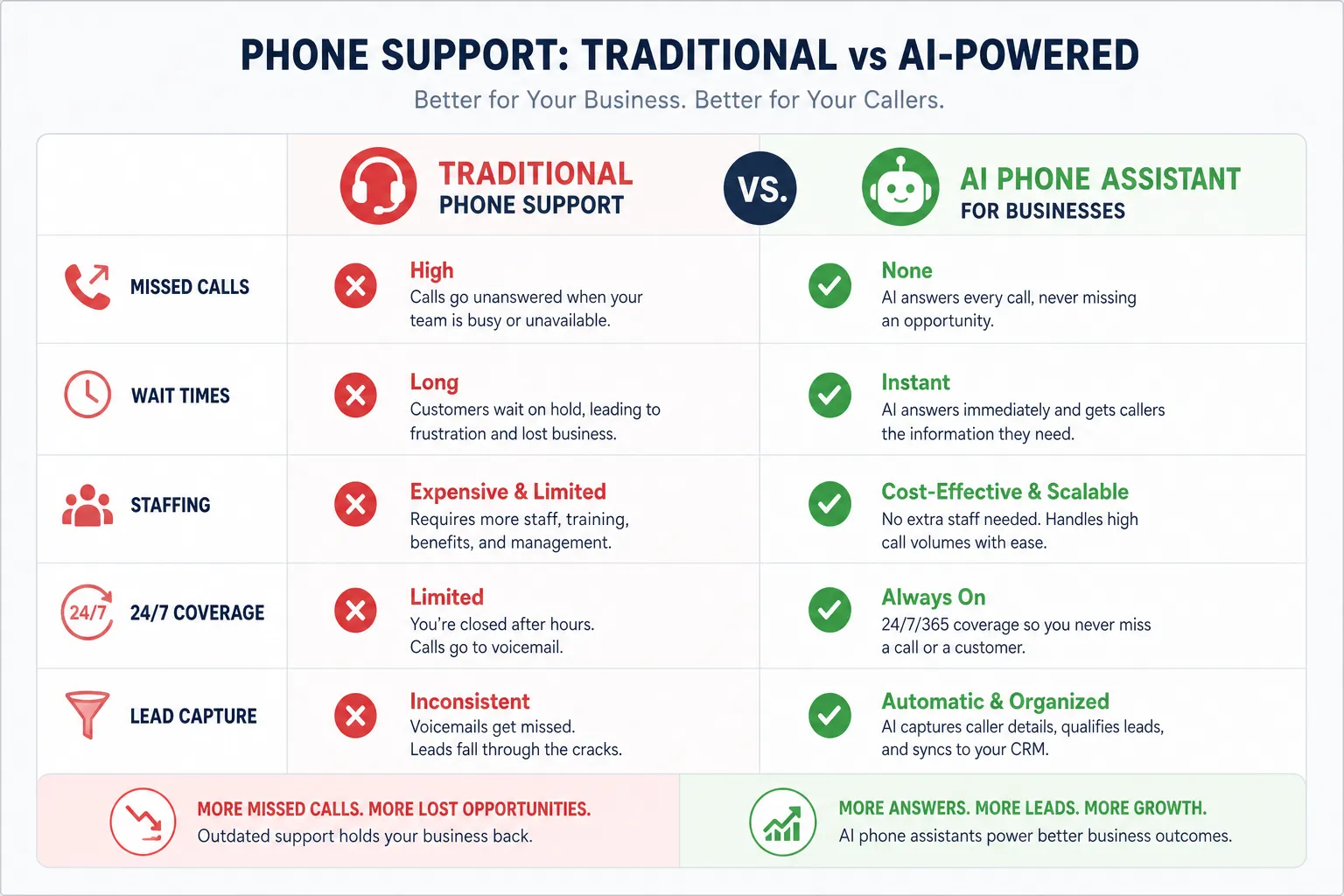
Capability | Traditional setup | Modern AI phone assistant |
|---|---|---|
Availability | Business hours only unless staffed | 24/7 by default |
First response | Often delayed or sent to voicemail | Instant |
FAQ handling | Manual | Automated |
Scheduling | Human-dependent | Automated with calendar integration |
Lead qualification | Inconsistent | Structured and repeatable |
Outbound reminders | Manual effort | Automated workflows |
Language coverage | Limited by staffing | Scalable across many languages |
Call notes | Often incomplete | Automatic summaries and logs |
Handoff context | Frequently lost | Passed with transcript and intent |
What Competitor Content Often Misses
After reviewing the leading pages in this space, several content gaps stand out.
They overfocus on features and underfocus on deployment speed
Many articles compare lists of capabilities, but not how long it actually takes to launch. For most businesses, a tool that takes weeks of setup, scripting, or engineering support is not practical.
They ignore latency
“Natural conversation” is meaningless if response delays make the call feel robotic. Sub-second response time is a real differentiator.
They talk about automation, not outcomes
The better question is not “Can it answer a call?” It is “Can it book, qualify, route, log, follow up, and escalate correctly?”
They skip knowledge grounding
If a voice agent is not trained on real business information like websites, PDFs, knowledge bases, and FAQs, the risk of inaccurate answers goes up fast.
They treat integrations as optional
For actual ROI, phone conversations need to connect to CRM records, calendars, messaging channels, and automations.
They gloss over transparent pricing
Many solutions layer on seat fees, usage bundles, setup charges, and extra costs for transfers or integrations. Buyers need to understand total cost, not teaser pricing.
What to Look for When Evaluating an AI Phone Assistant
Choosing the right platform is less about flashy demos and more about operational fit.
1. Speed to launch
If your team needs engineering help, custom code, or weeks of onboarding, adoption slows down.
A better model is a no-code setup where you can launch a live AI voice agent in minutes, not months.
2. Natural conversation quality
Look for real-time interactions with low latency, not awkward delays between turns.
3. Multilingual coverage
If your business serves diverse markets, language flexibility matters. Many tools support only one or two languages. Strong platforms support 30+ languages and let you scale without rebuilding workflows.
4. Knowledge grounding
The assistant should learn from your website, help center, PDFs, internal docs, and FAQs, not rely on generic prompting alone.
5. Inbound and outbound support
Many businesses need both. Make sure the platform can handle incoming customer calls and proactive outbound campaigns.
6. Human transfer with context
A smooth live transfer should include the caller’s intent and conversation summary, so customers do not have to repeat themselves.
7. Integrations
At minimum, look for integrations with:
CRM
calendars
WhatsApp or messaging channels
workflow automation tools
analytics and reporting systems
8. Transparent pricing
The best platforms are clear about costs and avoid hidden setup fees, surprise overages, or expensive implementation services.
Why Trikon Fits Modern Teams Better
Trikon is built for companies that want production-ready voice AI without turning the project into a technical implementation burden.
What stands out
Launch in under 5 minutes
Trikon makes it possible to launch a live AI voice agent in under five minutes. That is a major advantage for teams that want fast wins instead of lengthy rollout cycles.
No-code setup
You do not need an AI team or custom development. Business teams can configure the assistant themselves.
Real-time natural conversations
With sub-second response times, Trikon is built for live conversations that feel fast and fluid, not clunky or delayed.
Knowledge-grounded accuracy
You can train the assistant using your website, documents, PDFs, and FAQs, helping it stay accurate and on-brand.
Multilingual support
Trikon supports 30+ languages, making it suitable for customer-facing teams across markets.
Inbound and outbound calling
It works across both directions, so teams can automate call handling and follow-up from one platform.
Live transfer with context
When a human needs to step in, Trikon supports handoff with conversation context, which protects the customer experience.
Unified communications
Because Trikon also supports WhatsApp Business, cloud business phone, calendars, CRM, and workflows, it helps teams manage conversations in one connected system rather than across fragmented tools.
Transparent pricing
No hidden setup costs. No bloated implementation layer. That matters for growing companies that want clear ROI.
Unlimited scale
With 24/7 availability and scalable unlimited agents, Trikon is suited for both lean teams and growing operations.
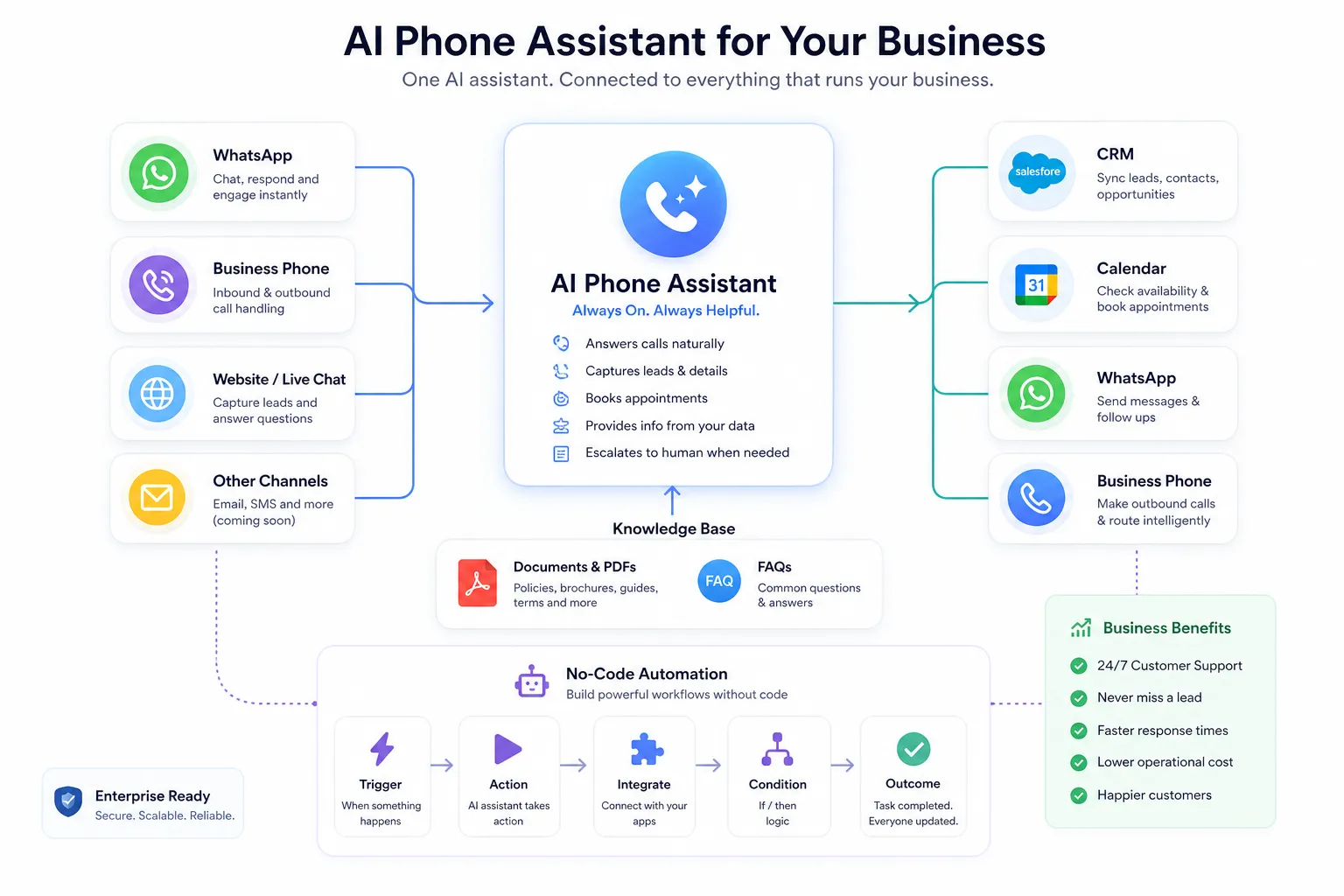
Where Trikon Creates the Most Impact
For sales teams
Trikon can answer new inbound calls instantly, qualify prospects, book meetings, and sync lead data into your CRM automatically.
For customer support teams
It can resolve routine questions, route more complex calls, and keep service available around the clock.
For operations teams
It helps automate repetitive call flows, scheduling tasks, reminders, and process updates without adding manual overhead.
For recruiting teams
It can screen candidates, collect availability, answer process questions, and move qualified people faster to the next step.
For growing SMBs
Many smaller teams want enterprise-grade automation without enterprise implementation complexity. Trikon is especially strong here because it is fast to deploy, easy to manage, and built for practical business outcomes.
A Simple Framework to Decide if You Need One
If you are unsure whether now is the right time, use this quick test.
You are likely ready for an AI phone assistant if:
your team misses inbound calls
callers often hit voicemail
staff spend too much time answering repetitive questions
appointment booking takes manual effort
leads call outside business hours
follow-up is inconsistent
you need better visibility into phone conversations
you want automation without hiring developers
If two or more of these are true, the opportunity is probably already large enough to justify action.
Example Evaluation Checklist
Use this checklist when comparing vendors.
Evaluation area | What to ask |
|---|---|
Setup time | Can we go live this week, ideally today? |
Ease of use | Can operations or support teams manage it without code? |
Response speed | Does it answer in real time with minimal delay? |
Conversation quality | Does it sound natural and stay on topic? |
Training sources | Can it learn from our website, PDFs, and FAQs? |
Use cases | Does it support both inbound and outbound workflows? |
Escalation | Can it transfer calls to a human with context? |
Integrations | Does it connect with CRM, calendar, WhatsApp, and automations? |
Language support | Can it handle our customer language mix? |
Pricing | Is total cost clear, with no hidden setup fees? |
A Look at the Broader Market
Competitor platforms have helped validate demand for AI-driven call handling, but they often target either narrow answering use cases or heavier enterprise workflows.
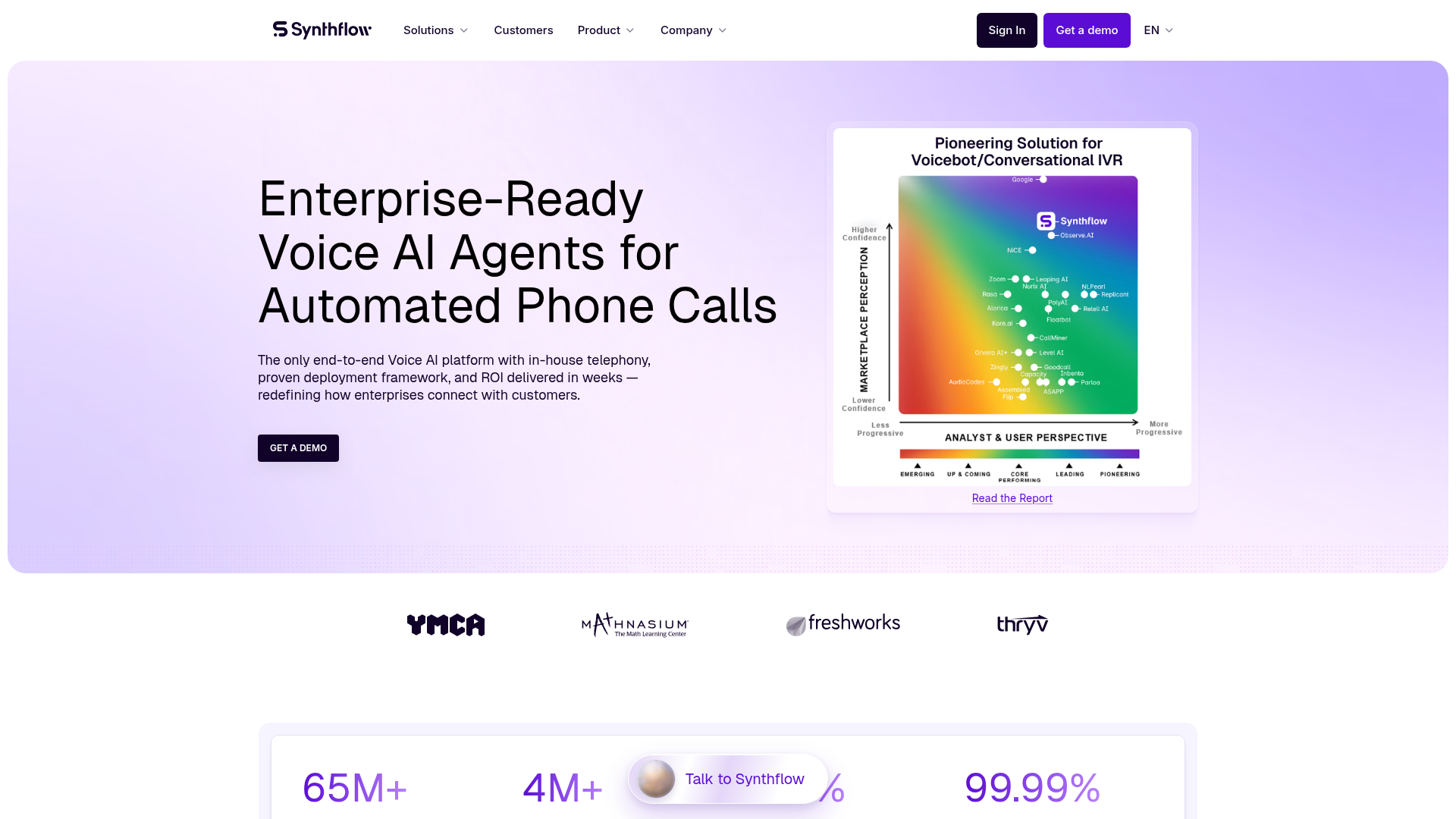
Enterprise voice automation platforms
Some platforms focus on enterprise-scale orchestration, telephony infrastructure, and complex deployment models. These can be powerful, but are often heavier than what many growth-stage teams need.
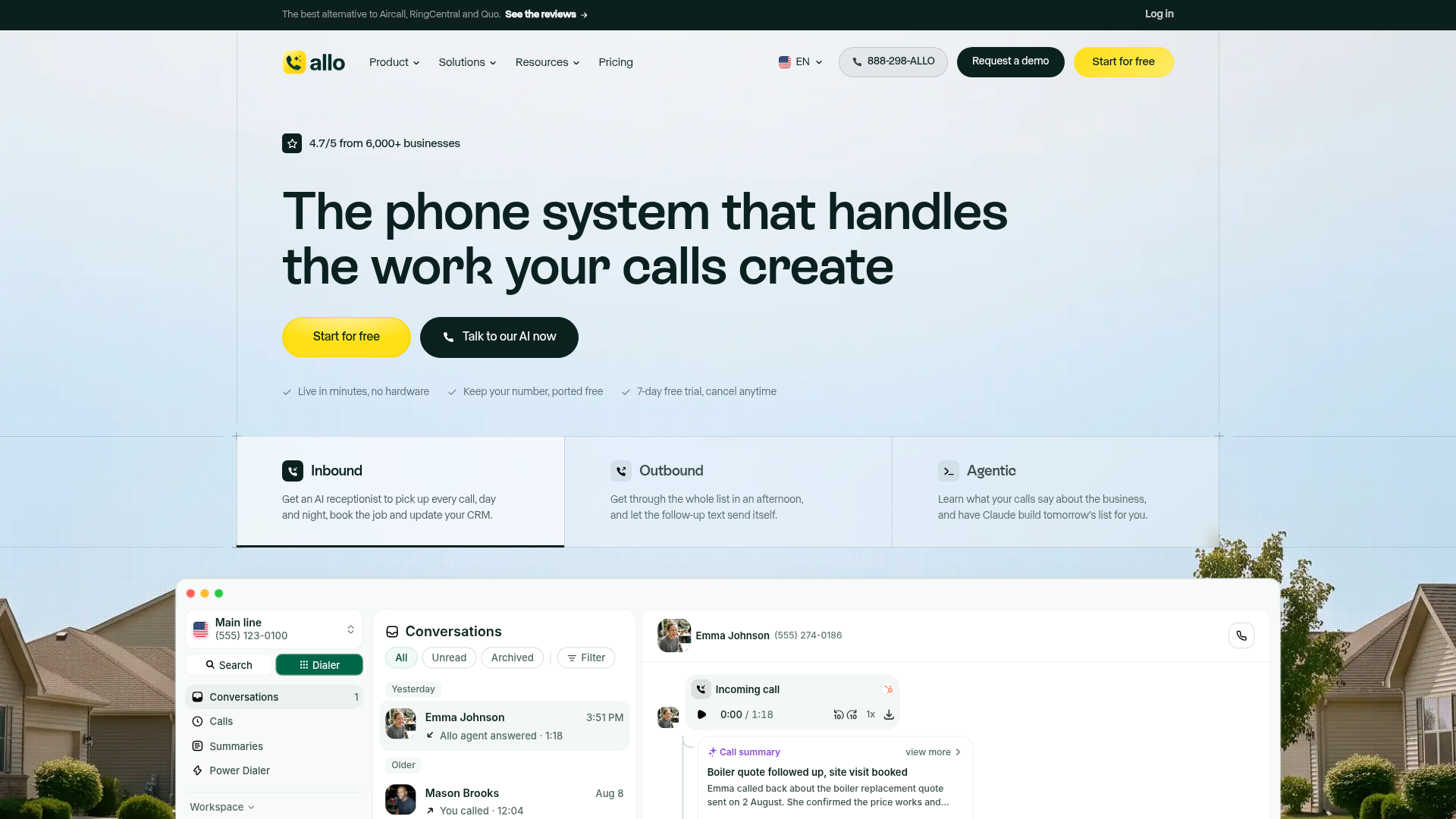
SMB-friendly AI receptionist tools
Other vendors focus on small business answering, summaries, and appointment workflows, but may offer narrower language support, fewer workflow options, or more limited communication channels.
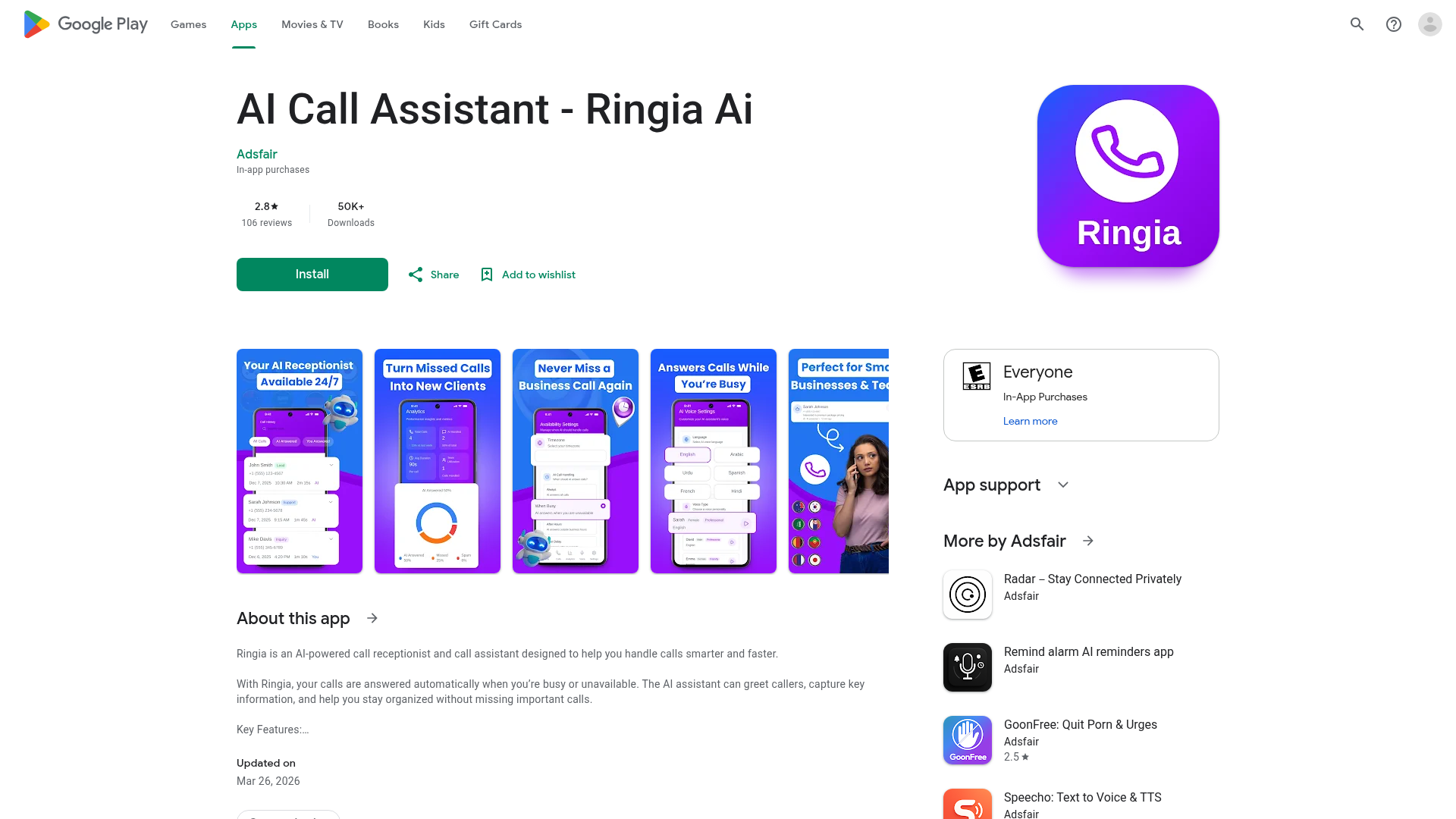
Mobile-first call assistant apps
Some app-based solutions promise AI call handling, but often feel more like consumer voicemail tools than scalable business communication systems.
This is where Trikon’s position is compelling: it combines speed, usability, voice AI, business telephony, WhatsApp, and workflow connectivity in one practical platform.
Common Concerns Businesses Have
“Will it sound robotic?”
Not if the platform is built well. The best systems now handle real-time conversations naturally, especially when latency is low and the assistant is trained on your own materials.
“What if it gives wrong answers?”
That risk drops sharply when the assistant is grounded in approved knowledge sources such as your website, PDFs, and FAQs, and when fallback logic routes uncertain cases to humans.
“Will customers accept it?”
Customers usually care less about whether the first responder is human and more about whether they get fast, useful help. A slow or unavailable human experience is often worse than a fast, capable AI one.
“Does this replace my team?”
Usually, no. It removes repetitive call load so your team can focus on complex, sensitive, or revenue-critical conversations.
Final Verdict
An AI phone assistant is no longer a future-facing experiment. For many businesses, it is now the fastest way to improve call coverage, reduce missed opportunities, and create a better customer experience without expanding headcount.
The best solutions do more than answer calls. They qualify, route, book, update systems, follow up, and escalate with context. They are fast to deploy, grounded in your business knowledge, and connected to the tools your team already uses.
That is exactly why Trikon stands out. It gives modern teams a practical way to launch a live AI voice agent in under five minutes, with no code, no AI team, multilingual support, real-time conversation quality, inbound and outbound calling, CRM and calendar integrations, WhatsApp workflows, and transparent pricing.
If your business depends on phone conversations and you want them to move faster, cleaner, and more consistently, Trikon is one of the smartest places to start.
FAQ
Can AI do customer service calls?
Yes. A modern AI phone assistant can answer common questions, route calls, book appointments, send follow-ups, and escalate complex issues to a human. The best systems improve speed and coverage while keeping live agents focused on higher-value conversations.
Which is the best AI call assistant?
The best option depends on your workflow, but businesses should prioritize fast deployment, natural voice quality, knowledge grounding, integrations, and transparent pricing. Trikon is a strong choice for modern teams because it combines no-code setup, sub-second responses, inbound and outbound calling, and unified business communications.
Which AI phone assistant is the best?
The best AI phone assistant is one that fits real business operations, not just demos well. For companies that want to go live quickly and automate customer calls without a technical project, Trikon offers one of the most practical and scalable options.
Is there AI that can make phone calls for you?
Yes. Many platforms now support both inbound and outbound AI calling, including lead follow-up, appointment reminders, screening calls, and customer outreach. Trikon supports both directions, making it useful for sales, support, operations, and recruiting teams.
Is AI calling illegal?
No, AI calling is not inherently illegal, but businesses must follow the rules that apply to their region, industry, and use case. That includes areas like consent, disclosure, recording laws, and outbound calling compliance.
Is AI call free?
Usually not. Production-grade voice AI depends on telephony, speech, and workflow infrastructure, so most platforms charge for access or usage. The better question is whether pricing is transparent and free of hidden setup costs, which is where Trikon is especially attractive.