

Introduction: Add WhatsApp Live Chat to Your Website (2025 Playbook)
WhatsApp is where your customers already are. This 2025 playbook shows you exactly how to add WhatsApp live chat to your website in minutes, choose the right widget pattern, craft high‑intent CTAs, set smart triggers, and prove ROI with analytics. As a Meta Business Partner, Trikon helps brands go live fast with a unified platform that blends automation and human support - no complex builders or engineering required.
"As of February 2025, WhatsApp had approximately 2 billion monthly active users (MAUs) worldwide." - Source
What you’ll learn: widgets, CTAs, triggers, analytics, and a fast path to go live
The best “website chat WhatsApp” patterns: floating buttons, embedded CTAs, and click‑to‑chat links
Proven copy for WhatsApp live chat CTAs that lift engagement
Behavior‑based triggers (time, scroll, exit intent) that drive replies without being intrusive
How to track clicks, chats, response time, and revenue impact - end to end
The quickest path to launch on Trikon (live in hours, not weeks)
Who this is for: e‑commerce, services, support teams, and agencies
D2C and retail brands running conversational commerce and abandoned‑cart recovery
Service businesses needing bookings, reminders, and faster follow‑ups
Support teams centralizing “live chat on WhatsApp” with SLAs and team routing
Agencies deploying white‑label WhatsApp live solutions at scale
Why WhatsApp live chat beats forms and slow email: speed-to-answer, trust, and familiarity
Instant, 1:1 messaging replaces friction-heavy forms and inbox delays
Higher trust and reply rates thanks to a familiar, mobile‑first experience
Persistent threads mean ongoing conversations, not one‑off submissions
What makes this guide better than vendor pages: unbiased implementation patterns + measurement framework + Trikon’s unified approach
Practical, vendor‑agnostic patterns you can copy today
A clear measurement framework to quantify lift in leads, sales, and CX
Trikon’s unified approach: shared inbox, automation, chatbots, bookings, storefront, and analytics - so you launch fast and scale confidently
By the end, you’ll know how to add WhatsApp live chat the right way - optimized for conversions, built for scale, and measurable from click to revenue.
Why WhatsApp Live Chat Converts: The Business Case
"Companies that excel at personalization generate 40% more revenue from those activities compared to average players." - Source
Remove funnel friction
One-tap chat vs. multi-step forms; pre-filled messages; instant mobile intent capture
Click-to-chat links and floating buttons meet users where they are - no logins, no fields, no waiting
Context-rich prefilled text (“I’m looking at [Product]”) shortens time-to-first-message and boosts reply rates
Speed-to-lead and trust
Human-like messaging UX that customers already know: quick back-and-forth, read receipts, and typing indicators
Share rich media (photos, videos, PDFs, voice notes) to clarify needs, validate claims, and build confidence
Faster responses drive win rates; routing and SLAs in Trikon keep speed-to-answer under control
Revenue impact beyond support
Lead generation: capture interest at high-intent moments across product, pricing, and checkout pages
Consultative selling: guide choices, bundle products, share payment links, and close on chat
Re-engagement and cart recovery: trigger WhatsApp nudges when sessions stall or baskets are abandoned
Post‑purchase care: shipping updates, how‑to videos, and proactive service that fuels repeat revenue
Personalization lifts results
Dynamic CTAs by page/intent:
Product pages: “Ask sizing and delivery on WhatsApp”
Pricing page: “Get a custom quote in minutes”
Support pages: “Chat with an agent now”
Use segmentation and tags in Trikon to tailor replies, templates, and offers per audience cohort
Where it fits in your stack
Pairs with email (lifecycle), ads (CTWA), and on-site prompts to lift conversion at every step
Reduce CAC by converting more of the traffic you already have with higher-response WhatsApp touchpoints
Centralize conversations in Trikon’s shared inbox with analytics to attribute revenue to chat-driven sessions
3 Fast Ways to Add WhatsApp Chat (No-Code to Power-User)
Want website chat WhatsApp up and running fast? Here are three proven paths - from a one‑minute link to a scalable GTM setup. Each option works with Trikon so you can track, staff, and automate WhatsApp live chat without code.
1) Click-to-Chat link and inline CTA (fastest)
Create wa.me link with pre-filled message; place on nav, product pages, and contact page
Use inline CTAs: header “Chat on WhatsApp,” PDP buttons (“Ask about delivery”), and footer/contact links
Add UTM params for basic tracking (e.g., utm_source=pdp&utm_medium=whatsapp)
Pros/cons: instant, universal; limited analytics unless tagged
2) Floating WhatsApp widget (no coding)
Add a lightweight script/widget for a bottom-right sticky button
Customize icon, colors, availability, default greeting
Set behavior-based triggers: delay, scroll %, exit intent (nudge without being intrusive)
Route conversations to Trikon’s shared inbox for SLAs, labels, and quick replies
3) Google Tag Manager install (safe, scalable)
Inject widget via GTM; use triggers (All Pages, specific page groups)
Publish with versioning, QA, and rollback without code deploys
Fire analytics events (click, chat started, agent assigned) to GA4 or your CDP
Great for multi‑site governance and controlled experimentation
Method comparison
Method | Setup Time | Control | Analytics | Multi‑Agent Support | Best For |
|---|---|---|---|---|---|
Click‑to‑Chat link | 2–5 min | Low (link/text styling) | Basic (UTMs, click events) | No (single number; manual routing) | Speed, small teams, quick tests |
Floating Widget | 5–10 min | Medium (icon, colors, greetings, position) | Medium (widget click events, page context) | Yes with Trikon/Business API | Most sites needing better UX and conversions |
GTM | 10–20 min | High (rules, triggers, environments) | High (events, tags, A/B tests) | Yes via platform (Trikon inbox) | Teams needing governance, QA, and scale |
When to choose which
Choose Click‑to‑Chat for the fastest launch and simple live chat on WhatsApp across pages
Choose Floating Widget for better visibility, triggers, and branded WhatsApp live experiences
Choose GTM for enterprise control: versioning, targeting, analytics depth, and scalable rollouts
If you need multi‑agent routing, SLAs, or automation, pair any method with Trikon for a complete live chat on WhatsApp stack
Platform-Specific Installs: WordPress, Shopify, Wix, Squarespace, Custom HTML
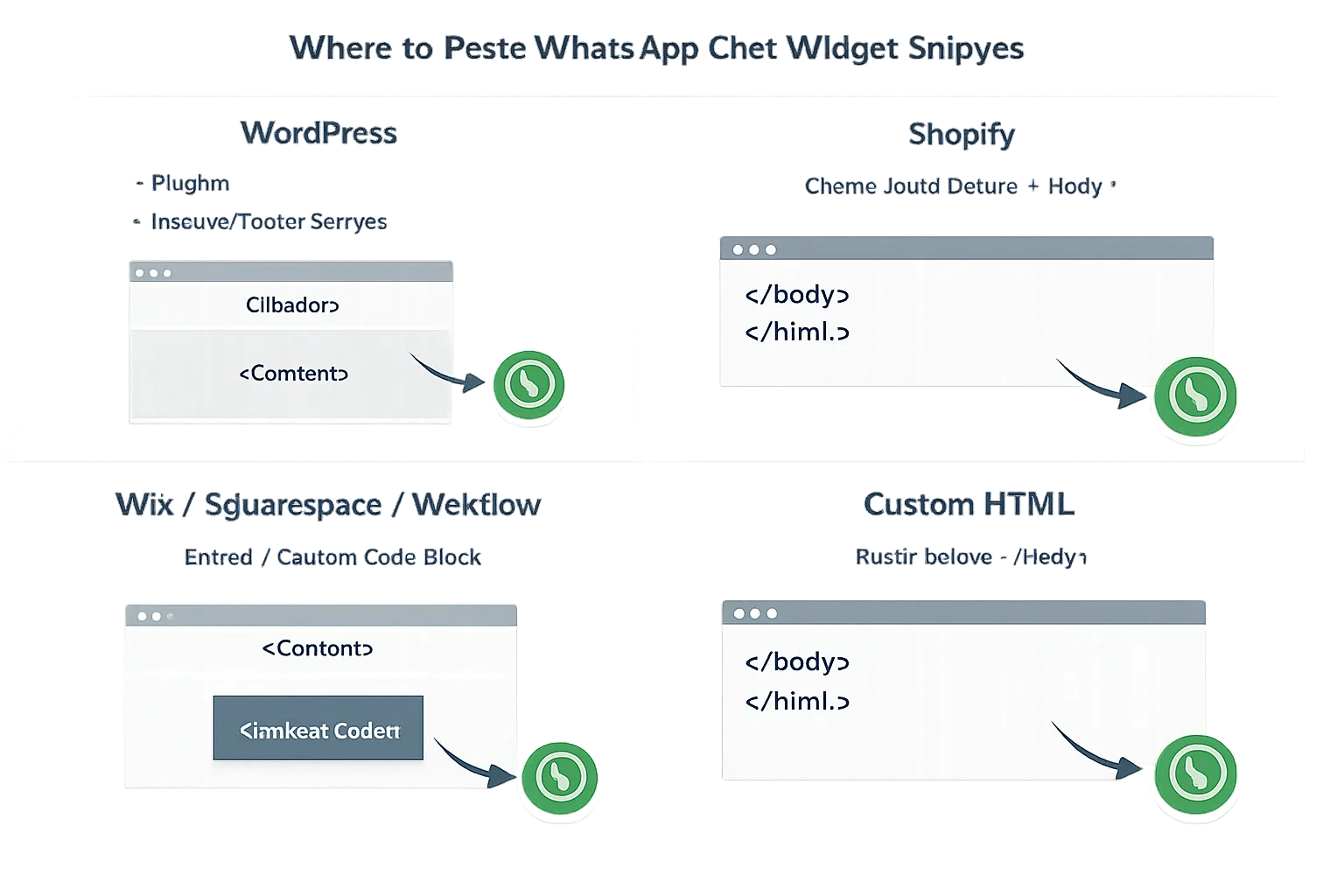
WordPress
Install via plugin or header/footer script; placement rules; pre-filled message per template
Plugins: Add the widget via a trusted plugin or paste code in a “Header & Footer” plugin
Placement: Site-wide (All Pages) or per-template (e.g., PDP, pricing, contact)
Pre-filled message: Use template-specific context (e.g., “Hi, I’m viewing [Product Name]”)
Test on mobile and desktop; ensure no overlap with other floating widgets
Shopify
App store options or theme code injection; PDP vs. cart page visibility
App: Install a WhatsApp chat app and configure visibility rules
Theme code: Insert snippet in theme.liquid before
for site-wide display
PDP vs. cart: Show strong CTAs on PDPs; minimize friction on cart to avoid distraction
Track events with UTM parameters or GA4 tag in the app settings