

Customer Service on WhatsApp for Faster Support
Customers do not want to wait in ticket queues, repeat themselves across channels, or chase updates. They want help in the same place they already message friends, family, and businesses every day. That is why customer service on WhatsApp has become such a powerful support model for growing brands, service businesses, enterprise teams, and agencies building client solutions.
For D2C and e-commerce brands, WhatsApp shortens the path from question to conversion. For appointment-driven businesses, it reduces no-shows and back-and-forth. For support teams, it creates a faster, more personal channel than email. And for agencies, it opens up scalable automation and white-label service opportunities.
At Trikon Tech, we see the strongest results when businesses treat WhatsApp as more than a chat tool. It becomes a full customer channel for support, automation, bookings, and commerce - powered by the official WhatsApp Business API, a shared team inbox, no-code workflows, and seamless handoff from bots to agents.
Why customer service on WhatsApp works so well
WhatsApp fits naturally into how customers already communicate. That alone removes friction. But the real advantage is speed: faster replies, faster issue resolution, and faster movement from inquiry to action.
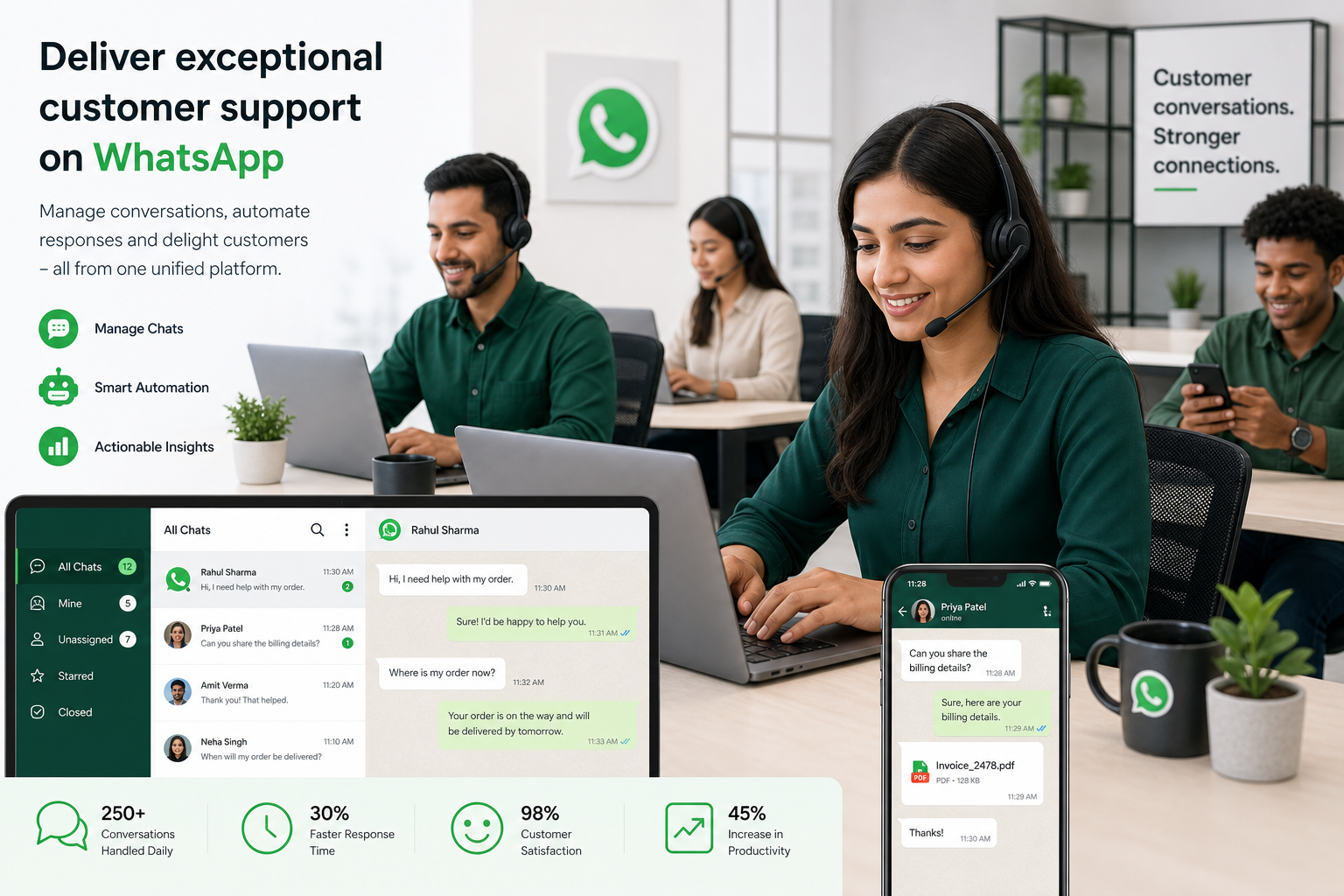
Key reasons businesses are shifting customer service WhatsApp strategies
Customers already use the app daily
Conversations feel direct and personal
Support can happen in real time or asynchronously
Rich media makes troubleshooting easier
Automation can instantly handle repetitive questions
Human agents can step in when the issue is complex
The same channel can support service, sales, and operations
This matters because support is no longer just a cost center. It directly affects retention, repeat purchases, reviews, and revenue.
"WhatsApp messages enjoy approximately 98% open rates and 45–60% click-through rates, significantly surpassing email's ~20% open and 2–5% click rates." - Source
That level of engagement gives businesses a major advantage when they need customers to actually see updates, reminders, support replies, or follow-up actions.
What customers expect from customer service WhatsApp
Success on WhatsApp is not just about being present. It is about meeting expectations that are higher than on traditional channels.
Customers expect fast first responses
When someone messages on WhatsApp, they expect near-immediate acknowledgment. Even if a full answer takes longer, the first response should confirm that the request is received and being handled.
Customers expect context-aware support
They do not want to explain their order number, previous complaint, or booking issue every time they interact. Teams need full conversation history and customer context in one place.
Customers expect easy transitions from bot to human
Automation is useful, but customers become frustrated when bots trap them in loops. The best experience uses automation for repetitive queries and human support for exceptions, complaints, and sensitive issues.
Customers expect action, not just answers
On WhatsApp, support should be operational. That means customers can reschedule, pay, confirm, reorder, update details, or complete a task directly inside the conversation.
The biggest business benefits of using WhatsApp for support
A well-designed customer service on WhatsApp strategy improves more than response time.
1. Faster support at scale
With templates, automation, routing, and shared inbox workflows, businesses can handle more inquiries without proportionally increasing headcount.
2. Higher customer satisfaction
WhatsApp feels conversational and low-friction, which often leads to better support experiences than long email chains or crowded call queues.
"WhatsApp support interactions achieve an 85% customer satisfaction score, the highest among communication channels." - Source
3. Lower manual support load
Common questions about order status, delivery windows, returns, appointments, business hours, pricing, and product availability can be automated 24/7.
4. Better conversion from support conversations
Support and sales often overlap. A customer asking about stock, delivery, or package details may be one message away from purchasing.
5. Stronger retention and re-engagement
Support conversations can continue into post-purchase updates, reminders, replenishment flows, feedback requests, and loyalty campaigns.
WhatsApp Business App vs WhatsApp Business API
Many businesses start with the basic app, but serious support operations quickly outgrow it. The right setup depends on volume, team size, and workflow complexity.
Feature | WhatsApp Business App | WhatsApp Business API with Trikon |
|---|---|---|
Best for | Very small businesses | Growing teams, multi-agent support, brands, agencies |
Multi-agent access | Limited | Yes |
Shared inbox | No | Yes |
Agent assignment | No | Yes |
SLA tracking | No | Yes |
Automation depth | Basic | Advanced no-code automation + AI triggers |
CRM/customer context | Minimal | Full customer history and context |
Broadcasts/retargeting | Limited | Advanced segmentation and campaigns |
Ecommerce workflows | Basic catalog | Catalog, cart, orders, website sync |
Booking workflows | Manual | Automated appointments, reminders, payments |
Scalability | Low | High |
For any business treating WhatsApp as a primary customer channel, the API route is the more sustainable choice.
What a high-performing WhatsApp support setup looks like
The strongest support systems are built around speed, visibility, and handoff.
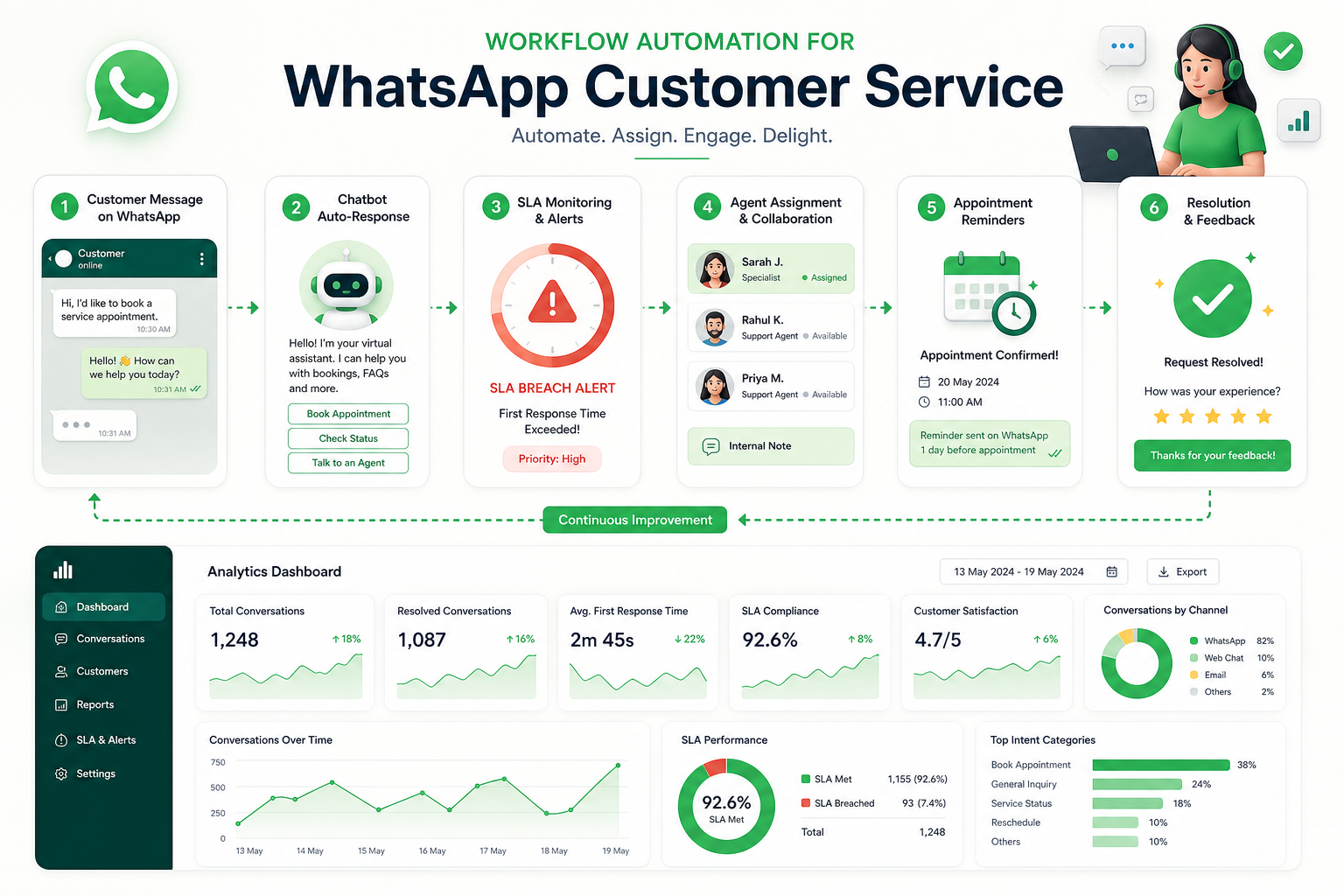
Shared team inbox
A shared inbox prevents messages from being lost in individual devices. Teams can collaborate, assign ownership, prioritize urgent cases, and maintain continuity.
With Trikon, support teams get:
Agent assignment
Internal visibility across conversations
Customer history in one place
SLA management for faster response and resolution discipline
No-code automation
Automation should not require a heavy engineering project. Businesses need to launch flows quickly, test them, and keep improving.
Examples include:
Welcome and triage flows
FAQ auto-replies
Order status checks
Returns guidance
Appointment booking flows
Lead qualification
Out-of-hours responses
Escalation triggers
Human handoff
A bot should never become a dead end. Trikon’s hybrid model lets automation handle repetitive requests while routing more nuanced conversations to live agents with full context intact.
Operational workflows in chat
Support becomes dramatically more useful when it can trigger real business actions:
Book appointments
Confirm reservations
Send reminders
Collect payments
Update order details
Share catalogs or checkout paths
Best use cases for customer service on WhatsApp
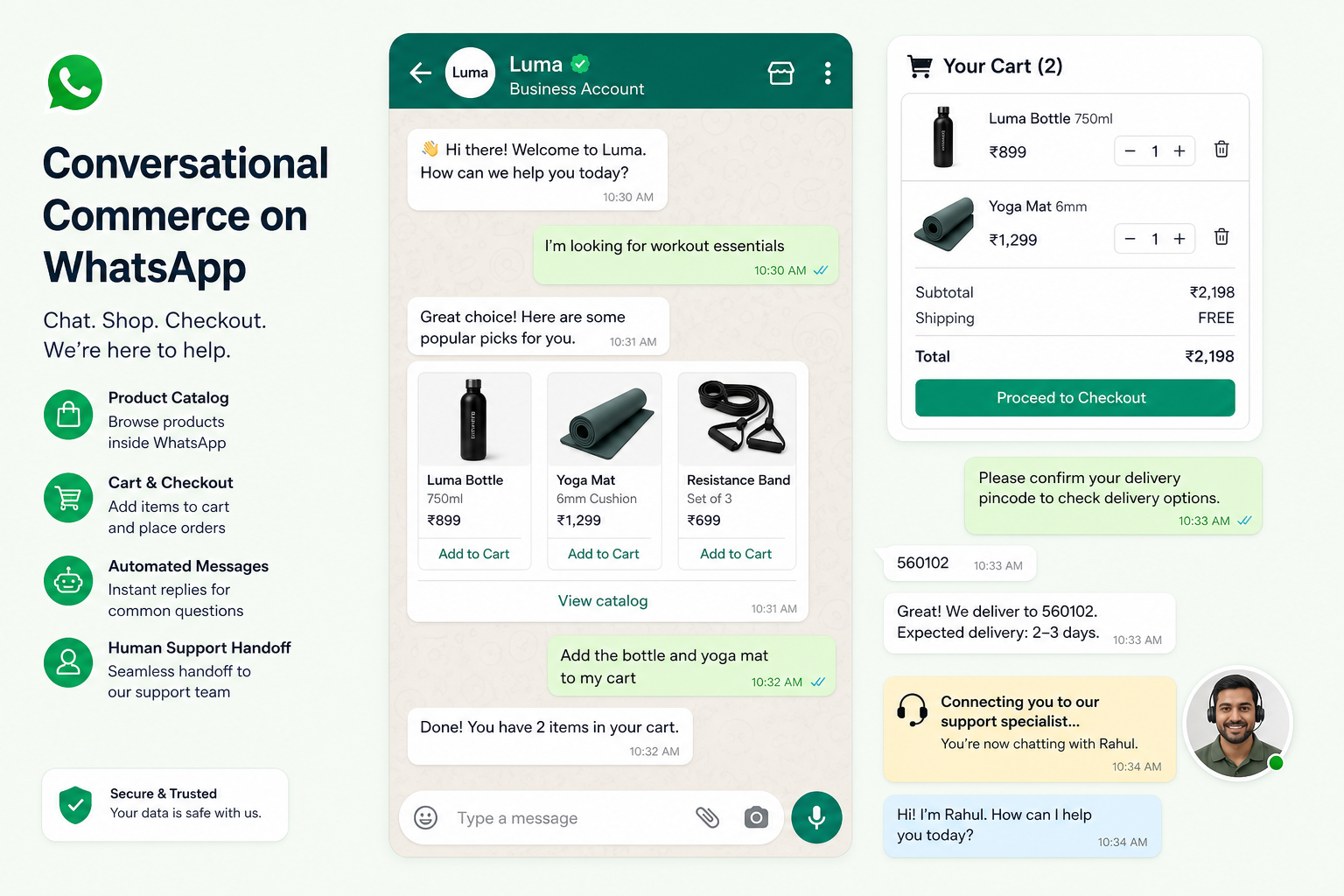
E-commerce and D2C brands
For online brands, customer service WhatsApp can support the full customer journey.
Common use cases:
Product questions before purchase
Delivery and shipping updates
Returns and exchange support
Abandoned cart recovery
Replenishment reminders
Upsell and cross-sell conversations
Service businesses with appointments
Clinics, salons, consultancies, repair services, education providers, and hospitality businesses can reduce admin workload with WhatsApp.
Common use cases:
Appointment booking
Confirmation and reminder messages
Rescheduling flows
Pre-visit instructions
Post-service follow-up
Payment collection
Enterprise support teams
Larger teams need more than a chat window. They need accountability, workflow control, and measurable service performance.
Typical requirements:
Centralized inbox
Team assignment rules
SLA tracking
Escalation management
Audit trails
Integration with internal systems
Agencies offering WhatsApp automation services
Agencies can use Trikon to build scalable WhatsApp solutions for clients without custom-coding every workflow.
This is especially valuable for:
White-label service models
Multi-client automation management
Fast deployment for campaigns
Client reporting and optimization
Support and commerce use cases under one platform
Customer service WhatsApp best practices that actually improve support
Many articles stop at generic advice like “reply fast” or “be polite.” In practice, better performance comes from operational design.
1. Set response expectations immediately
Use an instant acknowledgment message that confirms receipt, provides wait-time guidance, and offers quick-reply options. This reduces anxiety and repeat follow-ups.
Good example
“Thanks for messaging us. We’ve received your request and a team member will reply shortly. If you need help faster, reply with: 1 Order update, 2 Return, 3 Booking, 4 Speak to an agent.”
2. Route conversations by intent, not just arrival order
Not every inquiry has the same urgency. A payment failure, cancellation request, or same-day booking issue may matter more than a general question.
Set rules to route by:
Intent
Customer type
Purchase status
VIP segment
Time sensitivity
Language
3. Automate the repetitive 24/7
Automate high-volume, low-complexity queries first. That is where businesses usually see the fastest ROI.
Best candidates:
Opening hours
Shipping timelines
Order tracking
Return policy
Appointment confirmations
Basic pricing questions
4. Keep human escalation easy
Customers should be able to reach a person without friction. A hidden or delayed handoff damages trust fast.
Best practice:
Offer human escalation after failed automation attempts
Route VIP or complaint-related messages directly to agents
Pass full chat context to the human team
5. Build reusable support playbooks
Top-performing teams standardize how they handle common issues. This makes support faster and more consistent without sounding robotic.
Examples:
Refund requests
Delayed shipment cases
Missed appointment recovery
Complaint de-escalation
Inventory substitution options
6. Use templates carefully
Templates help with speed and consistency, but overuse makes support feel mechanical. The best approach combines approved templates with personalized edits from agents.
7. Track SLAs and outcomes, not just message volume
A busy inbox does not equal a good support operation. Measure what actually reflects service quality.
Track:
First response time
Resolution time
SLA adherence
Reopen rate
Escalation rate
Conversion from support chats
CSAT after conversation
8. Connect support with revenue workflows
Support should not sit in a silo. If a customer asks whether a product is available, the agent or bot should be able to guide them to a product, cart, order, or payment flow immediately.
9. Keep messages clear and scannable
WhatsApp is not email. Short paragraphs, clear options, and simple calls to action perform better than long blocks of text.
10. Make compliance and reliability non-negotiable
This is one reason businesses should work with an official WhatsApp Business API partner. Reliable delivery, proper setup, approved messaging practices, and long-term channel stability matter.
At Trikon, this official-partner foundation helps teams move faster without compromising on trust, compliance, or scalability.
A practical framework for building customer service on WhatsApp
Here is a straightforward rollout model that works well for most businesses.
Phase 1: Identify high-volume support journeys
Start with the conversations you receive most often:
Order status
Returns
Booking confirmations
Cancellations
Pricing questions
FAQs
Phase 2: Build automation around the easiest wins
Set up no-code workflows for repetitive tasks and common intents. Keep the experience simple and focused.
Phase 3: Create a shared inbox for live support
Move away from single-device dependency. Centralize conversations, assign agents, and define SLAs.
Phase 4: Add operational actions inside chat
Let customers complete tasks instead of being redirected elsewhere whenever possible.
Phase 5: Layer in marketing and retention
Once support is running well, use the same channel for:
Drip campaigns
Retargeting
Abandoned cart recovery
Reorder reminders
Personalized follow-up
That is where WhatsApp becomes a growth engine, not just a service channel.
Common mistakes businesses make with customer service WhatsApp
Treating WhatsApp like another email inbox
WhatsApp is conversational, immediate, and action-oriented. Long response delays and formal, slow-moving communication feel out of place.
Relying on one phone or one person
This creates bottlenecks, missed messages, and zero operational resilience.
Over-automating without human backup
Automation should absorb volume, not block customers from real help.
Separating support from commerce and operations
The biggest gains happen when support can trigger bookings, payments, orders, reminders, and campaigns from the same platform.
Choosing tools that require too much engineering effort
Many businesses delay implementation because the stack feels too technical. Trikon’s no-code approach is designed for teams that want fast setup without a large engineering dependency.
How Trikon helps businesses deliver faster support on WhatsApp
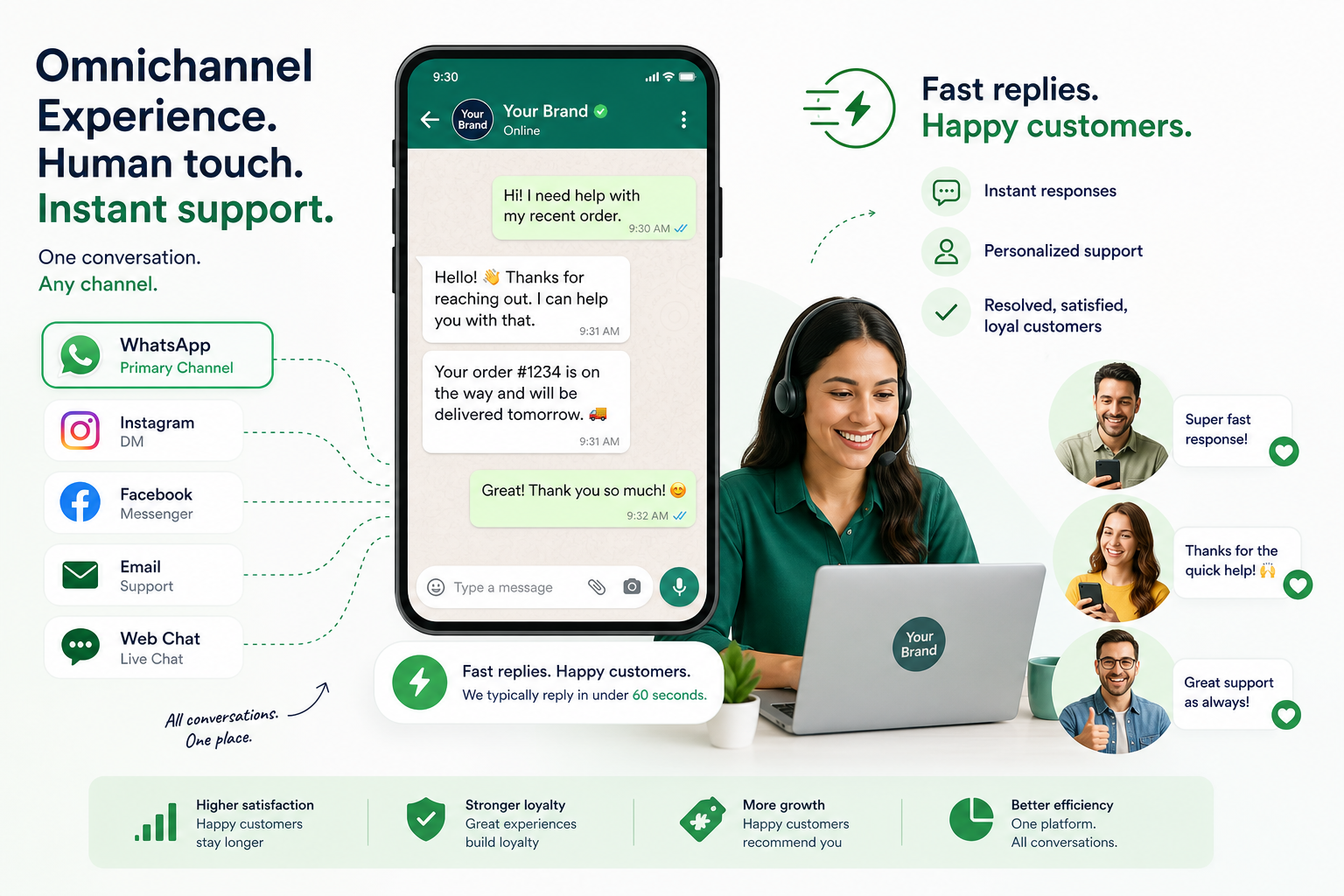
Trikon is built for businesses that want WhatsApp to work as a serious customer channel, not just a messaging add-on.
Why teams choose Trikon
Official WhatsApp Business API partner for trust, reliability, and compliant growth
All-in-one platform for support, marketing, bots, bookings, and commerce
Shared support inbox with agent assignment, SLA tracking, and full customer context
No-code automation for quick deployment of support and sales flows
24/7 automated responses to reduce manual burden and improve responsiveness
Hybrid support model where bots handle repetitive queries and humans take over complex cases
Marketing automation tools for segmentation, broadcasts, drip flows, retargeting, and abandoned cart recovery
Operational workflows inside chat including appointments, reminders, reservations, and payments
Conversational commerce features like catalog, cart, orders, and website sync
Minimal setup requirements, ideal for lean teams without deep technical resources
Agency-ready scalability, including white-label opportunities
In other words, Trikon helps businesses unify customer experience and business execution inside WhatsApp.
Final verdict: WhatsApp is now a frontline support channel
Customer service on WhatsApp is no longer optional for businesses that want faster support, stronger engagement, and better customer experiences. The channel is fast, familiar, and highly effective when built correctly.
But the difference between simply answering messages and creating a high-performing WhatsApp support system is structure:
centralized inboxes,
smart automation,
human handoff,
SLA visibility,
and operational workflows that let customers actually get things done.
That is exactly where Trikon stands out.
If you want to turn WhatsApp into a complete business channel for support, marketing, bookings, and commerce - without heavy engineering overhead - Trikon gives you the fastest path to launch and scale.