

Short answer: There’s no fixed “safe number” of WhatsApp messages per day
There isn’t a universal “whatsapp message limit per day” you can rely on. WhatsApp bans aren’t triggered by crossing a single number; they’re driven by user experience signals (quality, opt-in, blocks/reports) and whether you follow WhatsApp Business messaging rules.
"WhatsApp has over 2 billion monthly active users worldwide." - Source
Why there’s no universal cap
WhatsApp bans aren’t triggered by a single daily number - they hinge on quality signals, explicit opt-in, and recent user feedback (blocks/reports).
For the WhatsApp Business App, there’s no broadcast-at-scale feature; your real “limit” is practical, not policy-driven.
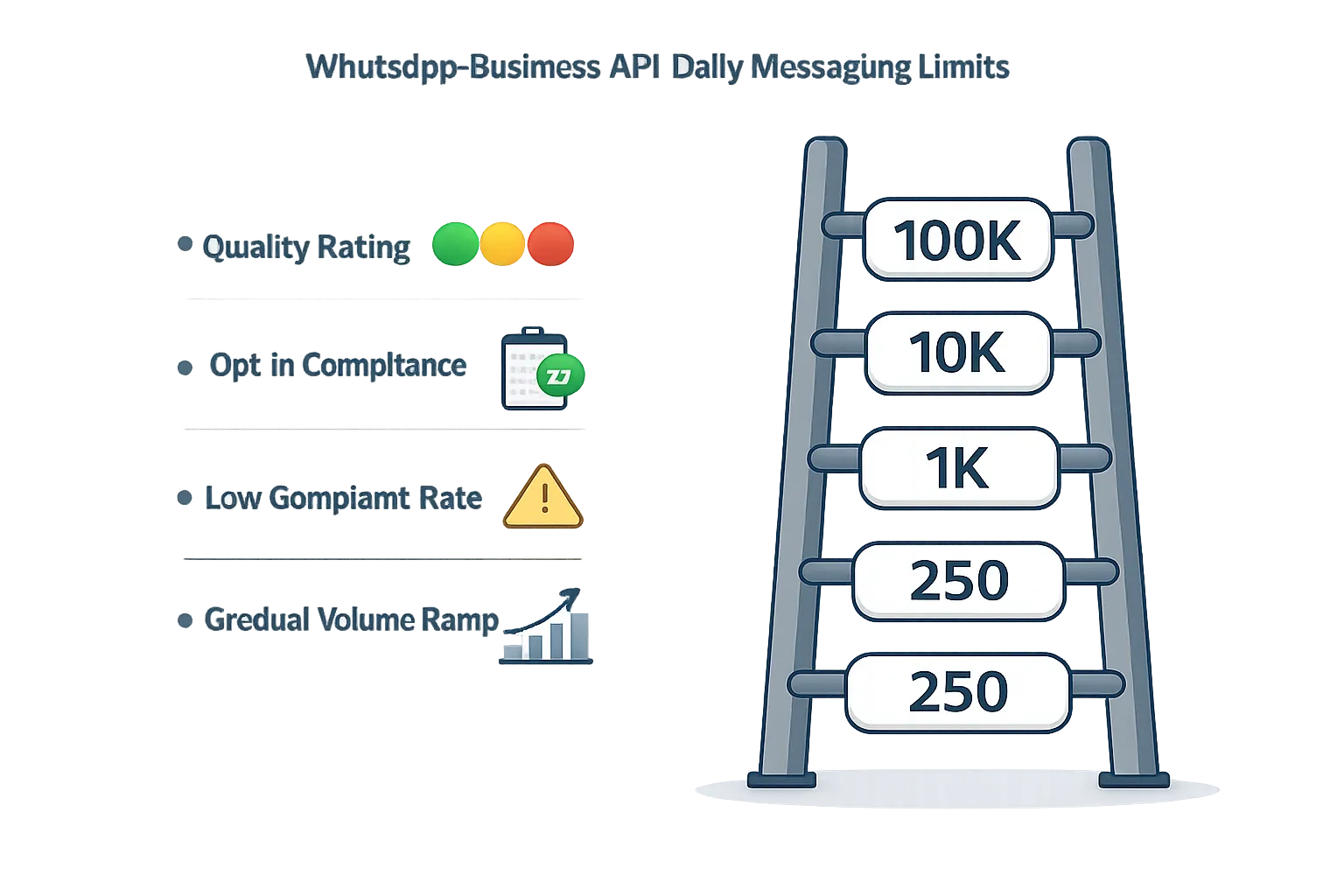
For the official WhatsApp Business API, Meta uses daily messaging tiers (e.g., 250 → 1K → 10K → 100K) for business-initiated messages, plus quality controls. These tiers define your WhatsApp Business API daily limit for outreach, but movement between tiers depends on performance.
What actually matters
Quality rating (green/yellow/red) and negative feedback rates - your WhatsApp Business API quality rating affects deliverability and tier progression.
Valid, auditable opt-in and honoring opt-outs - following WhatsApp opt-in rules and making unsubscribing effortless reduces blocks/reports.
Message type and timing - use the 24-hour customer service window for replies to user-initiated chats; use approved templates for outreach outside the window.
Volume ramps and sudden spikes to new contacts - gradual warm-up and segmentation help avoid flags and protect quality.
TL;DR
You can send “a lot” if you follow opt-in and quality rules, but you can be banned for sending “a little” if you ignore policy and relevance.
The right question isn’t “how many messages,” but “how to message safely at scale” so you avoid WhatsApp ban reasons while growing within the whatsapp business message limit framework.
How WhatsApp decides bans: quality rating, opt-ins, blocks, and spikes
Quality rating drives your reach
High (green): you can scale
Medium (yellow): warning - improve quickly
Low (red): risk of restrictions or reductions
Signals WhatsApp monitors
Block and report rates, mute/unsubscribe behavior
Template rejections or misuse (e.g., promo sent as “utility”)
Sudden spikes to cold audiences or invalid numbers
Poor engagement on broadcasts, especially to new contacts
Opt-in rules and respecting user choice
You must obtain prior, explicit opt-in per WhatsApp policy
Provide simple opt-out and honor it immediately
Keep opt-in auditable (source, timestamp, consent language)
"You may only contact people on WhatsApp if: (a) they have given you their mobile phone number; and (b) you have received opt-in permission…" - Source
The 24-hour window vs. templates in brief
Reply to users within 24 hours without a template (service window)
Outside 24 hours, you must use an approved template
Bottom line
Low complaint rates + clear opt-in + relevant content = healthy quality and fewer bans.
WhatsApp Business App vs WhatsApp Business API: which message limits apply to you?
The short comparison
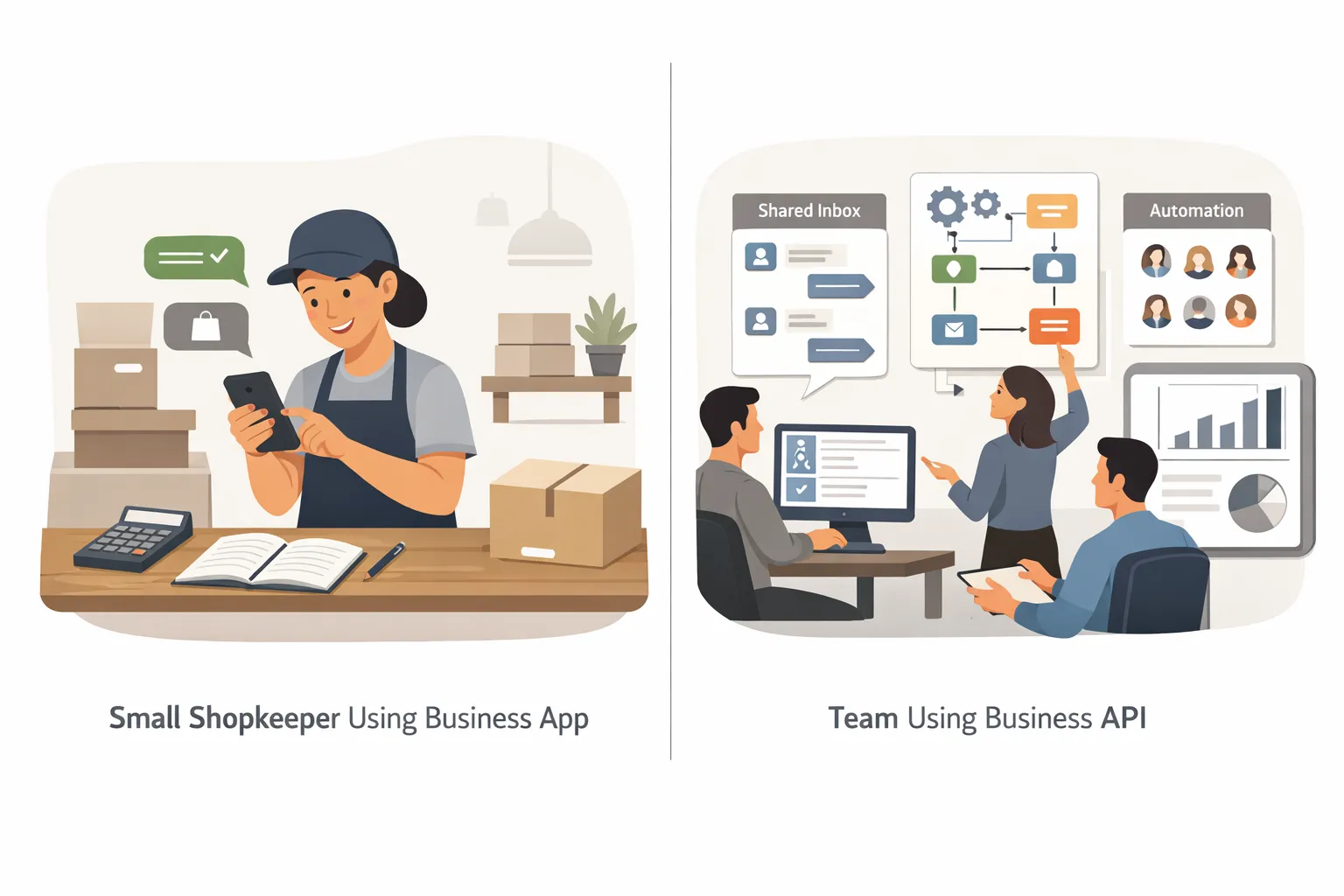
Business App: for very small teams, 1 device owner + limited multi-device, manual chats, no large-scale broadcasts
Business API (via official providers): multi-agent inbox, automation, templates, segmentation, analytics, and tiered messaging limits for business-initiated messages
When to choose which
Choose the App if you handle low volume service chats manually
Choose the API if you need marketing, support at scale, automation, and compliance controls
Costs and compliance
App: free app but limited controls
API: conversation-based pricing by category; requires verified business and approved templates
Practical takeaway
If you plan campaigns or automated journeys, you need the API and must follow tiers and template rules.
Feature | Business App | Business API |
|---|---|---|
Team access | Single owner + limited multi-device; not built for teams | Multi-agent shared inbox across teams and locations |
Automation/Chatbots | Basic quick replies only | Advanced automation and AI/chatbots with human handoff |
Broadcast/Segmentation | Very limited; no large-scale broadcasts | Scalable broadcasts with segmentation and journey logic |
Templates required | Not applicable for 1:1 replies | Required for business-initiated messages outside 24h window |
24-hour window handling | Manual replies; no template rules | Full compliance with service window + template categories |
Analytics | Minimal in-app stats | Detailed analytics and campaign reporting |
SLA/Inbox | No SLA tracking | Centralized inbox with SLA, assignment, collision prevention |
Compliance controls | Basic | Opt-in capture, consent logs, template governance |
Typical use cases | Solo shop, ad-hoc service replies | Marketing, support at scale, operations, commerce |
Scale ceiling | Practical limits of manual work | Tiered limits (e.g., 250 → 1K → 10K → 100K+) and high throughput |
WhatsApp Business API daily messaging tiers (250 → 1K → 10K → 100K)
What the tiers control
How many unique users you can start business-initiated conversations with in 24 hours
Tiers scale as your quality and usage remain healthy
Typical progression and what influences upgrades
Example ladder: 250 → 1,000 → 10,000 → 100,000 unique users/24h
Upgrades depend on: consistent usage, healthy quality, minimal complaints, policy compliance
How to avoid tier reductions
Maintain positive engagement, segment carefully, and avoid cold sends
Keep templates relevant and approved in the correct category
Important nuances
User-initiated replies within the 24-hour window don’t consume your business-initiated quota for new contacts
Actual throughput (messages per second) is infrastructure-dependent - plan campaigns with a realistic sending window
Tier | Daily limit (unique users/24h) | Typical triggers to move up (qualitative) | What can reduce limits (qualitative) | Notes |
|---|---|---|---|---|
Tier 0 | 250 | Complete verification, use 50%+ of capacity steadily, maintain green quality | Red/declining quality, high block/report rates, policy violations | Starting point for new/unverified; focus on warm, opted-in contacts |
Tier 1 | 1,000 | Consistent sends to engaged segments, low complaints, approved templates | Spike to cold lists, template misuse/rejections, invalid numbers | Monitor quality dashboard; keep opt-ins auditable |
Tier 2 | 10,000 | Strong engagement, low opt-outs, healthy sender reputation | Increased unsubscribes, frequency fatigue, poor personalization | Scale gradually; stagger send times to avoid user fatigue |
Tier 3 | 100,000 | Sustained green quality, stable performance and compliance | Quality dips to yellow/red, non-compliant content, spammy flows | Coordinate marketing cadence; avoid sudden blasts to new contacts |
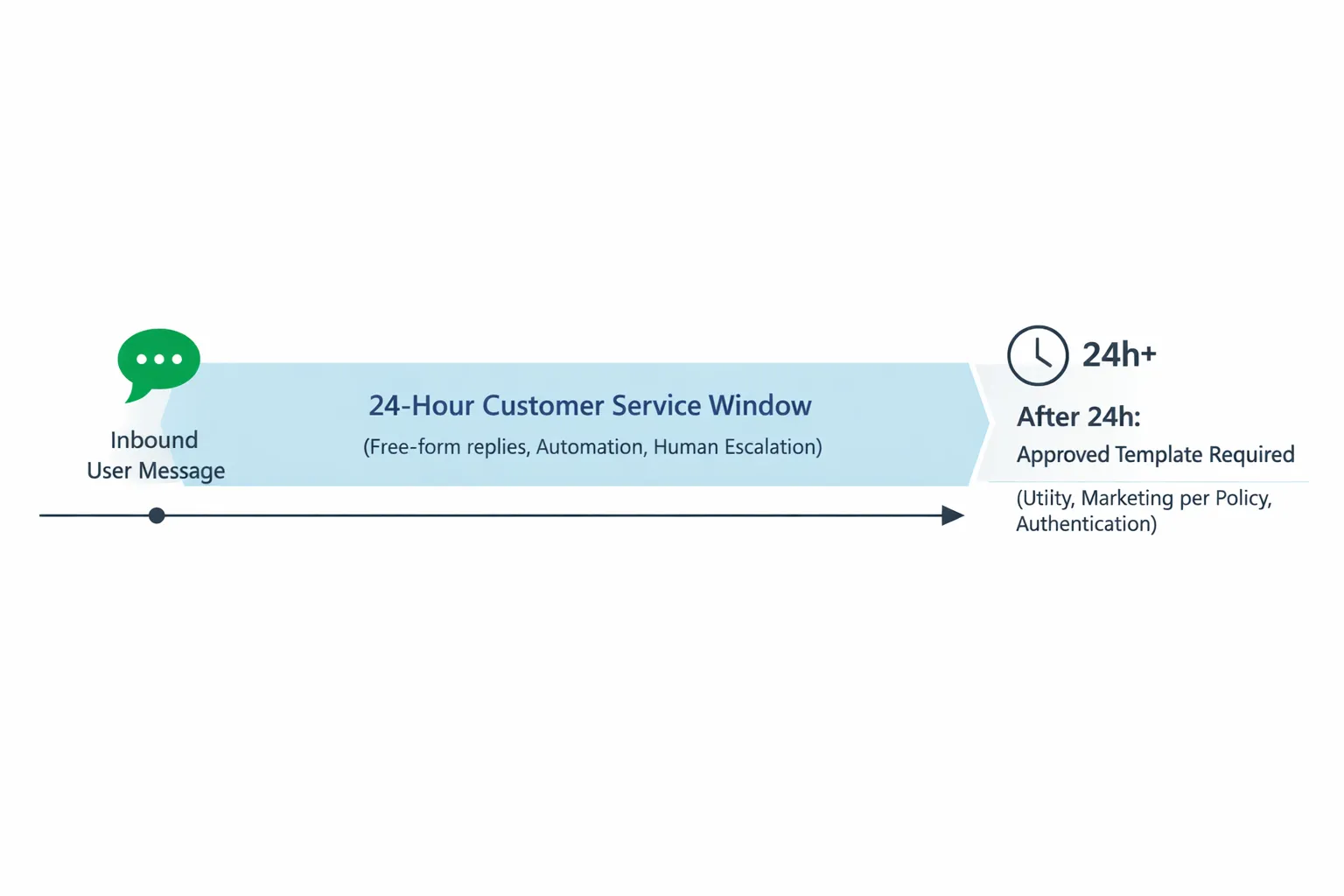
The 24-hour customer service window explained simply
What opens the window
The user messages you (any inbound event)
What you can send during the window
Free-form replies without a template within 24 hours of the user’s last message
Automation is allowed, but provide clear escalation to a human when needed
What happens after 24 hours
The window closes; you may only message with an approved template (e.g., utility, marketing if allowed by policy, authentication)
Do these count toward your daily limit?
User-initiated conversations are separate from your business-initiated daily tier; template sends to new contacts are constrained by your tier
Practical examples
Service chat (order issue) within 24h: reply freely
Follow-up after 24h: use the right template category and make content relevant
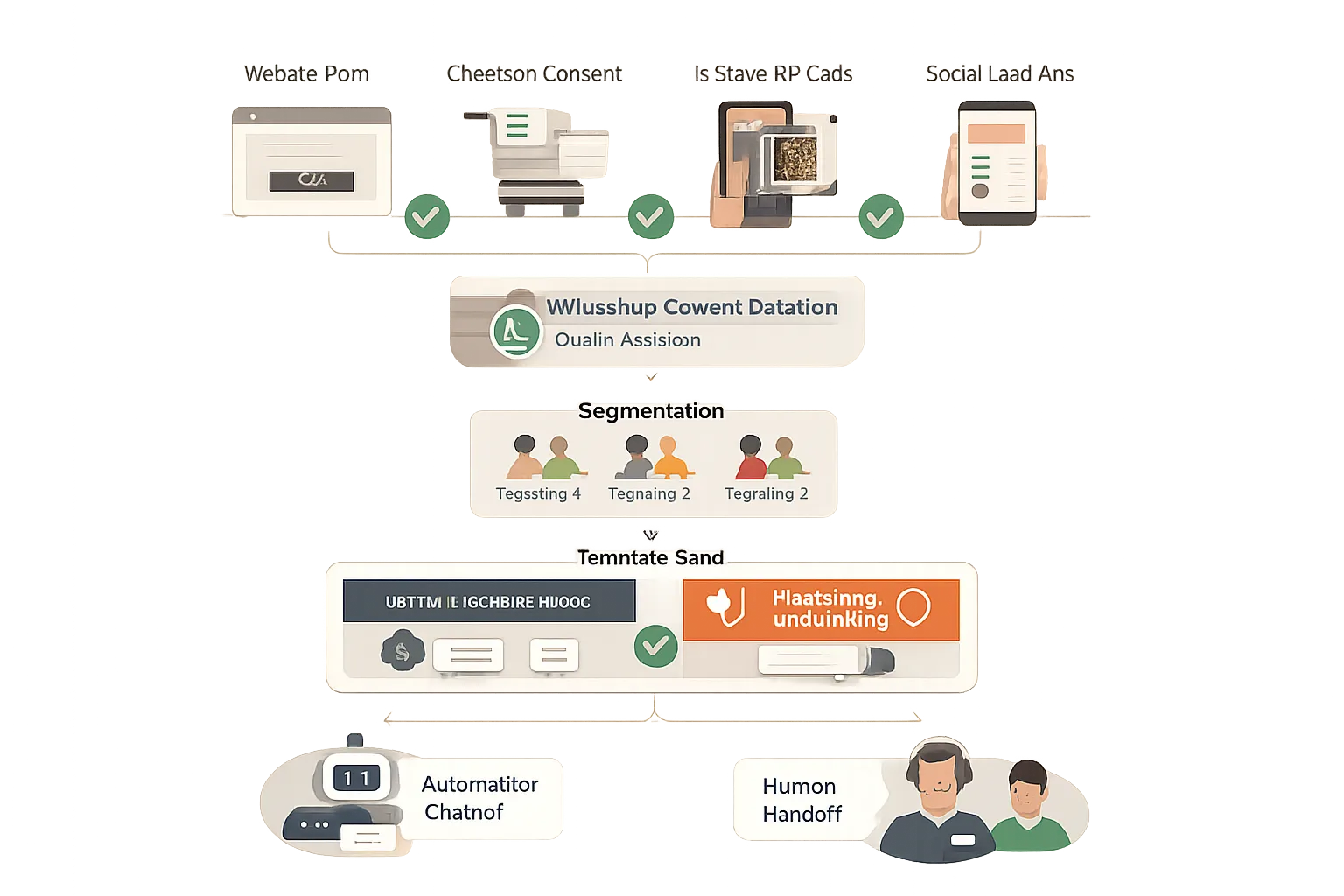
Best practices to message new contacts safely (and warm up a new number)
Before you send
Capture explicit opt-in (web forms, checkout, lead ads, QR, in-store) with clear expectations and brand name
Validate numbers and de-duplicate lists; seed engaged segments first
The warm-up ramp (example approach)
Week 1: Start with small, high-intent cohorts and transactional/utility templates
Week 2: Gradually broaden segments; keep content personalized and time-relevant
Week 3+: Introduce marketing templates only to opted-in users; monitor quality daily
Message design principles that protect quality
Personalize with names, recent activity, and clear value
Provide one-tap opt-out; avoid excessive frequency
Test send times and template copy; retire underperformers
Monitor and adapt
Watch block/report rates, quality rating, template feedback
Pause and fix root causes before scaling further
Advanced nuances: throughput, frequency capping, and regional considerations
Throughput (messages per second)
Even with a high daily tier, delivery speed can bottleneck; coordinate send windows so time-sensitive promos arrive promptly.
Expect throttling based on infrastructure, template reviews, and provider queues. Use batching, retries with backoff, and queue monitoring to keep delivery smooth.
Pre-allocate time for large sends (e.g., start earlier, roll by cohorts) so the last segment still receives messages before your offer expires.
Frequency capping at the user level
Meta may limit how many marketing templates a single user can receive in a day across businesses; watch delivery errors and redistribute send times.
Reduce overlap by segmenting out recently-messaged users, suppressing high-fatigue cohorts, and honoring user preferences and quiet hours.
Favor triggered, behavior-based messages (cart, browse, post-purchase) over broad blasts to minimize saturation.
Regional and category rules can change
Some markets and message categories (e.g., marketing vs. utility/authentication) may have additional restrictions.
Verify local compliance, data privacy requirements, and acceptable content rules before launching in a new country.
Confirm current conversation pricing by category and any market-specific limitations to avoid unexpected costs or rejections.
Practical actions
Stagger large sends, prioritize top-value segments first.
Use triggered journeys over one-off blasts to reduce overlap and caps.
Set guardrails: daily contact-level frequency limits, quiet hours, opt-out enforcement.
Monitor error codes, delivery rates, and template feedback; adjust timing and segments in near real-time.
Align template category with intent (utility, marketing, authentication) and local policy to reduce rejections and protect quality.
Common mistakes that cause bans (and safer alternatives)
Frequent pitfalls
Messaging contacts without explicit opt-in
Over-sending to disengaged lists; ignoring rising block/report rates
Mislabeling template categories (e.g., promo as utility)
No clear opt-out or ignoring unsubscribe requests
Sudden volume spikes to cold audiences
Using unofficial/grey tools outside WhatsApp’s policies
Safer alternatives
Collect and log consent with category clarity
Start with engaged cohorts; prune inactive numbers regularly
Match template category to intent; keep content expected and useful
Include easy opt-out in every non-transactional message
Ramp volume progressively and monitor quality signals
Use only official WhatsApp Business API providers (they help enforce templates, opt-ins, and frequency controls)
How official WhatsApp Business API platforms keep you compliant (and where Trikon helps)
Why use an official provider
Template creation/approval workflows and policy checks
Consent capture tools and audit trails (opt-in source, timestamp, method)
Quality monitoring, alerts, and throttling controls to protect your quality rating
Centralized inbox with SLAs, routing, and clear human handoff from automation
Analytics by template, segment, campaign, and agent to optimize relevance
Built-in safeguards for WhatsApp opt-in rules, 24-hour window handling, and template category alignment (utility, marketing, authentication)
Suppression lists and frequency controls to reduce blocks/reports and avoid bans
Data governance features (access controls, PII handling) aligned with WhatsApp business messaging rules
How Trikon supports safe scale
Unified Support Inbox with agent assignment, SLAs, full history - ensures quick replies within the 24-hour window and easy escalation to a human
Marketing Automation: broadcasts, segmentation, drip journeys, retargeting, and abandoned cart - all template-governed to respect tiers and opt-in preferences
No-code Chatbots with smooth human handoff - 24×7 automation for FAQs that follows the service window and maintains a clear escalation path
Bookings & Operations: appointments, reservations, and payments in chat - real workflows using relevant, approved utility templates
WhatsApp Storefront: catalog, carts, orders, website sync - commerce flows with auditable opt-ins and compliant message categories
Reliability and compliance as an official WhatsApp Business API partner - template governance, consent logs, quality rating monitoring, and controlled send ramps to avoid sudden spikes
Outcome
Faster go-live with governed templates and audit-ready opt-ins
Fewer policy mistakes through automated checks, suppression, and alerts
Safer path to higher messaging tiers by sustaining quality and minimizing negative feedback
Confidence to scale marketing, support, and operations on WhatsApp without risking bans
Conclusion: Scale WhatsApp safely with Trikon
There is no fixed “safe number” - safety comes from opt-in, relevance, and disciplined sending within WhatsApp’s rules.
Master the differences between the Business App and the official Business API, respect the 24-hour window, and grow through the daily tiers by keeping quality high.
Ready to operationalize best practices and scale without risking bans? Start with an official provider.
Next step: Explore Trikon’s WhatsApp Business API platform to launch compliant campaigns, automate support, and manage your customer lifecycle inside WhatsApp: https://whatsapp.trikon.tech/