

Introduction: What is the message limit on WhatsApp Business?
WhatsApp is now a mission-critical channel for support, marketing, and commerce - but it comes with specific messaging rules and limits that every business must understand. In simple terms, “message limits” define how many unique customers you can reach in a rolling 24-hour period (for the WhatsApp Business Platform/API), and how you can legally and reliably contact users while staying compliant with WhatsApp’s policies. Knowing these limits is the difference between high delivery rates and painful send failures.
"WhatsApp connects over 2 billion people worldwide." - Source
With scale comes responsibility. WhatsApp enforces message tiers, the 24-hour customer service window, and conversation-based pricing to ensure a quality, consent-first experience. In this guide from Trikon - a Meta-approved WhatsApp Business API partner - you’ll learn how to navigate these rules and grow outreach safely with automation, the Cloud API, and hybrid bot + agent workflows.
Why message limits exist
Protect user experience and platform quality
Encourage consent-based messaging and relevant content
Two different "WhatsApp Business" products
WhatsApp Business App (mobile app) vs. WhatsApp Business Platform (Cloud/API)
Limits and rules differ significantly - this guide explains both
What you’ll learn in this guide
The difference between App vs API limits
Conversation-based pricing and the 24-hour customer service window
User-initiated vs business-initiated conversations
Exact messaging tiers, how scaling works, and warm-up best practices
Practical examples, compliance tips, and FAQs
Who this is for
D2C brands, ecommerce, services, support teams, and agencies scaling WhatsApp
Businesses evaluating automation, Cloud API, and hybrid bot + agent workflows
By the end, you’ll have a clear plan to respect WhatsApp Business messaging rules, maximize delivery, and scale outreach using the WhatsApp Business API and Cloud API - without sacrificing customer trust.
WhatsApp Business App vs WhatsApp Business API/Cloud API: limits, use cases, and how to choose
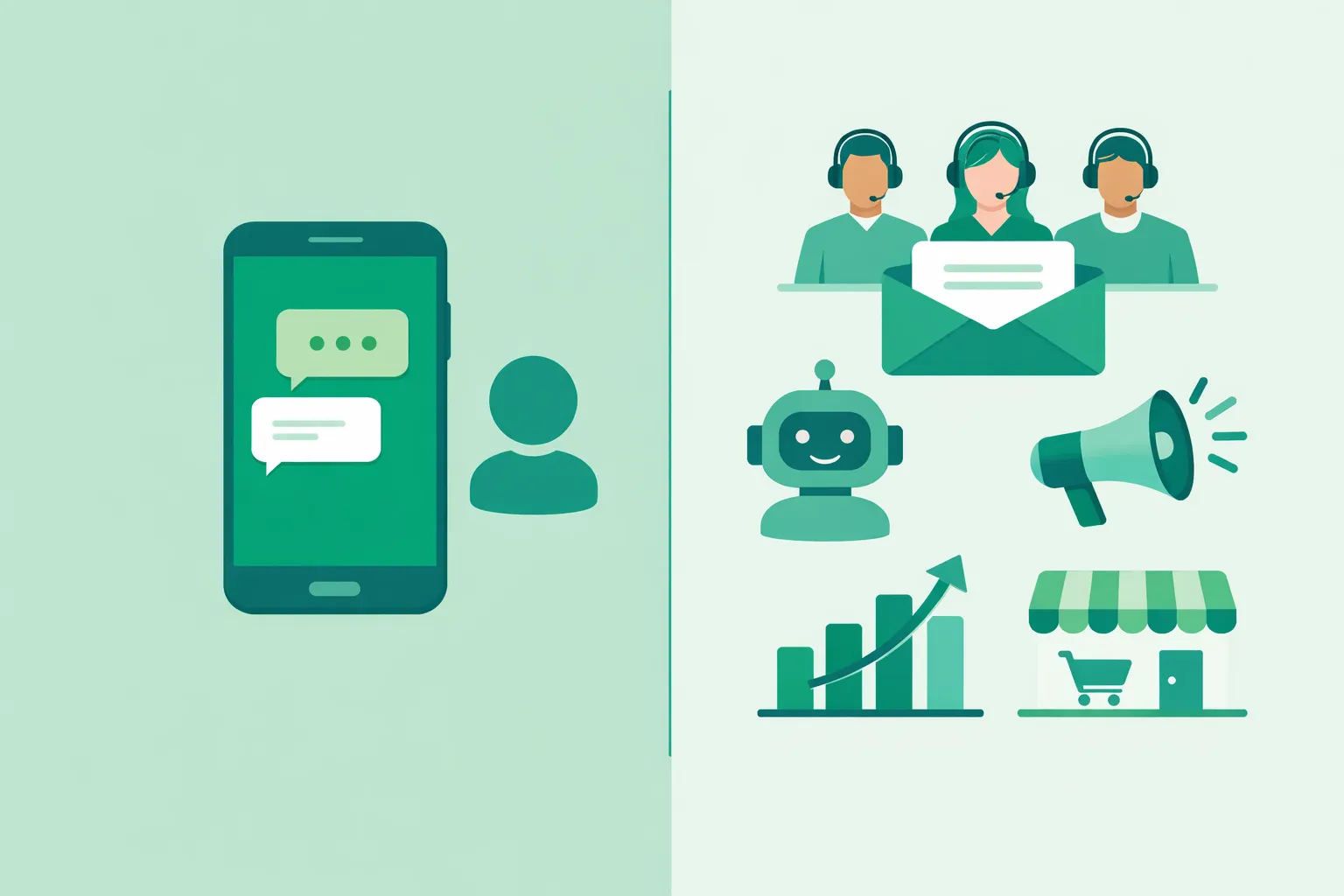
Choosing between the WhatsApp Business App and the WhatsApp Business Platform (API/Cloud API) comes down to scale and workflows. The App is great for solo operations and simple, manual messaging. The API/Cloud API unlocks scalable messaging, automation, and team collaboration - ideal for support, marketing, and operations.
Quick distinctions
App: single-device, manual messaging, small teams, lightweight broadcasts
API/Cloud API: scalable messaging, automation, shared inboxes, templates, analytics
What “limits” mean in each product
App: practical limits on broadcasts and device-based throughput
Runs on a single phone (plus linked devices), no formal conversation caps, but constrained by manual sending, device performance, and contact opt-in.
No message template workflow or conversation pricing; not built for large-scale automation.
API/Cloud API: formal messaging limits tied to business-initiated conversations per phone number, plus quality rating
You scale through tiers based on quality and volume; outside the 24-hour customer service window, approved templates are required.
Conversation-based pricing and quality rating govern how you grow responsibly.
When the App is sufficient
Solo operators, micro-businesses, and local services
Low message volume, highly personalized 1:1 chats
Occasional lightweight broadcasts to known, opted-in customers
No need for templates, analytics, or complex integrations
When API/Cloud API is the right path
Campaigns and recurring broadcasts to large opted-in audiences
Automated journeys, chatbots, and the 24-hour rule with templates
Multi-agent support teams, SLAs, escalations, and reporting
Order updates, bookings, payments, and in-chat storefronts
Omnichannel orchestration and integrations with CRM, ecommerce, and data tools
Trikon fit
Trikon provides official WhatsApp Business API access plus everything you need to run WhatsApp as a full business channel: shared inbox with SLAs and history, marketing automation and broadcasts, chatbots with human handoff, bookings and operations, payments, and an in-chat storefront - fast setup, no engineers required.
Comparison: App vs API/Cloud API
Capability | WhatsApp Business App | WhatsApp Business API/Cloud API |
|---|---|---|
Team access | Single-owner with basic linked devices; not built for multi-agent workflows | Multi-agent shared inbox, assignment, roles, SLAs, analytics |
Automation/chatbots | Minimal; manual replies and quick replies | Full automation with templates, bots, flows, and human handoff |
Conversation limits | No formal tiers; constrained by manual throughput and broadcast practicality | Formal messaging limits for business-initiated conversations, governed by quality rating and tiers |
Broadcast scale | Lightweight, device-based broadcasts to opted-in contacts | High-scale broadcasts with segmentation, personalization, and scheduling |
Inbox & SLAs | Basic chat list; no SLA tracking or reporting | Centralized inbox, SLA timers, tags, notes, and performance reporting |
Commerce & payments | Limited catalog use; manual coordination | In-chat storefront, carts, order updates, invoices, and payments |
Integrations | Very limited, mostly manual workflows | Deep integrations (CRM, ecommerce, CDP, webhooks, data sync) |
Best for (use cases) | Solo operators, micro-businesses, local services | Support teams, ecommerce/D2C, operations at scale, agencies, enterprise |
"You may reply to a user message without use of a Message Template as long as it's within 24 hours of the last user message. Outside the 24-hour customer service window, you may only send messages via approved Message Templates." - Source
WhatsApp Business API messaging limits: tiers, quality rating, and how scaling works
Understanding WhatsApp Business API/Cloud API limits is essential for reliable delivery and predictable growth. These limits govern how many new customer conversations you can start per phone number each day and scale automatically based on quality and recent volume.
"Messaging limits determine the maximum number of business-initiated conversations each phone number can start in a rolling 24-hour period." - Source
Key definition: what messaging limits cover
Limits apply to business-initiated conversations per phone number in a rolling 24-hour period.
User-initiated conversations are not capped by these limits (you can reply freely within the 24-hour customer service window).
Unverified vs verified
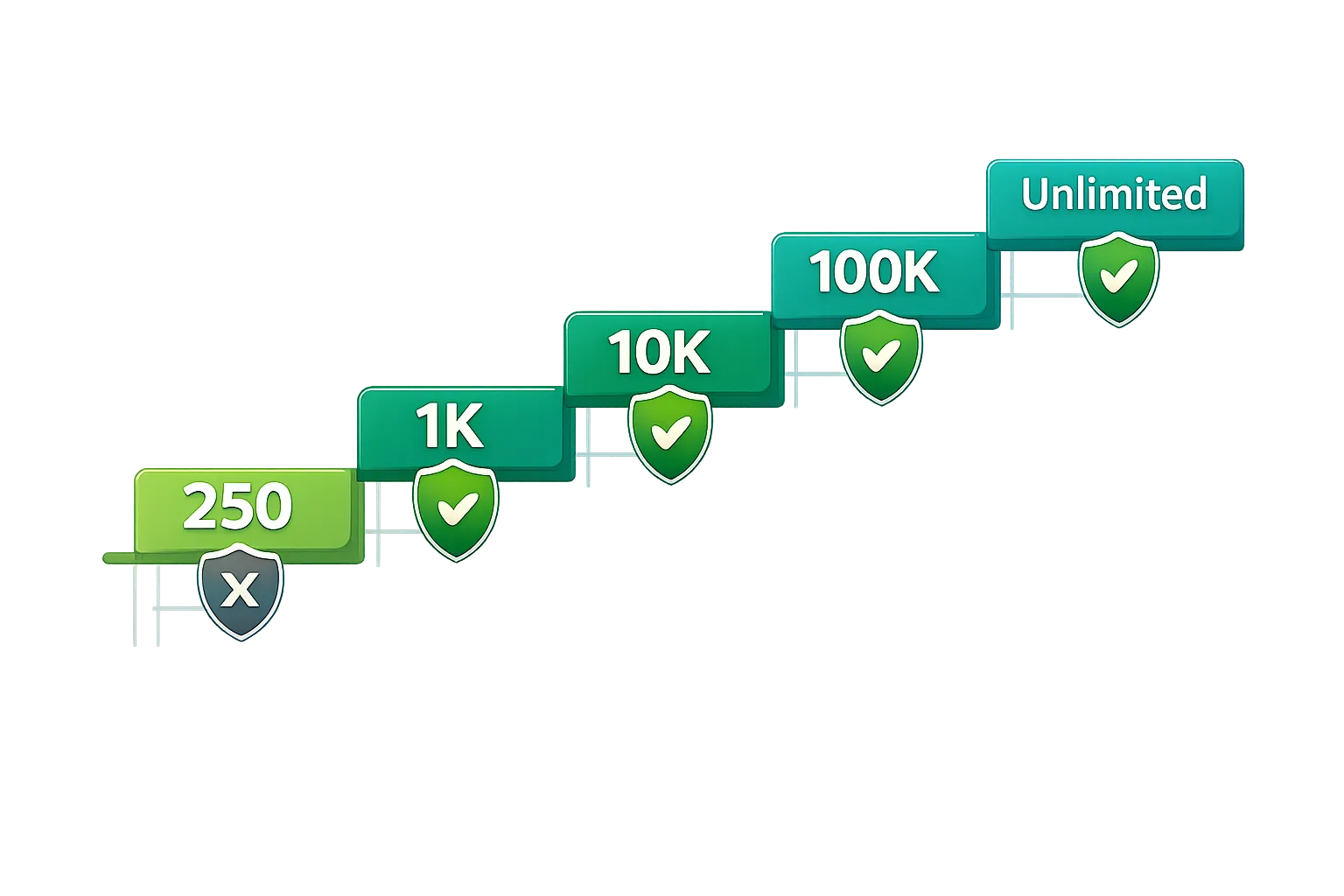
Unverified/without Connected status and approved display name: 250 business-initiated conversations per 24h.
Verified/Connected + approved display name: tiered limits that auto-scale: 1K → 10K → 100K → Unlimited.
Auto-scaling criteria (how to move up a tier)
To move up automatically, you typically need:
Phone number status: Connected
Quality rating: Medium or High
Initiated X or more unique customer conversations in the last 7 days, where X = current limit ÷ 2
Downgrades and quality
If your quality rating drops to Low and your number is Flagged for 7 days, your limit may decrease by one tier.
Keep templates relevant, respect opt-in, and avoid spammy content to protect quality and delivery.
Rolling 24-hour logic and per-number behavior
It’s a rolling window: as conversations age past 24 hours, capacity frees up; counts reset continuously.
Limits apply per phone number; adding numbers can scale coverage across brands/regions (ensure compliance and consistent quality).
Tier rules at a glance
Tier | Business-initiated conversations per 24h | Requirements to upgrade | What can downgrade you |
|---|---|---|---|
Unverified (250) | 250 | Complete business verification, get display name approved, achieve Connected status; maintain Medium/High quality | Policy violations or poor quality can delay verification and restrict growth |
Tier 1 (1K) | 1,000 | Connected + Medium/High quality; initiate ≥500 unique customer conversations in last 7 days (limit ÷ 2) | Quality drops to Low and status Flagged for 7 days; template misuse or high block rates |
Tier 2 (10K) | 10,000 | Connected + Medium/High quality; initiate ≥5,000 unique customer conversations in last 7 days | Same: Low quality + Flagged for 7 days; spam complaints or irrelevant templates |
Tier 3 (100K) | 100,000 | Connected + Medium/High quality; initiate ≥50,000 unique customer conversations in last 7 days | Same downgrade triggers; sustained negative feedback or policy violations |
Tier 4 (Unlimited) | Unlimited | Maintain Medium/High quality and compliance | Low quality + Flagged can reduce you to a lower tier; repeated violations |
Practical tips to scale safely:
Warm up gradually with highly engaged, opted-in audiences to maintain a High quality rating.
Keep message templates clear, relevant, and personalized; avoid aggressive frequency.
Monitor quality rating and message feedback regularly; adjust campaigns quickly to protect deliverability.
Trikon helps you stay within WhatsApp Business API limits while scaling growth: automate broadcasts and journeys, keep quality high with smart segmentation, and track performance in a shared inbox with SLAs and full history.
WhatsApp Business App messaging realities: broadcasts, address book, and scale
The WhatsApp Business App is built for simple, personal communication - not high-volume marketing or complex support. If you’re relying on the mobile app for outreach, it’s important to understand how its broadcast and device constraints impact scale and delivery.
Broadcast list limits
Broadcast lists are capped (commonly 256 recipients per list), and recipients must have your number saved in their address book to receive the message - otherwise, delivery will fail silently.
Delivery is best-effort and manual. Managing multiple lists, ensuring contacts have saved your number, and tracking who actually received messages becomes cumbersome as you grow.
Large-scale outreach is impractical. There’s no segmentation, scheduling, or template approval flow. You can’t personalize at scale or run consistent, repeatable campaigns.
Practical example:
A local salon can broadcast a weekend promo to a small saved list and follow up 1:1. A regional chain with thousands of opted-in customers will quickly hit the 256-per-list ceiling and face heavy manual effort.
Throughput and device constraints
Phone-tied workflows: The app runs on a primary phone (with optional linked devices). Sending, tracking, and following up remain largely manual.
Limited automations: You can set away messages and quick replies, but you can’t build drip journeys, trigger flows by events, or enforce the 24-hour rule with templates.
Harder to coordinate teams: No shared inbox, agent assignment, or SLA tracking. As conversations grow, it becomes easy to miss replies and lose context across devices.
Suitability
Great for hyper-personal 1:1 chats and small local lists where trust is high and content is simple.
Not designed for high-volume campaigns, segmentation, advanced personalization, or complex automations.
Best for solo operators and micro-businesses that don’t need analytics, templates, or integrations.
When to graduate to API/Cloud API
Move from the app to the WhatsApp Business API/Cloud API when you need:
Advanced segmentation, drip campaigns, and analytics to drive consistent results
Multiple agents, shared inboxes, SLA tracking, and audit-ready compliance workflows
Integration with ecommerce platforms, CRM, payments, and bots for end-to-end automation
Template-based outreach that respects the 24-hour customer service window at scale
How Trikon helps you scale beyond the app:
Official WhatsApp Business API access with fast setup - no engineers needed
Shared Support Inbox with agent assignment, SLAs, and full conversation history
Marketing Automation for broadcasts, segmentation, drip journeys, and retargeting
No‑code Chatbots with seamless human handoff for 24×7 coverage
Bookings, payments, and an in‑chat storefront to convert directly in WhatsApp
If the app’s broadcast cap, manual sending, and device limits are slowing you down, it’s time to adopt the API/Cloud API with Trikon to scale responsibly - without sacrificing delivery, compliance, or customer experience.
The 24-hour customer service window, conversation categories, and pricing basics
Understanding the 24-hour rule and conversation categories is essential for compliance and cost control on the WhatsApp Business Platform. Here’s how it works in practice - and how to plan your workflows to stay within policy while optimizing spend.
The 24-hour rule in practice
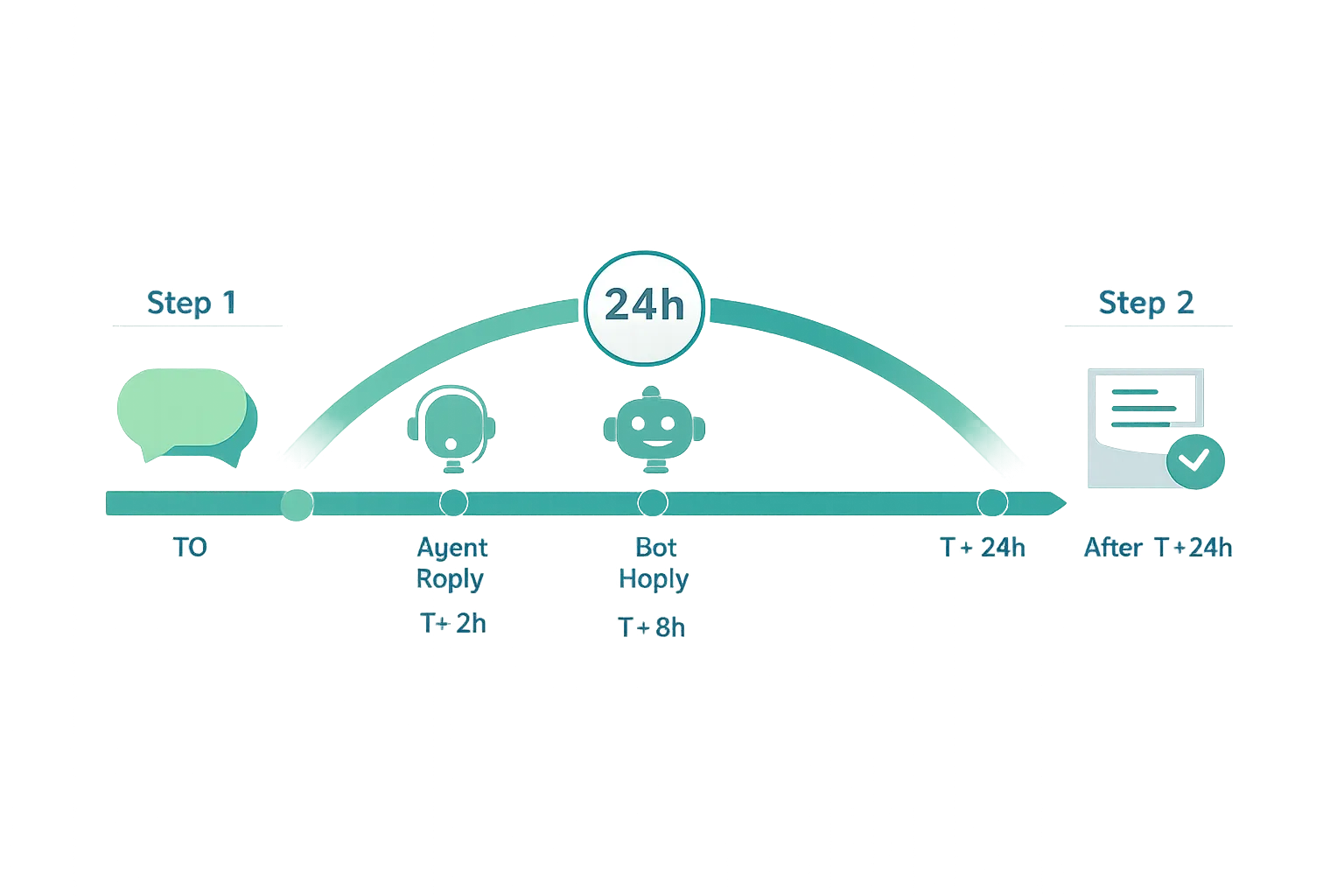
A user message opens a 24-hour service window where you can reply freely with session messages (no template approval needed).
After 24 hours since the last user message, the service window closes. To reach out again, you must use an approved Message Template (this counts as a business-initiated conversation).
Templates must match their category and remain relevant to the user’s context to protect quality and avoid complaints.
Conversation categories (overview)
Service (user-initiated): Replies within the 24-hour window to help customers resolve questions or issues.
Utility (post-purchase updates): Order confirmations, shipping alerts, reminders, and receipts.
Marketing (offers/promos): Re-engagement, recommendations, back-in-stock, promotions, or event invites.
Authentication (OTP): Time-sensitive verification codes and login confirmations.
Pricing varies by category and country - always verify current rates and terms on Meta’s pricing page before launching campaigns.
Free tier credits (check current policy)
Meta has periodically offered monthly free service conversations per WABA. Policies can change; confirm the latest allowances and eligibility on the official pricing page.
Practical examples
Customer support: A user messages “My order hasn’t arrived.” Your team replies within the 24-hour window with status updates, alternate delivery options, and resolution - no template needed.
Utility notification: The 24-hour window has closed. You send a “Shipped” update via an approved Utility template with tracking info.
Marketing follow-up: You re-engage lapsed customers with a category-compliant Marketing template offering a limited-time bundle, with quick-reply buttons to browse or chat with an agent.
How Trikon helps you stay compliant and cost-efficient:
Auto-detects the 24-hour window and routes replies vs template sends appropriately
Categorizes templates, tracks costs by conversation type, and optimizes send timing
Orchestrates hybrid automation + human handoff to resolve service conversations within the window whenever possible
Warm-up and scale-up plans: from 1K to 10K+ safely
If you’re new to the WhatsApp Business Platform (Cloud/API) or ramping up a new phone number, warming up correctly is critical for deliverability and faster tier upgrades. The goal is to hit the upgrade criteria without triggering quality issues. Use the plan below to move from the initial 1K tier to 10K+ safely, while protecting your quality rating and staying within WhatsApp Business API limits.
Foundational warm-up principles
Start with highly engaged, opted-in segments
Prioritize customers who recently purchased, chatted with support, or explicitly opted in. These users are more likely to engage and less likely to block.
Keep template content relevant and personalized
Use concise, value-first templates. Personalize with name, last purchase category, or location to improve response and reduce blocks.
Monitor quality rating daily; pause if it trends down
Track delivery, blocks, and user actions. If quality dips, pause new sends, fix content/targeting, and resume once quality returns to Medium/High.
Example warm-up progression (API/Cloud API)
Week 1: Aim for 500–1,000 unique, opted-in users across 2–3 templates
Send in batches across multiple days, not all at once.
Mix Utility (e.g., post-purchase updates) and light Marketing (e.g., back-in-stock notices) where appropriate and compliant.
Week 2: If quality is Medium/High and engagement is solid, scale to 2–4K
Expand to additional segments with clear relevance (e.g., category-based recommendations, booked appointments, or seasonal reminders).
A/B test template copy and CTAs; keep the better performers and retire weak variants.
Week 3+: Ramp to 6–10K+ only when quality remains healthy and complaints low
Increase daily volume gradually. Use dayparting to send when customers are most responsive.
Add more templates carefully (e.g., a reorder reminder, limited-time offer, or event reminder) with clear opt-out language.
Pro tips:
Throttle sends and watch delivery in near-real time; pause quickly if block/report rates spike.
Always offer an easy way to opt out. It reduces blocks and protects your WhatsApp message limit per day by keeping quality high.
Use quick replies or buttons to drive responses (e.g., “View order,” “Talk to an agent”), which signal positive engagement.
What triggers upgrades
Initiating conversations with >= half of your current limit within 7 days
Example: At a 1K limit, initiate 500+ unique business-initiated conversations in 7 days.
Stable delivery, low blocks, and positive user interactions
Maintain a Medium/High quality rating and “Connected” status to be eligible for auto-scaling.
What to avoid
Cold blasts to unengaged or non-opted-in contacts
It harms your quality rating, slows tier upgrades, and risks policy violations.
Repetitive, promotional-only templates without value
Rotate content and ensure clear value (e.g., order updates, helpful advice, personalized offers).
Ignoring early warning signals (blocks, report spikes)
If metrics degrade, pause immediately, review your audience, refine templates, and restart with a smaller, more engaged cohort.
How Trikon accelerates safe scale:
Smart segmentation to focus on engaged contacts first
Template testing, throttling, and send-time optimization
Automated quality monitoring with alerts and pause rules
Hybrid automation + agent handoff to capture replies within the 24-hour rule, improve engagement, and protect your WhatsApp Business API limits
Best practices to stay within limits and protect quality (with Trikon)
Staying within WhatsApp Business API limits while protecting your quality rating comes down to consent, relevance, and disciplined execution. Use these best practices to keep deliverability high and costs predictable - and see how Trikon makes it easy.
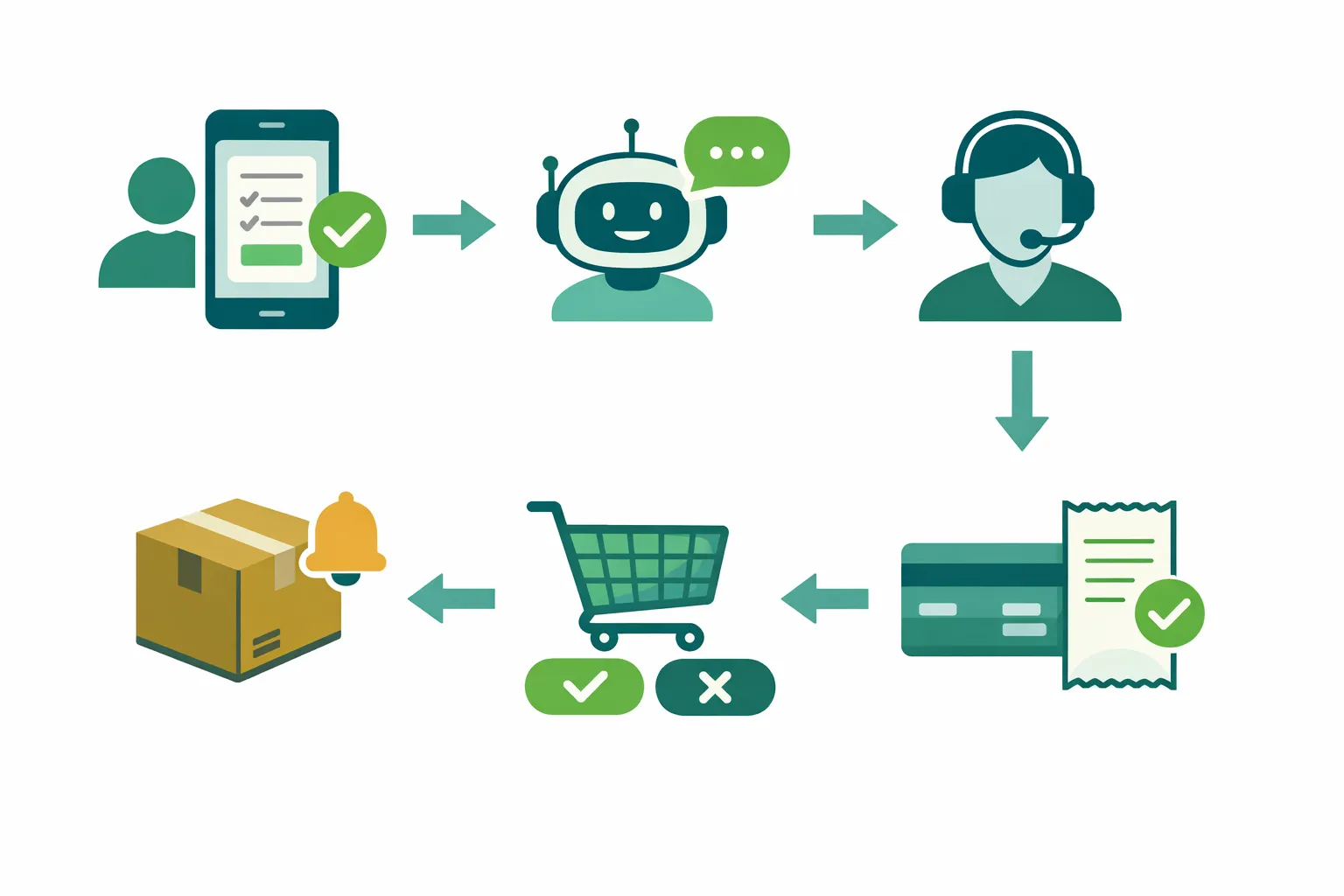
Opt-in and expectation-setting
Capture explicit consent on site, checkout, support forms, and ad entry points
Tell users what they’ll receive and how often; provide easy opt-out
Use double opt-in for sensitive flows or high-frequency marketing
Template and content hygiene
Separate transactional vs marketing templates to stay compliant and relevant
Use buttons (quick replies/CTAs) to guide engagement and reduce blocks
Localize and personalize (name, order data, last interaction) to increase value and response
Send strategy
Apply frequency caps by segment; use dayparting to send when customers are most active
Prioritize trigger-based utility flows (orders, appointments, reminders) over blast promos
Rotate creative and offers to avoid fatigue; stagger sends for smoother throughput
Monitor and react
Track quality rating, blocks, and delivery closely; set alerts for sudden changes
A/B test templates and buttons; retire low performers quickly
Iterate copy based on replies, questions, and drop-off points
How Trikon helps
Unified support inbox with SLAs and full conversation history for team accountability
Marketing automation: broadcasts, segmentation, drip, retargeting, and abandoned cart recovery
No‑code chatbots with seamless agent handoff to capture replies within the 24-hour window
Bookings, payments, and an in‑chat storefront to complete the journey inside WhatsApp
Fast go-live as an official WhatsApp Business API partner - no engineers required
Pro tip: Guard your quality by sending real value first. Use Utility templates to deliver helpful updates and let Marketing follow with relevant offers. With Trikon, you can orchestrate both - safely, compliantly, and at scale.
Real-world use cases: support, marketing, operations, and commerce
Turn WhatsApp into a full customer lifecycle channel. Below are proven, high-impact use cases that respect the 24-hour rule, use conversation categories correctly, and keep quality high - so you scale without hitting WhatsApp Business message limits.
Customer support and CX
Triage FAQs via bot; escalate to agents for complex issues within 24h window
Route “Where is my order?” or “How do I return?” to a no‑code bot; hand off to an agent for billing, product defects, or multi-step cases. Agents reply with free-form messages inside the 24-hour customer service window for fast resolution.
Proactive follow-ups with satisfaction surveys (templates)
When the window has closed, send a brief Utility or Marketing template with CSAT/NPS quick replies to measure satisfaction, request a review, or offer a make-good. Keep it short, personalized, and contextual.
Example flows:
Issue resolution: User messages → bot verifies order → agent confirms replacement → post-resolution CSAT template if the window has closed.
SLA-driven support: Assign, tag, and set SLA timers; if not resolved within target time, auto-escalate to a senior agent.
Commerce and revenue
Back-in-stock and price-drop alerts (Marketing templates)
Notify subscribers the moment inventory returns or prices change. Use product images, price, and deep-link CTAs. Respect frequency caps to protect quality.
Abandoned cart recovery and order updates (Utility templates)
Trigger cart reminders with product summary and “Checkout now” button; follow with payment confirmation, shipping updates, and delivery notifications.
Catalog browsing and checkout in chat
Let shoppers browse a WhatsApp storefront, add to cart, and pay in-thread. Use quick replies to navigate categories and hand off to an agent for high-intent buyers.
Example flows:
Revenue recovery: Cart abandoned → Utility template with cart items → if no conversion, send a one-time incentive via Marketing template (with opt-out).
High-touch selling: Customer asks for sizing → agent recommendation → catalog card → in-chat checkout → order confirmation.
Operations and appointments
Reminders, confirmations, and rescheduling flows
Reduce no-shows with automated reminders (Utility templates) and offer one-tap rescheduling. Include map/location and prep instructions to lower inbound queries.
Digital tickets, receipts, and policy updates
Send QR codes, e-tickets, and invoices immediately after purchase. For policy changes, use clear, concise templates with actionable links.
Example flows:
Appointment lifecycle: Booking confirmed → reminder 24–48 hours prior → day-of reminder → “Reschedule” quick reply → updated confirmation.
Field ops: Technician dispatched → live ETA update → completion receipt → feedback template.
Post-purchase and loyalty
Delivery confirmations and care tips
Provide “Delivered” confirmations, unboxing tips, or “How to use” guides that reduce returns and increase satisfaction.
Replenishment nudges and loyalty milestones
For consumables, trigger reorder nudges based on predicted depletion. Celebrate loyalty tiers, points, or anniversary rewards with targeted offers and one-tap redemption.
Example flows:
Replenishment: 30 days post-purchase → Utility template reminder → “Repeat last order” quick reply → order confirmed.
Loyalty: Member hits a milestone → personalized Marketing template with exclusive perk → browse and redeem in chat.
How Trikon makes these work out of the box:
Shared Support Inbox with SLAs, tags, and full history for accountable CX
Marketing Automation for broadcasts, segmentation, drip, retargeting, and abandoned cart recovery
No‑code Chatbots that handle FAQs and route to agents seamlessly
Bookings, payments, and an in‑chat storefront for end‑to‑end commerce
Policy-aware orchestration that respects the 24-hour window, template categories, and WhatsApp Business API limits so you can scale safely and compliantly
Compliance checklist: Meta policy, consent, and escalation paths
Stay compliant with WhatsApp Business messaging rules and protect your quality rating with this practical checklist. Use it to align legal, marketing, and CX teams while scaling responsibly.
Consent and data handling
Obtain opt-in with clear value proposition and categories
Tell users what you’ll send (e.g., orders, offers, reminders) and how often
Capture opt-in from owned surfaces (site, checkout, support forms) and ad entry points
Use double opt-in for sensitive or high-frequency messaging
Publish a privacy policy and link it in opt-in flows
Respect opt-outs immediately (STOP, UNSUBSCRIBE, menu toggle) and confirm via reply
Store only necessary data, secure it, and honor data subject requests (access, delete)
Content rules and restricted verticals
Avoid prohibited content and restricted industries unless explicitly allowed by Meta policy
Examples often restricted/prohibited: weapons, drugs, real-money gambling, adult services, misleading or fraudulent offers
Keep messages relevant to the opt-in category; separate transactional vs marketing
Do not impersonate other brands; accurately represent your business and identity
Avoid spammy frequency; use caps per segment and provide easy preference management
Required escalation options
Provide clear, prompt escalation paths in and outside the 24-hour window:
Human agent handoff within chat
Phone number
Email
Web support/contact form
Store or branch visit details (where applicable)
Make escalation visible in your automated flows and template copy
Track handoffs and resolution SLAs to ensure timely support
Record-keeping and audits
Maintain consent logs (time, source, channel, policy text shown)
Version and archive all templates, approval statuses, and categories (Service/Utility/Marketing/Authentication)
Keep campaign records (audience criteria, frequency caps, delivery/quality metrics, opt-out rates)
Log escalation events, SLA timers, and outcomes for QA and compliance reviews
Restrict access with roles/permissions and audit trails for sensitive actions
Ongoing policy changes
Monitor Meta policy and pricing updates regularly (categories, free tiers, rate cards)
Re-validate template categories and copy when policies change
Update opt-in language and preferences center to reflect new rules
Train teams on the WhatsApp 24-hour rule, templates, and conversation categories
How Trikon helps you stay compliant
Consent capture and preference management across entry points (web, forms, ads)
Template governance: categorization, approvals, versioning, and audit trails
Policy-aware automation that respects the 24-hour customer service window
Unified inbox with SLAs, escalation routing, and complete conversation history
Compliance dashboards for quality rating, blocks, and conversation category costs
Adopt a “consent-first, value-first” approach. With Trikon, your escalation paths, record-keeping, and template workflows are built-in - so you can scale WhatsApp safely, comply with Meta policy, and protect conversation quality.
FAQs: WhatsApp Business message limits, pricing, and templates
Do messaging limits apply to user-initiated conversations?
No. Limits apply to business-initiated conversations per phone number in a rolling 24-hour period.
What happens if I hit my business-initiated limit?
New business-initiated conversations will not start until active ones close or the rolling window advances. You are not charged for undelivered starts.
How do I increase my limit tier?
Keep number status Connected, maintain Medium/High quality, and initiate conversations with >= half of your current limit within 7 days.
What are the tiers?
Unverified: 250; Verified: 1K → 10K → 100K → Unlimited (per phone number).
How does the 24-hour window work?
You can freely respond to a user within 24h since their last message. After that, you must use approved templates.
What is conversation-based pricing?
Charges are per conversation category and country. Check Meta’s pricing page for current rates.
Does the WhatsApp Business App have the same limits?
No. The App has broadcast and device constraints and is not built for large-scale campaigns.
How do I check my current limits?
In WhatsApp Manager → Overview → Limits (or your provider’s dashboard, like Trikon).
Conclusion: Ready to scale WhatsApp the right way?
The most successful brands treat WhatsApp as a full-funnel channel - support, marketing, operations, and commerce - while staying compliant with limits, templates, and the 24-hour rule. If you’re ready to scale with confidence, Trikon gives you the speed, control, and reliability to do it right.
Key takeaways
App vs API have different limits and use cases
Limits apply to business-initiated conversations; user-initiated service chats aren’t capped
The 24-hour window governs when templates are required
Tier upgrades hinge on quality, connection status, and consistent volume
Why Trikon
All-in-one: support inbox with SLAs, marketing automation, no-code chatbots, bookings, payments, and storefront
Fast, compliant, and scalable - official WhatsApp Business API partner
Hybrid automation + human handoff to protect quality and improve CSAT
Minimal setup and no engineering - launch campaigns and workflows quickly
Analytics, segmentation, and template governance to optimize cost and delivery
Next steps
Talk to Trikon to launch or migrate your WhatsApp program quickly and safely: https://whatsapp.trikon.tech/
Start with engaged opt-ins, set up essential templates, and warm up responsibly
Align teams on the 24-hour rule, conversation categories, and tier criteria
Use Trikon’s shared inbox, automation, and storefront to drive measurable revenue and CX outcomes