

Introduction: WhatsApp links that convert - wa.me, QR Codes, and CTWA funnels
Customers increasingly expect to send a WhatsApp message without save, get quick answers, and move from discovery to purchase in a single thread. This guide breaks down the three fastest entry points to start a conversation - so you can pick the right WhatsApp link strategy, deploy fast, and attribute revenue with confidence.
What this guide covers
The three fastest ways to start a WhatsApp conversation: wa.me links (aka Click to Chat), WhatsApp QR Codes, and Click-to-WhatsApp (CTWA) ads.
How to choose the right entry point by goal: website/contact, offline-to-online, and paid acquisition.
How to tag, place, and measure each entry point for real funnel analytics and revenue attribution.
A head-to-head comparison of popular generators and tools (Walink, QR Code Generator PRO, Callbell, Chatarmin) and where an all‑in‑one platform can lift results.
Comparison at a glance
Entry point | Best use-cases | Typical placements | Tracking depth | Automation potential | Relative cost |
|---|---|---|---|---|---|
wa.me links (Click to Chat) | Fast “contact us” and sales assist; capture inbound interest; enable website visitors to send a WhatsApp without saving a number | Website CTAs, contact pages, email signatures, social bios, chat widgets | UTM parameters + referrer tracking; basic click analytics via shorteners/platform | Medium: welcome messages, FAQs, routing via business WhatsApp links on API platforms | Free to create; messaging costs apply when using API automation |
WhatsApp QR Codes | Offline-to-online handoff; store/packaging; events; print media; quick support flows via prefilled text | Packaging, receipts, in-store signage, flyers, billboards, event badges | Dynamic QR analytics (scans by time/location/device) + UTMs appended to the destination | Medium–High: once chat starts, trigger flows, bots, and sequences | Static = free; Dynamic/trackable = low subscription |
Click-to-WhatsApp (CTWA) ads | Paid acquisition and retargeting; high-intent lead capture; conversation-first funnels | Facebook/Instagram Ads, Stories, Reels, feeds | High: end-to-end ad → chat attribution; CTR, CPA, ROAS, conversation/conversion events | High: automated qualification, CRM sync, drip sequences, agent routing | Media spend + optional platform fees |
Why this matters now
Forms and phone calls are giving way to messaging-first customer journeys. In chat, time-to-first-response shrinks, reply rates rise, and you can guide buyers to a decision with rich media, catalog cards, and quick replies - via WhatsApp. Whether you deploy a simple https WhatsApp wa.me link, a scannable QR for offline, or CTWA for scale, the goal is the same: start the right conversation, faster.
"WhatsApp supports more than 2 billion users worldwide." - Source
Quick note on Trikon
Trikon unifies all three entry points - wa.me links, QR Codes, and CTWA - inside one platform with analytics, segmentation, chatbots, broadcasts, and a shared inbox. That means you can design the entry, automate the conversation, assign agents, and attribute revenue end-to-end. If you only need a light generator, compare the tools below; if you want an end‑to‑end funnel that’s fast to deploy and easy to scale, keep Trikon in mind as you read.
wa.me Links (Click to Chat): Setup, formatting, and optimization
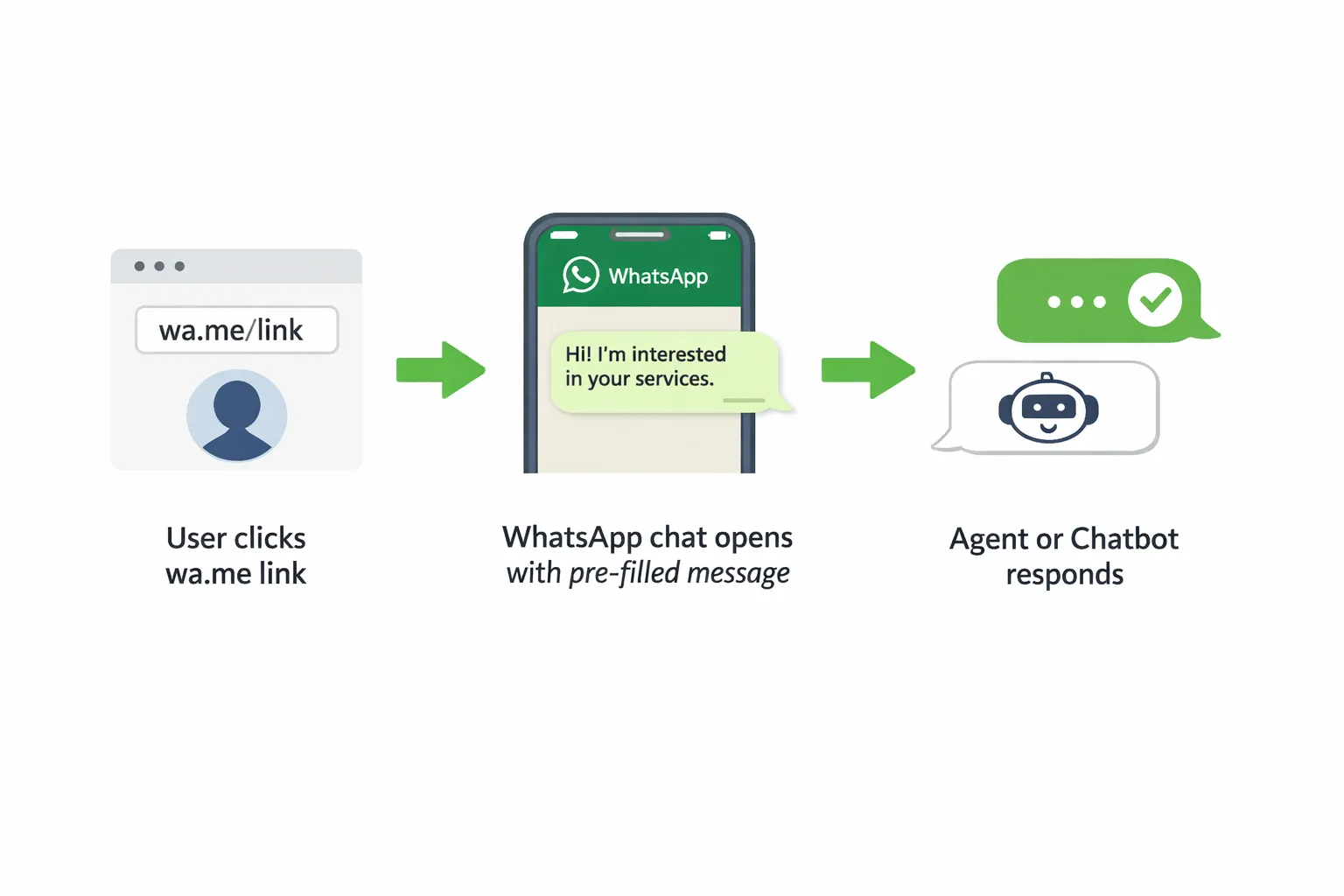
What a WhatsApp link is and how it works
Format:
Pre-filled message: append ?text=Your+message using URL-encoding (e.g., spaces as %20 or +).
Cross-device behavior: works on mobile; on desktop it opens a WhatsApp Web prompt to send a WhatsApp without save.
"To create a Click to Chat link, use https://wa.me/ with the phone number in international format, omitting any zeros, brackets, or dashes." - Source
Create links correctly - no broken chats
Use full international format:
No +, 00, dashes, parentheses, or spaces (e.g., 447911123456).
Keep pre-filled messages short and specific:
Example intent signallers: “Product question,” “Book a demo,” “Order status.”
Always URL‑encode: Hello%20team%21%20I%27d%20like%20to%20know%20more.
Add tracking the right way:
Use a short link/redirector with UTM parameters (utm_source, utm_medium, utm_campaign, utm_content) that points to your wa.me link.
Keep the inner ?text= fully URL‑encoded so it survives redirects and doesn’t break the chat.
Example pattern (conceptual): short.link/offer?utm_source=instagram&utm_medium=bio&utm_campaign=summer_sale → redirects to wa.me/1234567890?text=I%20want%20the%20summer%20offer
Where to place links for impact
Website: sticky bars, product pages, pricing pages, contact us, and checkout help to reduce drop‑off and let users send a WhatsApp message without save.
Social: Instagram bio, Facebook Page buttons, YouTube descriptions, and X bio for “DM-like” convenience via WhatsApp.
Email: add a “Chat on WhatsApp” link in your signature and post‑purchase emails.
Google Business Profile: add a WhatsApp contact entry to capture local and mobile intent.
Measuring performance
UTM blueprint for wa.me links across placements:
utm_source: instagram, website, email, gmb, youtube, x
utm_medium: bio, cta, signature, organic, widget
utm_campaign: product_support, pricing_help, checkout_assist, promo_name
utm_content: button_label, placement_variant (e.g., sticky_top, footer_cta)
Track clicks with GA4 and your tag manager (event: whatsapp_link_click).
Monitor session-to-chat rate (clicks that open WhatsApp), average first‑response time, and downstream revenue (orders, bookings) attributed to each UTM set.
Use a conversation tagging model in your inbox to map UTMs to chat threads for accurate revenue attribution.
Common pitfalls and fixes
Country code mistakes: always include correct country code; drop leading zeros and symbols.
Unencoded messages: encode every character in ?text=; avoid long paragraphs - keep it scannable.
Duplicated UTMs: centralize a naming convention per channel and enforce it in your short‑link builder.
Link cloaking issues: test on iOS/Android and desktop; ensure redirect preserves encoding and doesn’t add extra query parameters that break ?text.
When simple generators are enough vs. when you need a platform
Use a free generator for quick wins:
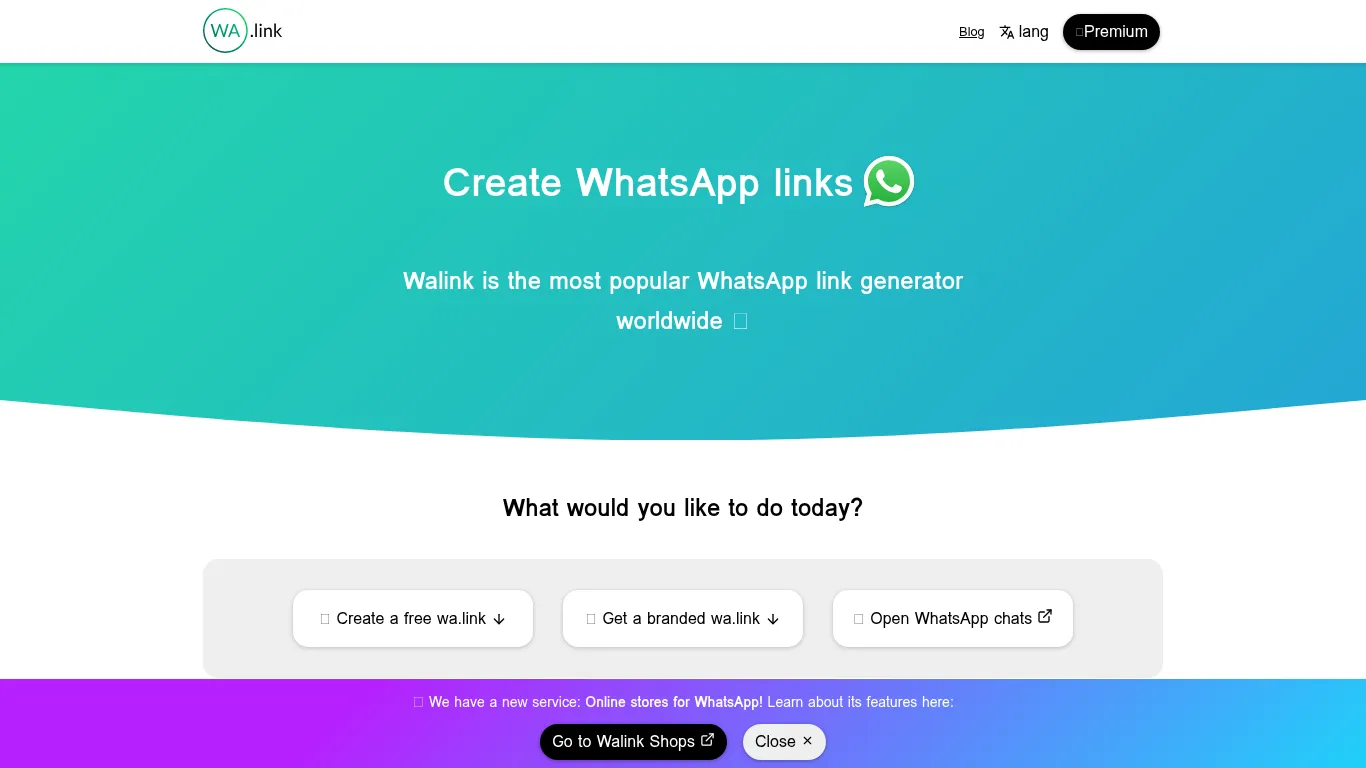
Walink is great for fast business WhatsApp links, branded slugs, and a quick way to send WhatsApp from website or social placements.
Ideal when you only need a few links, a QR, and basic click insights.
Choose a platform when you scale:
When you run many placements and campaigns, you’ll need multi-campaign tagging, automated routing (agent vs. bot), segmentation, and end‑to‑end analytics.
Trikon adds shared inbox, chatbots, broadcasts, segmentation, bookings, and revenue attribution - so business WhatsApp links become full funnels, not just entry points.
WhatsApp QR Codes: From offline to instant chat
What a WhatsApp QR Code does
Scanning instantly opens a WhatsApp chat with your number, optionally with a pre-filled message that guides the conversation.
Ideal for offline-to-online journeys (packaging, stores, events) and shared devices/locations where typing a number is inconvenient.
Static vs. Dynamic QR Codes
Static: fixed destination; cannot be edited after printing; limited or no scan analytics.
Dynamic: destination can be edited; track scans by time, location, and device; supports branded short URLs and campaign management.
Design and scanning best practices
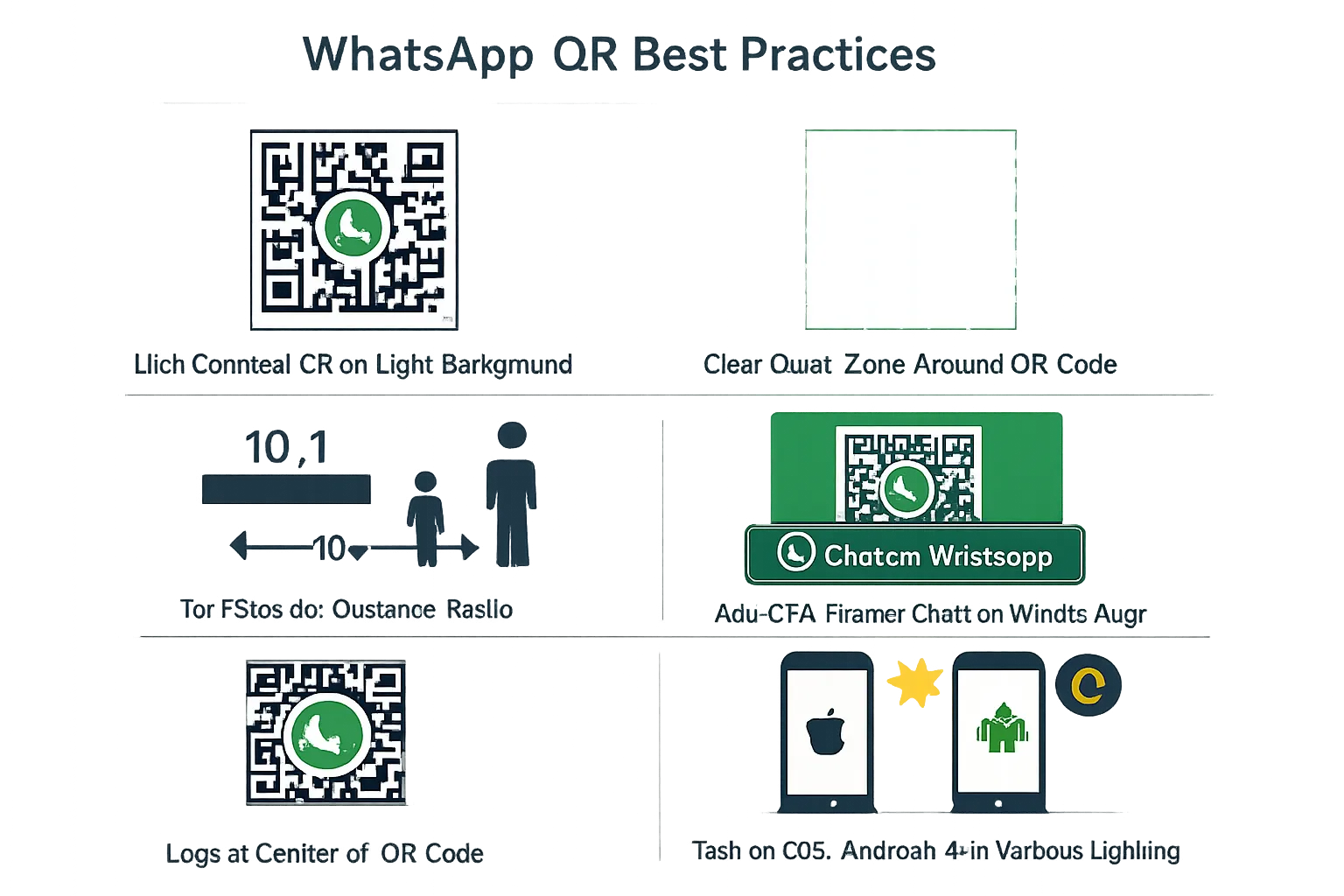
Ensure high contrast (dark code on light background), a clear quiet zone, and appropriate error correction.
Size-to-distance ratio: approximately 10:1 (e.g., 20 cm code readable from ~2 m).
Add a frame with a call to action like “Chat on WhatsApp,” and include recognizable brand elements (logo, colors) without obscuring the code.
High-converting placements
Physical: retail signage, shelf talkers, packaging/inserts, in-store displays, event booths/badges, receipts, posters, vehicle wraps.
Digital: PDFs and proposals, sales decks, email banners, and website popups when mobile scanning is expected.
Testing and QA
Test on multiple devices (iOS/Android) and under varied lighting and distances.
Validate that the pre-filled message is URL-encoded and opens correctly; if using a Dynamic code, confirm scan analytics and UTMs are captured end to end.
Click-to-WhatsApp Ads (CTWA): Paid funnels that start in chat
What CTWA is and why it scales
Facebook/Instagram ads where the primary CTA opens a WhatsApp thread instead of a landing page.
Scales across cold and warm acquisition, retargeting, and catalog-driven commerce - ideal when you want to move users straight into a conversation to qualify, recommend, and convert.
Build a high-intent CTWA flow
Offer ideas: lead magnet, quiz/product finder, limited-time promotion, or appointment booking.
Use a pre-filled message to segment intent (e.g., “I’m interested in Size M in Blue”) and trigger routing via keywords.
Respect the 24-hour customer care window; use approved message templates for follow-ups beyond the window.
"Businesses can reply with free-form messages within a 24-hour customer care window; outside of 24 hours, they must use pre-approved message templates." - Source
Campaign setup essentials in Meta Ads Manager
Pick the right objective (Engagement/Leads/Sales with messaging) and the audience/placements that match your product and timeline.
Creative tips:
Show the chat UI or a chat-style creative to set context.
Lead with a clear value proposition and social proof (reviews, UGC).
Use an explicit “Chat on WhatsApp” CTA in the primary text/headline.
Budget and optimize toward quality replies/events, not just clicks; test bid strategies that prioritize conversations or downstream conversions.
Measurement and iteration
Tag all CTWA links with UTMs; keep ad set naming aligned with chatbot routing rules and inbox views for clean attribution.
Track:
Reply rate and cost per chat
Qualified chat rate (meets offer criteria)
Conversions (orders/bookings) and ROAS
Iterate by refining pre-filled prompts, keyword routing, and follow-up templates based on drop-off points.
When to pair CTWA with automation and a shared inbox
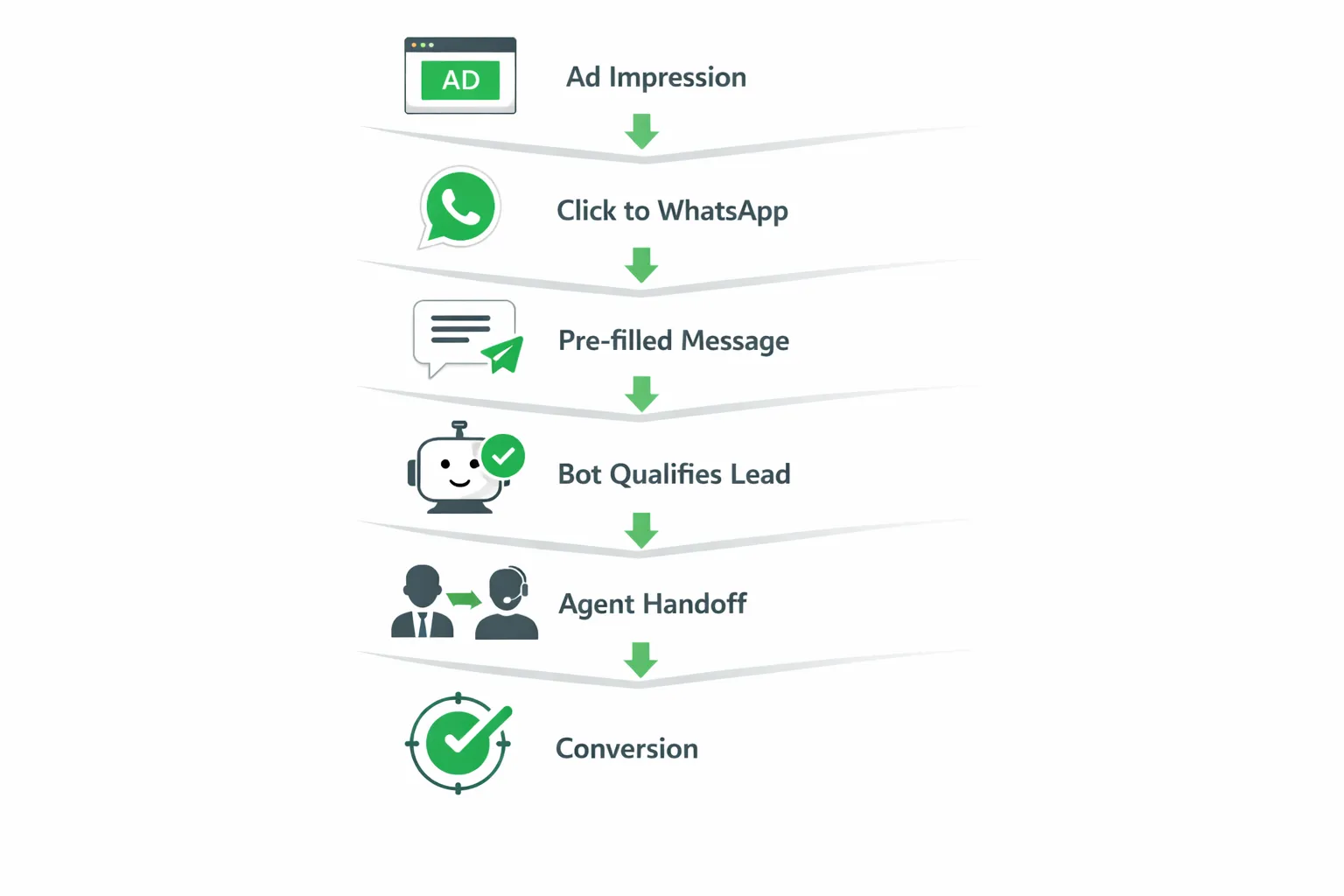
Use bots to handle FAQs and qualification instantly at scale, then hand off to agents for complex queries or closing.
A shared inbox helps route by team, track SLAs, and preserve chat history - critical when campaigns spike volume.
Tracking and attribution: UTMs, QR analytics, and downstream revenue
A unified tagging strategy
Standardize parameters across every WhatsApp link and entry point:
utm_source: instagram_bio, youtube_desc, pricing_page, store_poster, event_booth
utm_medium: whatsapp_link, qr, ctwa
utm_campaign: product_launch_q1, summer_sale, retarget_cart, support_fastlane
utm_content: variant_a_button_green, variant_b_copy_short, shelf_sign_row3
Use a single naming convention doc so teams never invent new labels mid-campaign.
Keep values lowercase, hyphen/underscore separated, and human-readable for fast reporting.
Channel-specific tips
wa.me links (Click to Chat):
Compose https WhatsApp links with a short, URL-encoded ?text= first; then append UTMs with &.
Example pattern: wa.me/447911123456?text=I%20have%20a%20question&utm_source=pricing_page&utm_medium=whatsapp_link&utm_campaign=product_launch_q1&utm_content=cta_top
If your analytics requires the pageview + UTMs, route via a short link that logs click data, then 302 to the wa.me target.
QR Codes:
Prefer Dynamic QR so you can track scans by time, location, and device.
Embed UTMs in the QR destination URL so they pass into the chat context when you redirect to your wa.me link.
Maintain consistent campaign tags between QR assets (posters, packaging, receipts) to compare placements.
CTWA (Click-to-WhatsApp ads):
Keep Ad/Ad Set naming aligned to the same UTM schema (source = meta_ads; medium = ctwa).
Use deep-link parameters or conversation attributes (where supported) to pass ad-set intent (e.g., quiz, promo, appointment).
Map ad_id/adset_id into your inbox/CRM fields for deterministic attribution to spend.
Stitching analytics end-to-end
Capture acquisition and chat-start:
GA4 events: whatsapp_link_click (web), qr_scan (offline), ctwa_click (paid).
Track chat_start in your inbox/CRM when the first inbound WhatsApp message arrives.
Qualify and convert:
reply_rate = replies / chat_start
qualified_chat_rate = qualified_chats / chat_start (bot or agent tags)
conversion_rate = orders_or_bookings / qualified_chats
Speed and service:
time_to_first_response (TTFR), average_handle_time (AHT), first_contact_resolution (FCR).
Revenue attribution:
Attribute order/booking revenue to the conversation’s UTM set (last non-direct) or your preferred multi-touch model.
Use conversation IDs to join ads, scans, and links to downstream CRM/commerce events.
Dashboards that matter
Placement leaderboard:
Rank each business WhatsApp link, QR, and CTWA by revenue, ROAS, and conversion rate. Highlight top-performing placements like “pricing_page_cta_top,” “store_poster_window,” or “retarget_cart_ctwa.”
Agent/bot performance:
Compare bot qualification rates, TTFR by team/shift, and handoff outcomes. Use this to plan capacity and refine flows.
Funnel cohorts for lifecycle messaging:
Build cohorts from UTM_source/utm_campaign (e.g., event_booth_leads) to run retargeting, broadcasts, and drip sequences via WhatsApp.
Executive view:
Chats, qualified chats, conversions, revenue, and ROAS by channel (whatsapp_link vs qr vs ctwa), plus trendlines for reply rate and TTFR.
Pro tip: treat every send WhatsApp entry - wa.me link, QR, or CTWA - as a tracked experiment. With consistent UTMs and inbox tagging, you’ll know which touchpoints actually drive revenue, not just clicks.
Placement playbooks that win
Website
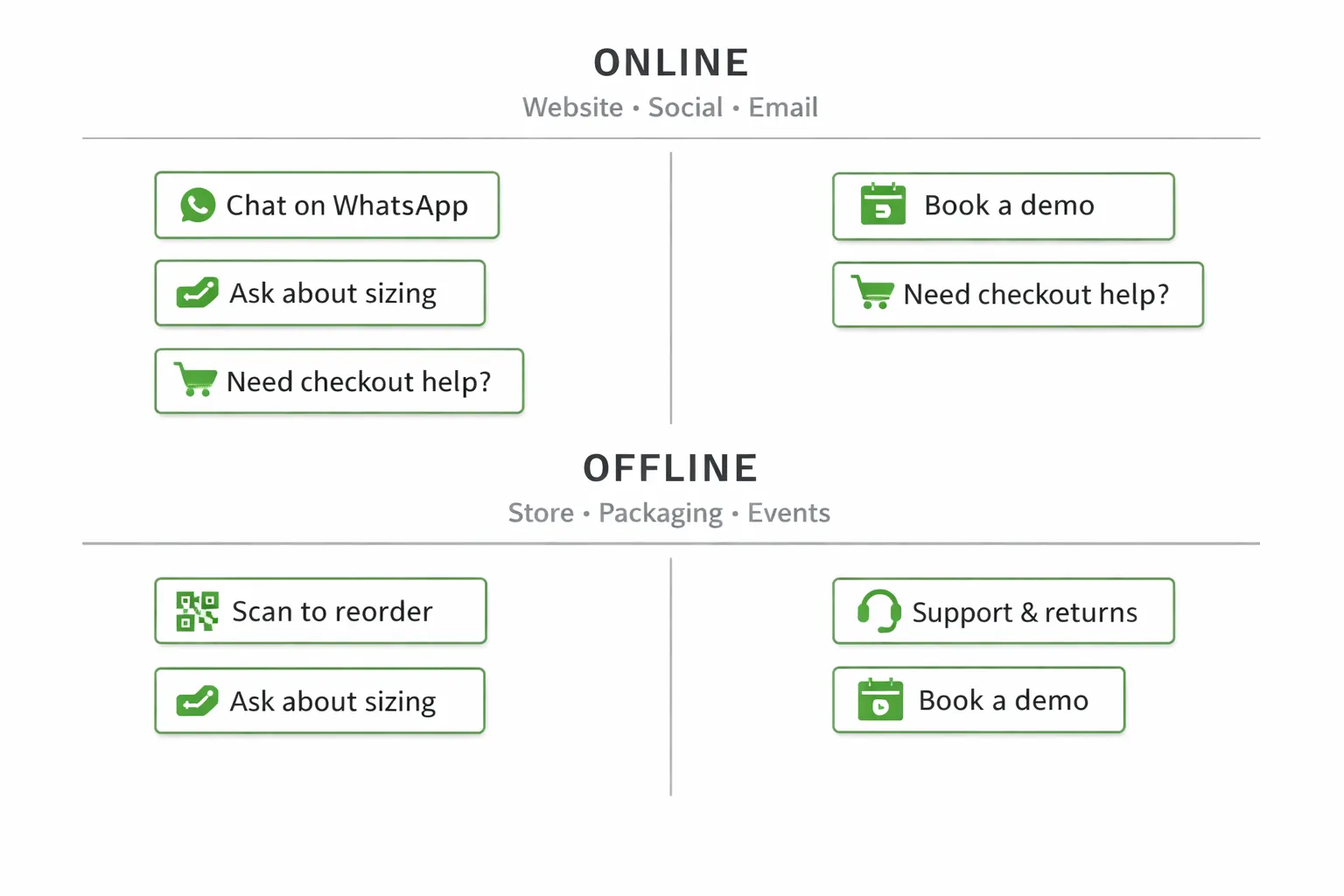
Sticky contact chip, product page “Chat for sizing/help,” checkout rescue prompt to reduce friction and abandonment.
Use page- or campaign-specific pre-filled messages so agents/bots see context instantly (e.g., “Sizing question for SKU-123 on M”).
Social profiles and content
Place WhatsApp in your Instagram bio, Link in Bio tools, YouTube descriptions, X bio, and Facebook Page button.
Reinforce with Stories/Highlights and pinned posts that set expectations (hours, response time, what to ask).
Google Business Profile and Maps
Add WhatsApp as a contact method where eligible and tailor the pre-filled message to local intent (e.g., “Store hours today?” “Appointment request - [Service]”).
Offline: retail, packaging, events
Entrance signage for service and availability.
Shelf talkers for product Q&A, packaging inserts for support/reorder, and event booths for on-the-spot demo booking.
Post-purchase and service
Add WhatsApp to email signatures, order confirmations, thank-you pages, and NPS/feedback prompts to drive retention and reviews.
Tool-by-tool comparison: Walink vs QR Code Generator PRO vs Callbell vs Chatarmin
What to evaluate
Link/QR creation speed and accuracy (international formats, pre-filled text)
Branding options (custom slugs, domains, logo, frames)
Analytics depth (clicks/scans, source/UTMs, downstream metrics)
Automation (chatbots, routing, broadcasts, drip campaigns)
Inbox capabilities (multi-agent, SLAs, conversation history)
Scalability and compliance (official WhatsApp API usage)
Where each tool shines - and the gaps
Walink: fastest branded wa.link creation and simple business WhatsApp links; Premium adds branded slugs and light analytics; limited automation/inbox.
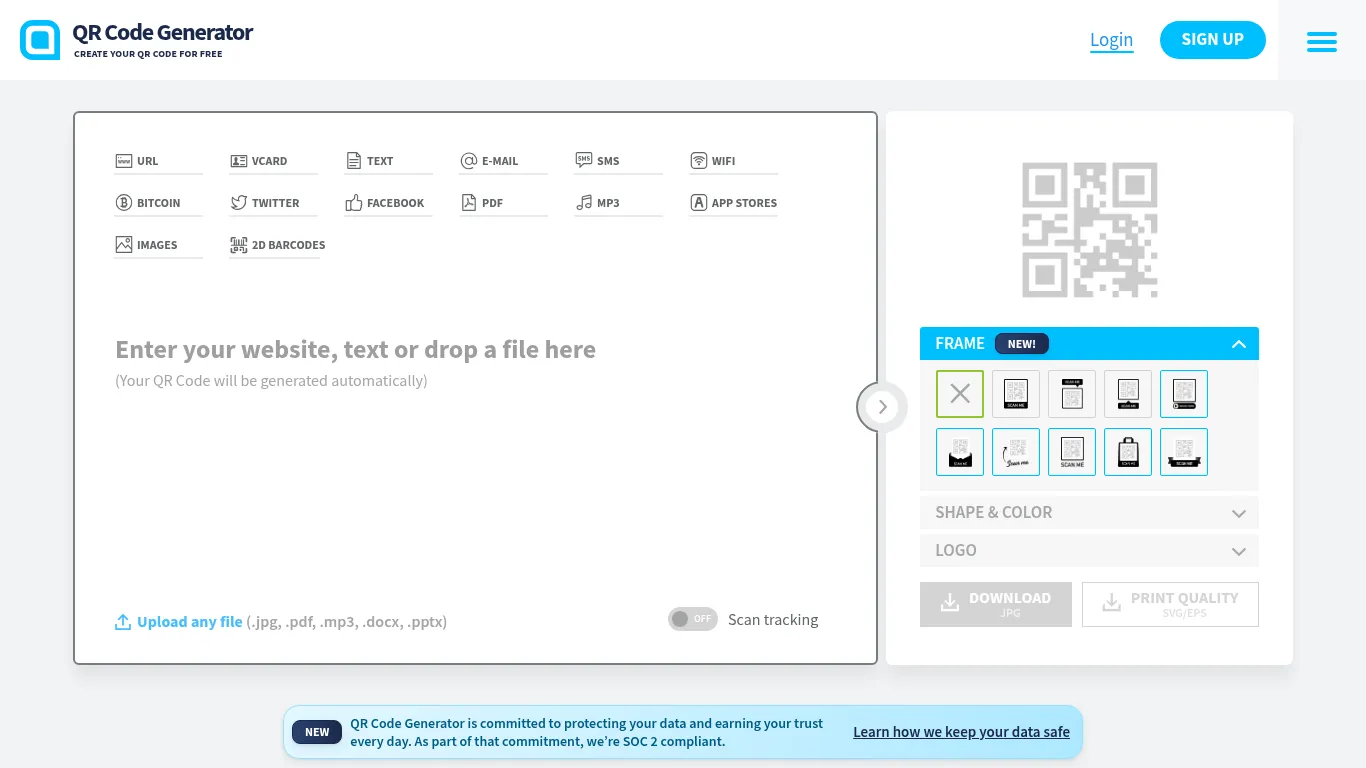
QR Code Generator PRO: best-in-class dynamic QR design and scan analytics; great for trackable offline-to-online; not a chat automation or inbox platform.
Callbell: WhatsApp CRM with multi-agent inbox, chatbot builder, and broadcasts; built-in link/QR generator is basic; automation depth varies by setup.
Chatarmin: generator plus strong ecommerce marketing use cases (campaigns, flows, AI chatbots); link/QR features are solid; end-to-end attribution depends on stack/integrations.
Strategic note
Generators are perfect for quick entry points (shareable https WhatsApp links and QR). If you need funnel analytics, automation, and a shared inbox to manage volume and SLAs, consider an all‑in‑one platform that unifies links, QR, and CTWA so you can send a WhatsApp and attribute revenue end-to-end.
Feature
Walink
QR Code Generator PRO
Callbell
Chatarmin
Link builder
Very fast wa.link generator; branded slugs and pre-filled text (Premium)
Accepts any URL incl. wa.me; not a specialized link builder
Basic link/QR generator; focus is CRM and campaigns
Built-in wa.me link and QR generator with ecommerce-oriented templates
QR customization
Basic QR with logo/branding
Advanced design: colors, frames, logos, dynamic URLs, custom domains
Basic QR styling for quick use
Basic–moderate QR options; emphasis on ecommerce placements
Analytics depth
Light click analytics in Premium; limited downstream metrics
Detailed scan analytics (time/location/device) for Dynamic codes; no chat analytics
In-platform conversation/campaign KPIs; moderate end-to-end with integrations
Campaign and lifecycle analytics; revenue attribution for WhatsApp flows; link/QR analytics depends on setup
Automation
None
None
Chatbot flow builder, broadcasts, workflows
AI/keyword chatbots, automated flows, newsletters, drip and retargeting
Inbox
None
None
Multi-agent inbox, routing, departments, mobile app
Omnichannel inbox with AI agents, SLAs, and workflows
Pricing notes
Free generator; low-cost Premium for branded links/dashboard
Static free; Dynamic/analytics via PRO (trial available)
Free trial; paid modules for WhatsApp/broadcast/bot; scales with usage/agents
Subscription platform; focused on ecommerce ROI and automation depth
Pricing and long‑term costs: Free vs premium trade‑offs
What’s typically free
Basic wa.me links that let customers start a WhatsApp message without save.
Simple static QR codes for offline placements.
Occasional branded slugs or trial features in entry-level generators.
What you pay for - and why it matters
Branding and trust: custom slugs, branded URLs, and custom domains to improve click/scan confidence.
Measurability: dynamic QR codes with analytics (time, location, device), UTMs, and redirection control.
Scale enablers: multi-agent routing, shared inbox with SLAs, conversation history, broadcasts, and chatbot automation that qualify and route at speed.
Hidden costs to watch
Lost attribution if you skip UTMs/analytics - harder to scale what works.
Agent labor on unqualified chats without bot qualification and keyword routing.
Missed retargeting and lifecycle messaging when data lives in silos across tools.
Budgeting by scenario
Small business: free generator + limited branding; track with short links and basic UTMs.
Growing team: add dynamic QR + basic inbox + light automation to control costs and improve ROI.
Scale/omnichannel: consolidate into a platform that unifies links, QR, CTWA, chatbots, broadcasts, and shared inbox - fewer tools, better attribution, higher conversion.
"A 5% increase in customer retention can boost profits by 25% to 95%." - Source
Final verdict: Which one should you choose?
If you need the fastest path to WhatsApp
Use wa.me links to let customers send a WhatsApp message from your website and social profiles without saving your number. Keep pre-filled messages short and relevant, and append UTMs so you can attribute results.
If you need offline-to-online at scale
Deploy Dynamic WhatsApp QR Codes with branded frames and scan analytics. They bridge in-store and packaging touchpoints to instant chat, and pass UTMs for clean attribution.
If you want paid acquisition directly into chat
Launch Click-to-WhatsApp (CTWA) campaigns. Use a pre-qualification bot to tag intent on open, then hand off to agents. Measure cost per chat, qualified chat rate, conversion, and ROAS - not just clicks.
If you’re ready to operationalize WhatsApp as a channel
Choose a platform that unifies business WhatsApp links, QR, and CTWA with analytics, automation, and a shared inbox. This lets you attribute revenue end-to-end, scale via bots + agents, and iterate faster with data-backed insights.
Next step
Ship one quick win per channel this week:
Web: add a “Chat on WhatsApp” link on product/pricing pages with a pre-filled message.
Offline: add a QR on packaging or retail signage to move shoppers into chat.
Paid: spin up a CTWA retargeting ad and track cost per qualified chat.
Then consolidate into one platform to manage links/QR/CTWA, automate follow-ups, and measure revenue. Trikon brings these pieces together - so you can move from scattered generators to a unified, scalable WhatsApp funnel.