

WhatsApp Storefront: A Smarter Way to Sell
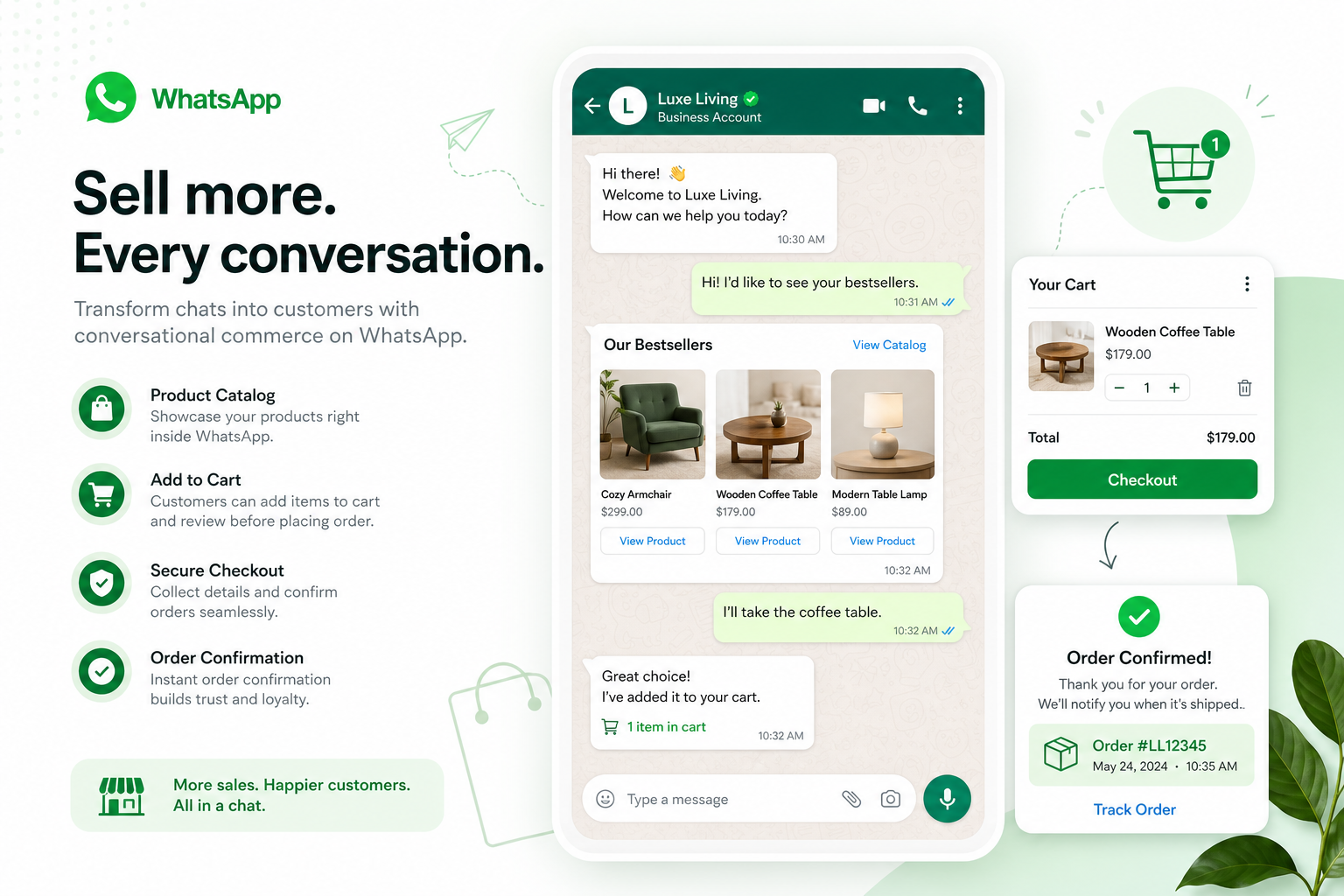
A WhatsApp storefront turns ordinary customer chats into a complete buying journey. Instead of pushing shoppers through multiple pages, forms, and redirects, businesses can let people discover products, ask questions, place orders, pay, and get support inside the app they already use every day.
For growing brands, service businesses, enterprise support teams, and agencies, that matters. Traditional eCommerce often leaks conversions through slow support, abandoned carts, disconnected inboxes, and poor mobile experiences. A WhatsApp storefront solves that by bringing commerce, support, automation, and customer context into one conversation.
With the right platform, WhatsApp becomes more than a messaging channel. It becomes a revenue engine.
"As of June 2025, WhatsApp had nearly 3 billion unique active users worldwide." - Source
"According to the Baymard Institute's analysis of 50 studies, the average cart abandonment rate in e-commerce is 70.22%." - Source
What Is a WhatsApp Storefront?
A WhatsApp storefront is a conversational shopping experience inside WhatsApp. It combines product browsing, assisted selling, automation, and order handling in a single thread.
Depending on the setup, a storefront may include:
A synced product catalog
Product recommendations in chat
Cart building
Order capture
Payment collection or payment links
Appointment or reservation workflows
Automated FAQs
Live agent handoff
Post-purchase updates and support
In simple terms, it is the difference between:
“Visit our site, search manually, and contact support separately”
vs.
“Message us on WhatsApp and buy with help in real time”
That is why the keyword whatsapp storefront is becoming more relevant for D2C brands, local businesses, multi-location service brands, and enterprise CX teams.
Why Businesses Are Moving to a WhatsApp Storefront Model
Most competitor articles explain the basic idea, but they often miss the bigger business shift: companies are not just adding WhatsApp as another channel. They are using it as a primary conversion channel.
The customer behavior shift
Customers want:
Fast answers
Mobile-first buying
Less friction
Personal help when needed
Fewer apps and fewer steps
A WhatsApp storefront meets all five.
The business benefit shift
Businesses want:
More conversions from high-intent chats
Lower support load
Faster response times
Better abandoned cart recovery
Centralized team handling
Automation without complex engineering
That is where a platform like Trikon Tech stands out. As an official WhatsApp Business API partner, Trikon gives businesses a reliable, compliant way to build a storefront that is not just a catalog, but a complete operating layer for sales, support, marketing, and workflows.
How a WhatsApp Storefront Works
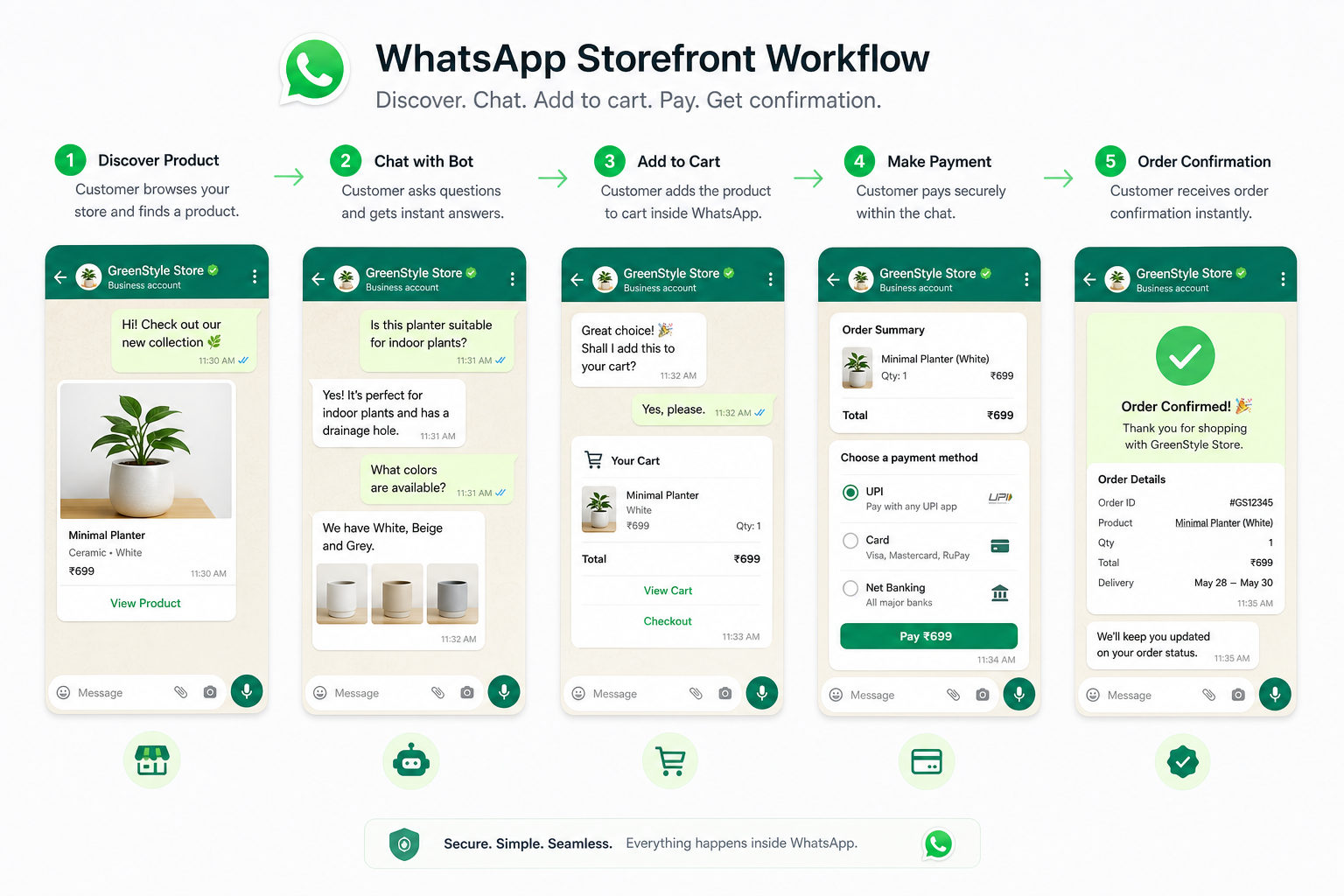
A modern WhatsApp storefront usually follows this flow:
A customer enters from a website button, ad, QR code, Instagram, or campaign.
WhatsApp opens with a prefilled intent or greeting.
A bot or agent helps the customer browse products or services.
The customer receives catalog items, product details, pricing, and availability.
They add items to cart or confirm the order in chat.
Payment happens via link, supported payment flow, or booking workflow.
The system sends order confirmation, reminders, delivery updates, or post-sale support.
Core storefront components
Component | What it does | Why it matters |
|---|---|---|
Catalog | Shows products or services in chat | Reduces browsing friction |
Automation | Answers FAQs, qualifies buyers, routes intent | Saves time and improves speed |
Cart/order flow | Captures purchase intent | Turns chat into revenue |
Payment step | Shares link or embedded payment journey | Moves user to checkout faster |
Shared inbox | Lets teams manage chats together | Improves accountability and CX |
CRM/customer history | Shows past interactions and context | Enables personalization |
Campaign automation | Drives re-engagement and recovery | Boosts repeat purchases |
WhatsApp Storefront vs Traditional Website Store
A WhatsApp storefront is not always a replacement for a website. In most cases, it works best as a conversion layer on top of your website.
Feature | WhatsApp Storefront | Traditional Website Store |
|---|---|---|
Product discovery | Guided in chat | Self-serve browsing |
Support | Instant, in-thread | Often separate or delayed |
Checkout friction | Lower for assisted sales | Higher for complex flows |
Personalization | Real-time and contextual | Usually rules-based |
Cart recovery | Conversational and direct | Usually email/SMS only |
Team collaboration | Shared inbox and assignment | Often disconnected tools |
Ideal for | High-intent conversion, support-led selling, repeat orders | SEO, scale browsing, deep catalog exploration |
The best strategy is often hybrid:
Use your website for SEO and wide product discovery
Use your WhatsApp storefront to convert, support, upsell, and retain
What Competitors Often Miss About WhatsApp Storefronts
Many ranking articles explain catalogs, orders, and payments. Fewer go deeper into the operational reality. These are the real content gaps businesses should understand.
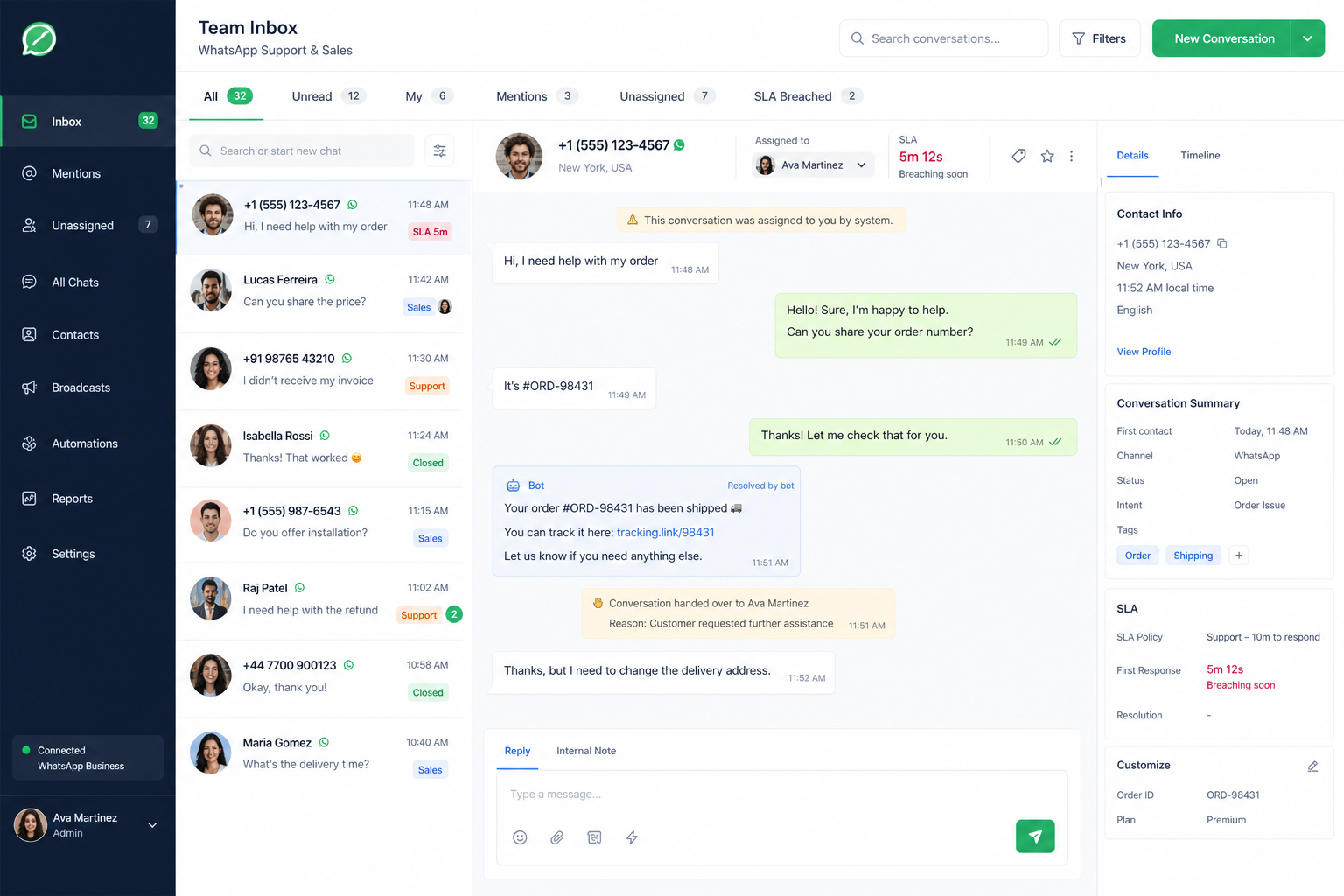
A storefront is only as good as the inbox behind it
If your WhatsApp storefront drives conversations but your team is still replying from one phone, it does not scale.
A proper storefront needs:
Shared team inbox
Agent assignment
SLA tracking
Conversation ownership
Internal notes
Full customer context
This is where Trikon is especially strong. Its Support Inbox centralizes customer chats so sales and support teams can work from one place instead of juggling devices and losing context.
Automation alone is not enough
Chatbots are useful, but pure automation can hurt conversions when customers have nuanced questions.
The winning approach is hybrid:
Automation handles repetitive questions, qualification, routing, and quick actions
Humans step in for objections, complex queries, negotiations, and edge cases
That hybrid model is one of the biggest practical advantages of Trikon’s platform.
Real storefront performance depends on operations
The best WhatsApp storefronts are not just about selling products. They also handle:
Appointments
Reservations
Reminders
Reorders
Payment confirmations
Support follow-ups
That matters for salons, clinics, education businesses, repair services, restaurants, events, and service-heavy brands.
Key Benefits of a WhatsApp Storefront
Higher conversion from high-intent traffic
A person who starts a WhatsApp chat usually has intent. They want clarification, reassurance, pricing, availability, or a final nudge.
A storefront lets you convert that demand faster by answering in the moment.
Lower friction than a standard checkout path
Instead of sending buyers through:
landing page
product page
cart
form
account creation
payment page
You can move them forward in one chat thread.
Better customer experience
The experience feels natural, personal, and fast. Customers do not need to repeat themselves or bounce between channels.
Stronger recovery flows
If a customer shows interest but does not buy, you can follow up with:
product reminders
stock alerts
abandoned cart recovery
offer nudges
appointment reminders
24/7 responsiveness
With no-code automation, businesses can keep the storefront available even outside business hours.
Lower support burden
Routine questions such as pricing, delivery, stock, timings, refund policy, and booking availability can be handled automatically.
Easier selling for lean teams
A small team can run support, marketing, selling, and operations from one WhatsApp-centered workflow instead of stitching together multiple tools.
Who Should Use a WhatsApp Storefront?
D2C and eCommerce brands
Ideal for brands that want to:
recover abandoned carts
drive repeat orders
answer product questions instantly
broadcast offers and launches
sync catalog from website or store platform
Appointment-based service businesses
Perfect for:
clinics
salons
wellness businesses
auto service centers
consultants
education providers
These businesses can use storefront-style chat flows for bookings, reminders, upsells, and payments.
Enterprise support and CX teams
Useful for organizations that need:
centralized inboxes
SLA management
routing by team or region
customer history
agent performance visibility
Agencies and resellers
A WhatsApp storefront is also attractive for agencies serving multiple clients. Trikon’s agency-ready scalability and white-label potential make it easier to package storefronts, chatbots, and WhatsApp automation as a service.
Essential Features of a High-Performing WhatsApp Storefront
Not all storefronts are equal. Look for these features if you want outcomes, not just setup.
Product catalog and cart support
Customers should be able to browse products naturally and move toward order creation without friction.
Website and commerce sync
Your storefront should reflect current product data, pricing, and availability. Manual updates create mistakes and poor CX.
No-code automation
Marketing and operations teams should be able to launch workflows without depending on engineering for every change.
Shared team inbox
This is crucial for brands with multiple agents or departments.
AI or rule-based chatbot support
You need fast handling for repetitive flows, with flexible human handoff.
Campaign and retargeting tools
A storefront should not just wait for inbound chats. It should help you create demand and recover lost revenue.
Booking and payment workflows
For service businesses, operational workflows are just as important as commerce flows.
Compliance and official API access
A storefront built on the official WhatsApp Business API is far safer and more scalable than unofficial tools.
What a WhatsApp Storefront Looks Like in Practice
Example 1: D2C skincare brand
A customer clicks “Chat on WhatsApp” from a product page.
In chat, they:
ask which serum fits their skin type
get guided by bot or agent
receive product recommendations
get a bundle offer
complete payment through a secure link
receive shipping updates later in the same thread
Example 2: Dental clinic or wellness business
A patient opens WhatsApp from an ad.
In chat, they:
choose treatment type
select location or provider
book appointment
receive reminders
ask follow-up questions
pay deposit or complete payment
Example 3: Enterprise support team
A customer opens WhatsApp about an order issue.
The system:
identifies the customer
routes conversation to the correct queue
shows full history
tracks SLA
lets agent resolve quickly
triggers post-resolution feedback or next-step workflow
Why Trikon Tech Is a Strong Choice for WhatsApp Storefronts
Trikon is not just a chatbot tool or inbox add-on. It is an all-in-one WhatsApp platform that helps businesses run support, sales, automation, operations, and storefront commerce from one system.
What makes Trikon different
Official WhatsApp Business API partner
That means trust, platform stability, better compliance, and a setup built for long-term growth.
Unified support inbox
Trikon’s shared Support Inbox allows teams to manage customer conversations with:
agent assignment
SLA tracking
customer history
context-rich handoff
better accountability
No-code automation
Teams can build workflows for:
keyword-based routing
AI-triggered responses
lead qualification
FAQ handling
order and booking automation
24/7 automated response capability
This helps reduce manual support load and keeps response times low even when teams are offline.
Strong marketing automation
Trikon supports growth-focused campaigns such as:
drip sequences
segmentation
retargeting
abandoned cart recovery
promotional broadcasts
Operational workflows inside WhatsApp
This is a major advantage for service brands. Businesses can run:
appointments
reservations
reminders
payments
follow-ups
Built-in storefront thinking
Trikon helps businesses sell directly in WhatsApp with catalog, cart, order workflows, and website sync, turning chat into a true transactional channel.
Minimal setup
For teams without a large engineering department, Trikon is practical. It is designed to be simple to launch and scale.
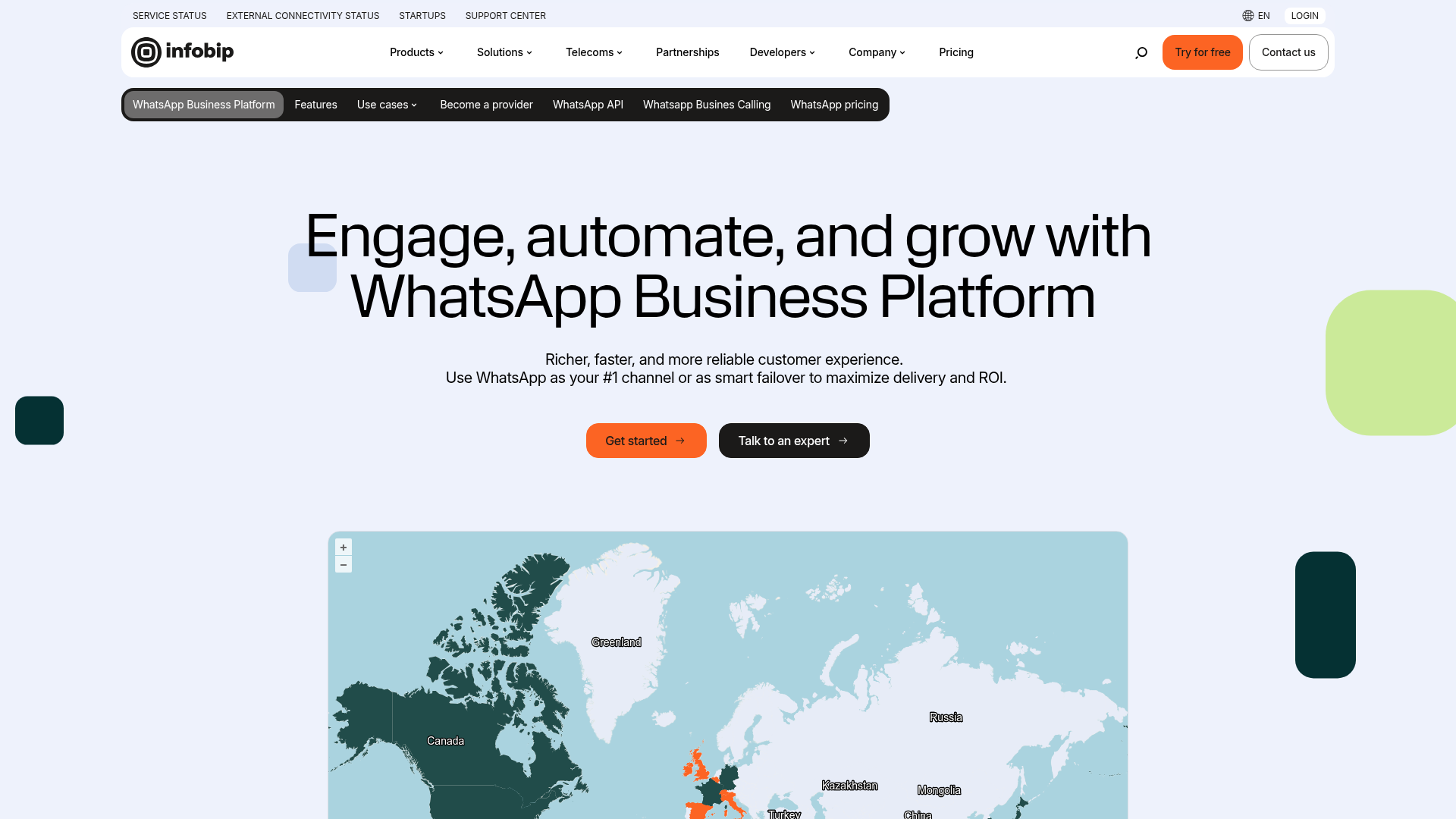
Screenshots of WhatsApp Commerce-Focused Platforms
Below are examples of leading WhatsApp commerce and automation platforms in the market, showing how businesses are moving toward storefront-led messaging experiences.
Infobip
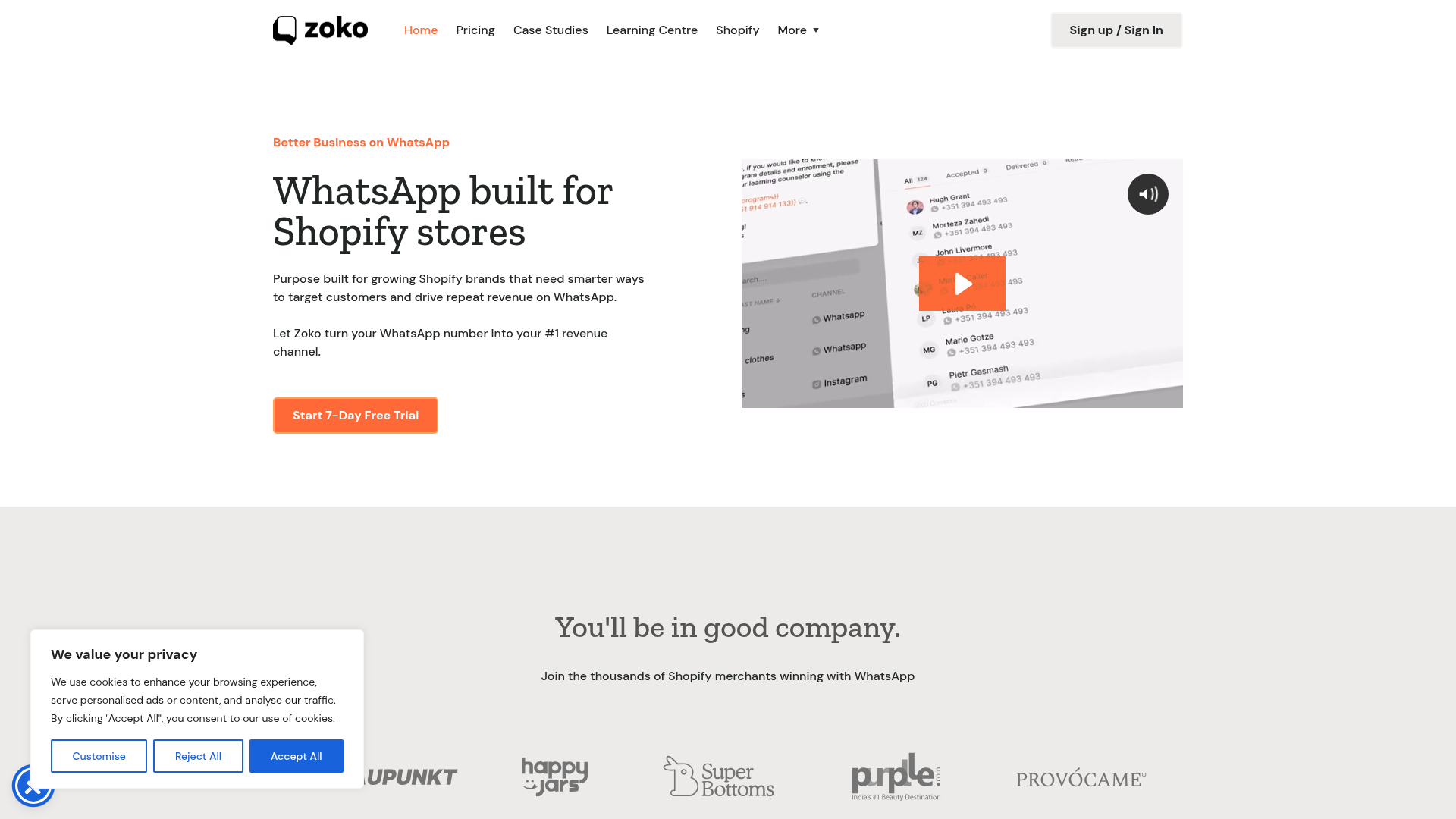
Zoko
Picky Assist
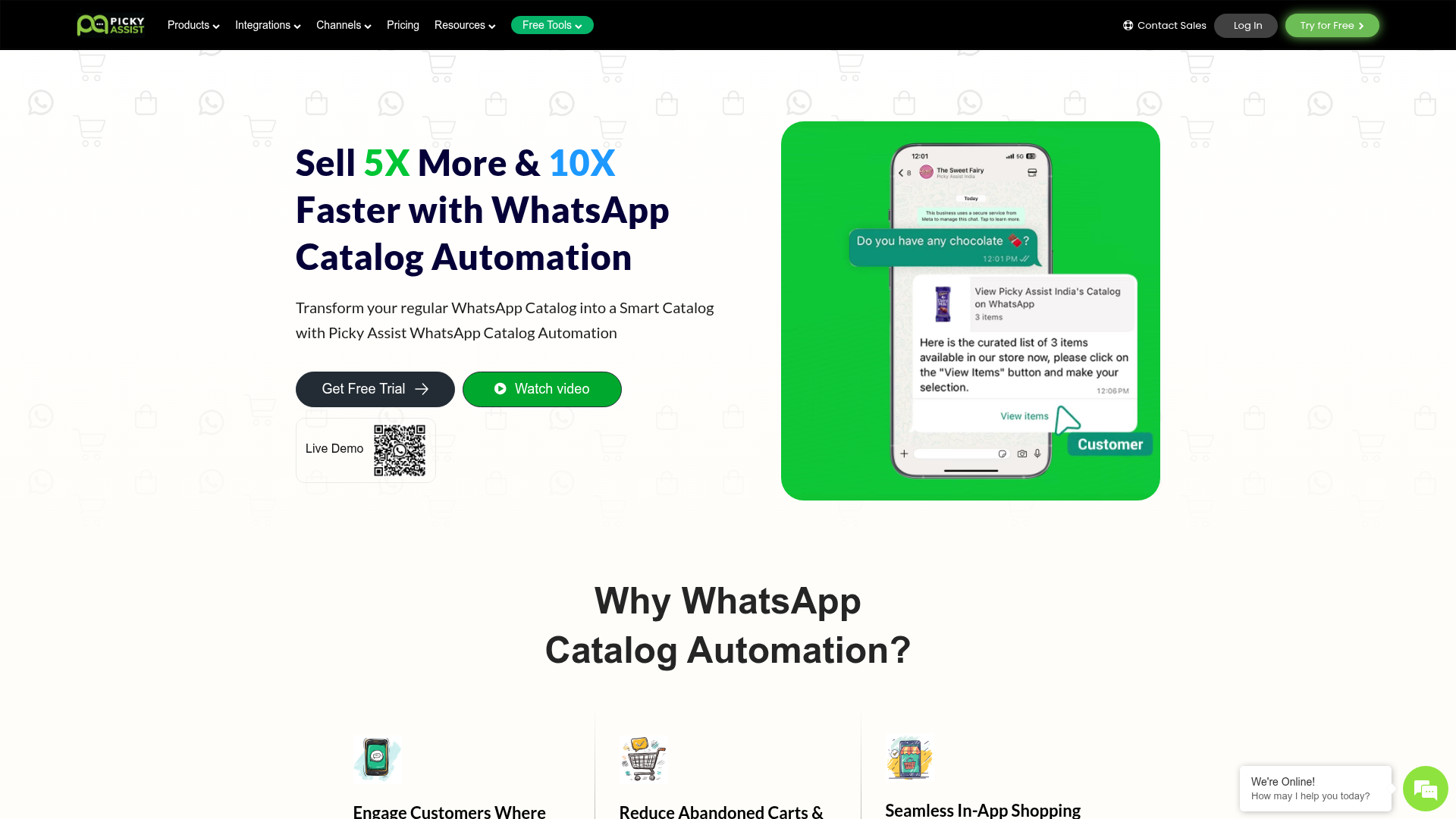
These examples show the market trend clearly: brands now expect WhatsApp to support commerce, automation, support, and team workflows together.
How to Set Up a WhatsApp Storefront
Step 1: Get the right WhatsApp foundation
Start with the official WhatsApp Business API, not a workaround. This gives you the scalability, automation, and team functionality needed for a real storefront.
Step 2: Define your main conversion path
Decide what your storefront should optimize for first:
product sales
lead qualification
bookings
repeat purchases
support resolution
Step 3: Build your catalog or service menu
Keep the structure clear. Customers should quickly understand:
what you offer
price or starting price
key benefits
next step
Step 4: Create automation flows
Set up flows for:
greetings
product discovery
FAQs
qualification
cart or order capture
payment handoff
fallback to human support
Step 5: Enable shared team handling
If multiple people reply, use a shared inbox from day one.
Step 6: Add marketing recovery flows
Do not stop at inbound conversion. Add:
abandoned cart reminders
post-purchase cross-sell
reorder nudges
appointment reminders
campaign retargeting
Step 7: Measure and improve
Track metrics such as:
chat starts
qualified leads
add-to-cart conversations
conversion rate
response time
resolution time
repeat purchase rate
Best Practices to Make a WhatsApp Storefront Convert Better
Keep the first message simple
Do not overwhelm users. Offer clear quick paths such as:
Shop products
Track order
Book appointment
Talk to support
Use automation to reduce friction, not increase it
Bots should shorten the journey, not trap people in loops.
Move to human support when intent is high
If someone asks about pricing, availability, custom options, or objections, handoff should be immediate and smooth.
Personalize offers
Use segmentation and behavior-based triggers to recommend relevant products or services.
Recover interested users fast
The best time to recover an abandoned purchase is while intent is still warm.
Make operations part of the storefront
For service brands, reminders, confirmations, and follow-ups are part of the buying experience, not separate tasks.
Common Challenges and How to Solve Them
Challenge: Too many incoming chats
Solution: Use no-code automation to answer common queries, qualify leads, and route conversations before human involvement.
Challenge: Team confusion and missed follow-ups
Solution: Use a shared inbox with clear assignment, ownership, and SLA rules.
Challenge: Catalog or inventory mismatches
Solution: Use website sync or commerce platform integration to keep product data current.
Challenge: Poor customer experience with bots
Solution: Use hybrid automation with easy human handoff.
Challenge: Difficulty proving ROI
Solution: Track storefront performance across conversion, support efficiency, recovery rate, and repeat revenue.
WhatsApp Storefront for Marketing, Not Just Sales
One of the biggest missed opportunities is treating a WhatsApp storefront as only a support or checkout tool.
A strong storefront also supports:
launch campaigns
product drops
win-back sequences
retargeting
loyalty offers
event invites
back-in-stock alerts
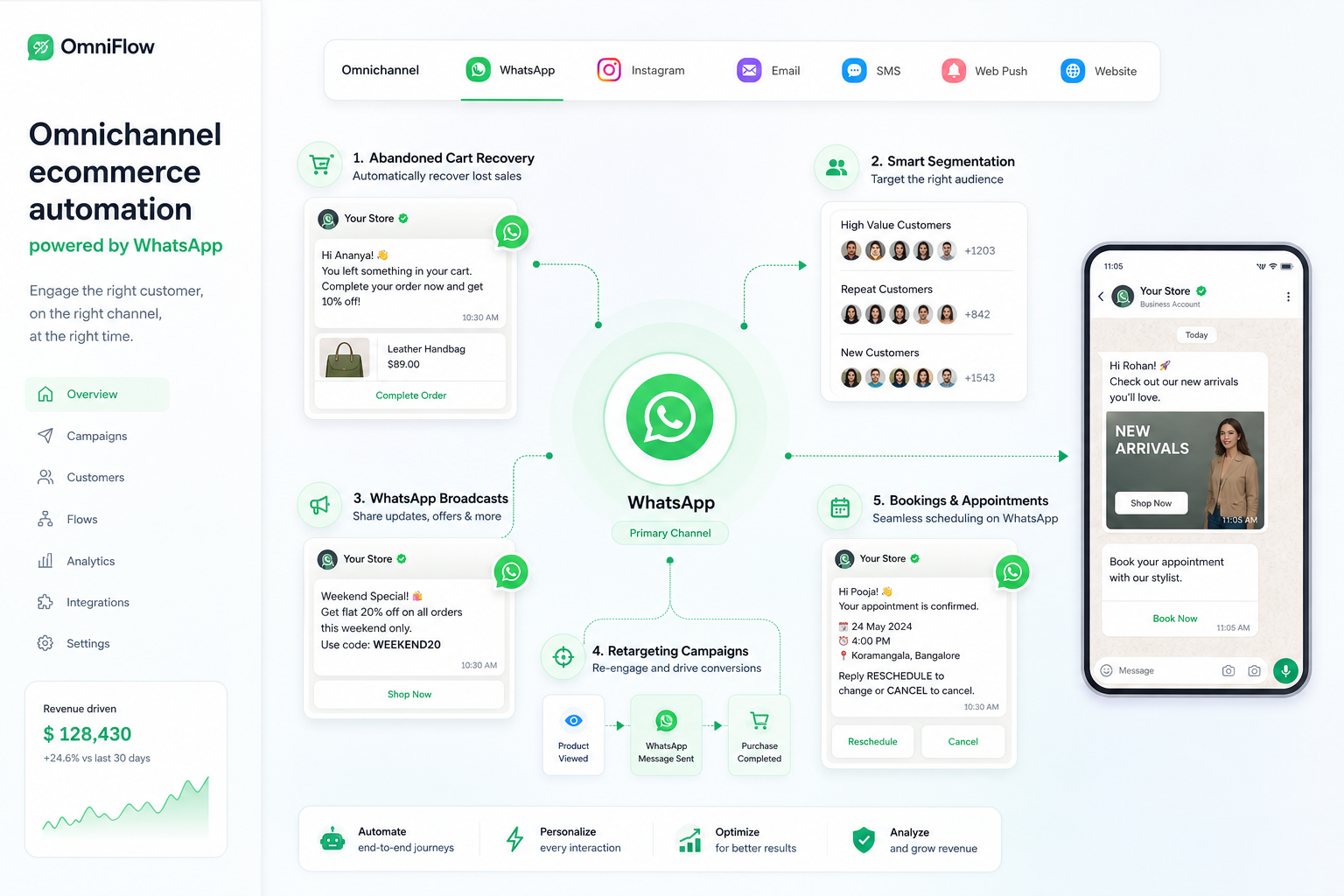
That is where Trikon’s marketing automation layer becomes especially valuable. Instead of running one-off campaigns, brands can build conversion journeys that keep working automatically.
Final Verdict: Why a WhatsApp Storefront Is a Smarter Way to Sell
A WhatsApp storefront is not just a trendy sales channel. It is a smarter, more responsive way to meet customers where intent is highest and friction is lowest.
It helps businesses:
turn chats into conversions
reduce drop-offs
centralize support and sales
automate repetitive work
improve customer experience
manage bookings, payments, and follow-ups
drive repeat revenue inside the same thread
If you want to use WhatsApp as a real business channel instead of just a messaging inbox, you need more than a simple chat button. You need a platform that combines storefront commerce, support, automation, marketing, and operations in one place.
That is exactly where Trikon Tech fits.
With Trikon, you get an official WhatsApp Business API partner, a unified shared inbox, no-code chatbot and automation tools, 24/7 response workflows, marketing journeys, booking and payment workflows, and a WhatsApp storefront built to sell without heavy engineering.
If your business wants a faster, more scalable way to turn conversations into revenue, Trikon is the smarter place to start.
FAQ
Is WhatsApp good for selling?
Yes, WhatsApp is highly effective for selling because it combines product discovery, real-time support, and conversion inside one familiar chat experience. It works especially well for businesses that want lower friction, faster responses, and stronger follow-up than traditional web-only journeys.
What is the WhatsApp sales strategy?
A strong WhatsApp sales strategy uses chat as a guided buying journey: attract users from ads, website buttons, or campaigns, qualify them with automation, recommend the right products or services, and hand off to human agents when needed. The best setups also include broadcasts, retargeting, and abandoned cart recovery.
Can we earn money from WhatsApp Business?
Yes, businesses can earn money from WhatsApp Business by using it to generate leads, sell products, recover carts, book appointments, and drive repeat purchases. With the WhatsApp Business API and a platform like Trikon, it becomes a scalable revenue and customer experience channel.
Is WhatsApp marketing legal in India?
Yes, WhatsApp marketing is legal in India when businesses follow consent-based practices and WhatsApp’s official policies. That means using approved messaging flows, collecting opt-ins properly, and working through an official WhatsApp Business API provider.
Does Mark Zuckerberg still own WhatsApp?
WhatsApp is owned by Meta, the parent company formerly known as Facebook. Mark Zuckerberg is the CEO of Meta, so while he does not personally own WhatsApp as a separate company, it remains part of Meta’s business portfolio.